
Convin supports multiple communication channels, enabling you to analyze conversations conducted via Calls, Chats, and Emails. You can easily filter and access conversations by type across different sections of the platform.
Below are the areas where you can apply the Conversation Type filter:
1. Home Page – Filter by Conversation Type
On the Home page, you will find a filter bar at the top.
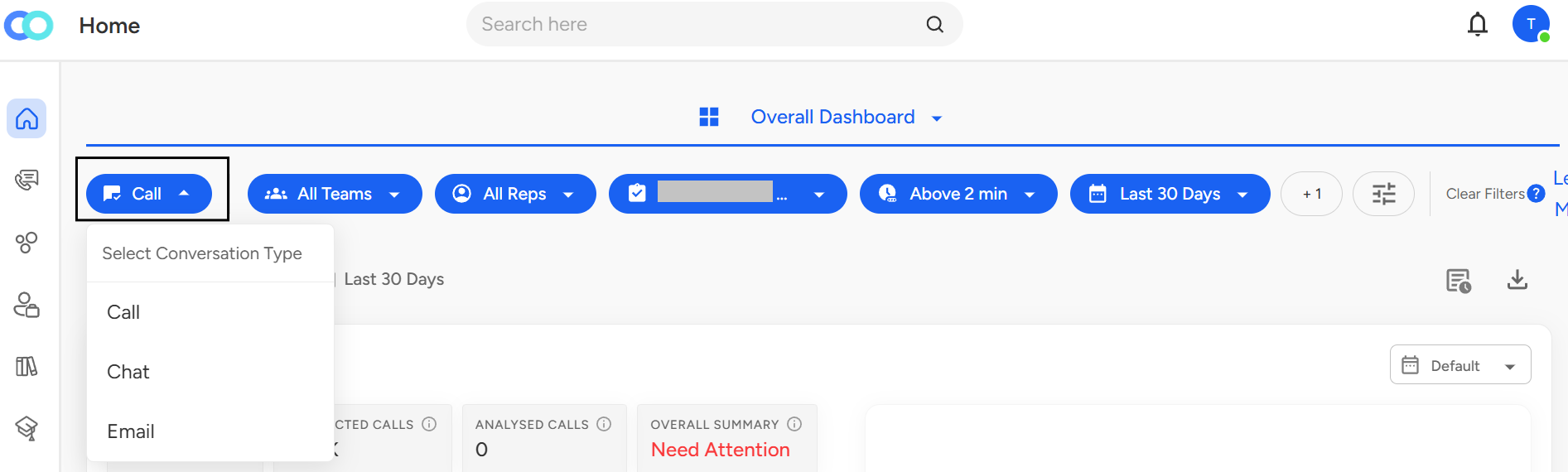
This filter adjusts the dashboard view and analytics data based on the selected conversation format.
2. Conversations Page
Navigate to the Conversations page.

- At the top of the page, there’s a filter option labeled “Conversation Type”.
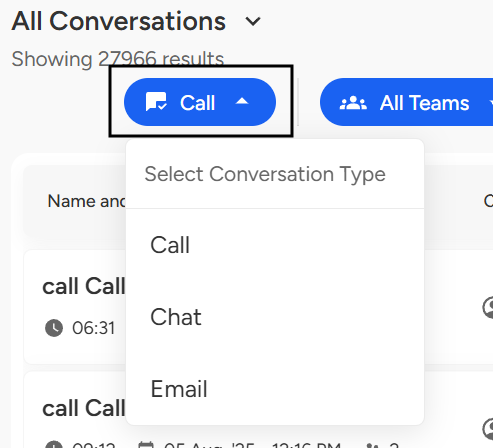
Select the type of conversation you wish to view, and the conversation cards will automatically update to display only Call interactions, Chat threads, or Email exchanges.
3. Advanced Filters – Detailed Filtering
- On the Conversations page, click on Advanced Filters panel and scroll down to find "Conversations type"
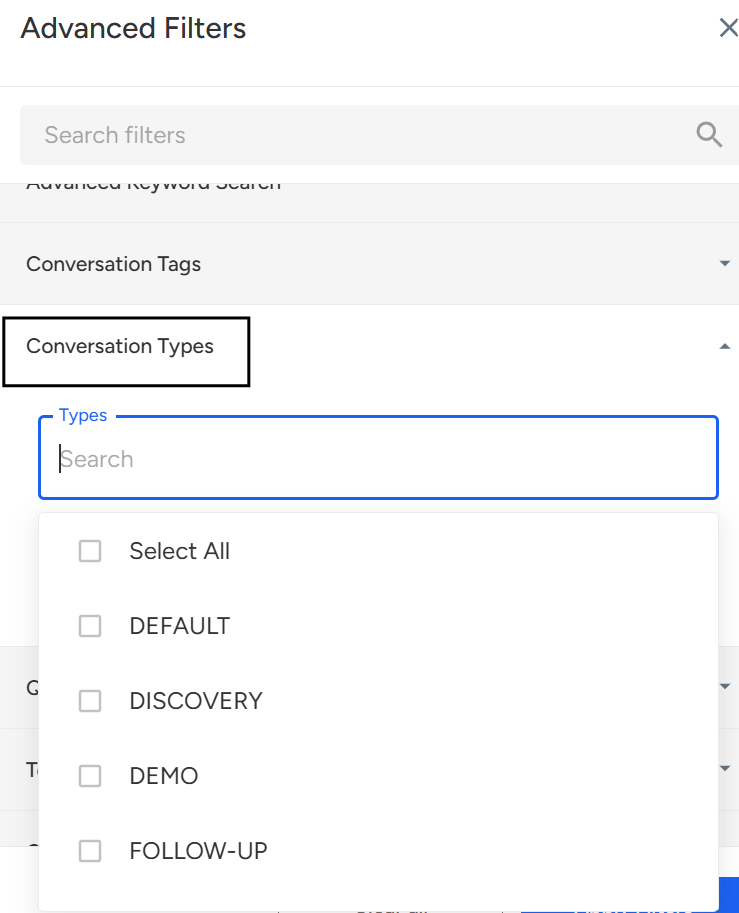
This feature allows you to filter conversations based on specific purposes such as Follow-up, Demo, Review, Product-related discussions, or any other context you wish to analyze.
Need Additional Assistance?
📩 Still need help? Contact our support team at [email protected] —we’re happy to assist!
Good day!