
The LMS - Knowledge Base allows users to manage content folders by renaming or deleting them, helping maintain a well-organized and streamlined learning environment.
To Rename a Folder in the LMS Knowledge Base:
- Navigate to LMS Dashboard.

- Once you click on the LMS page, you'll see the Knowledge Base view.
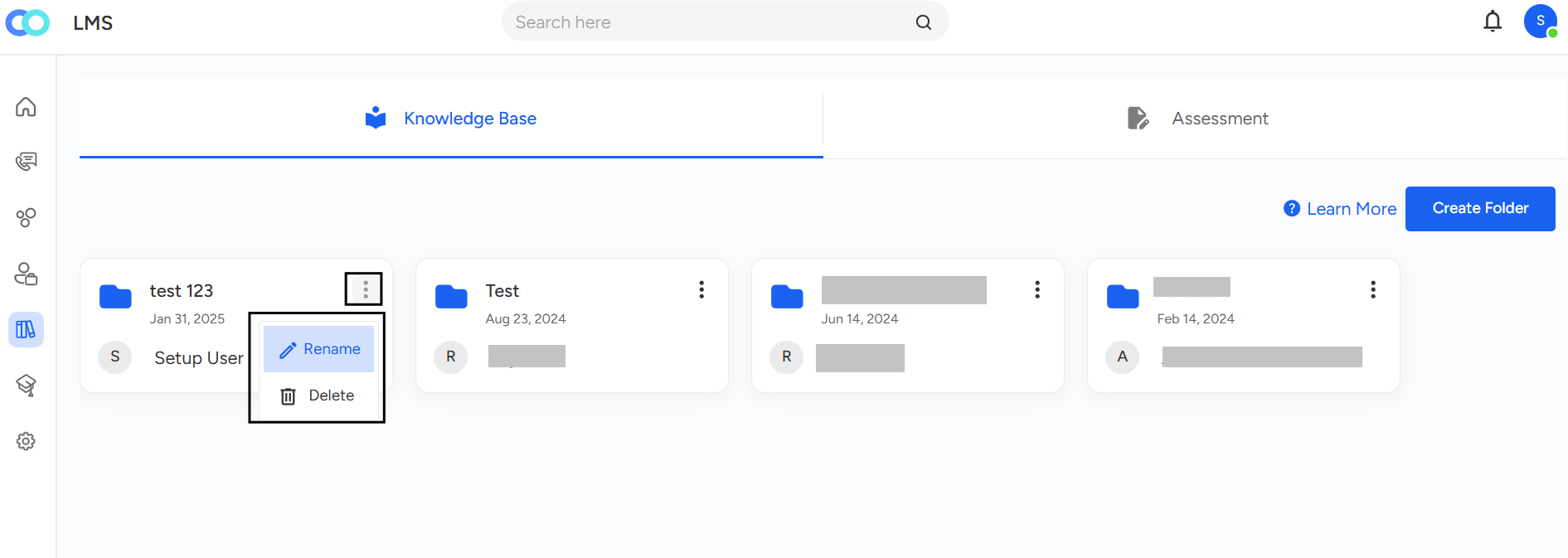
Under Knowledge Base view where all existing or created folders are listed. Simply click on the three-dot (⋯) icon next to the folder you wish to manage. Depending on your selection Rename or Delete a corresponding pop-up will appear to complete the action.
Need Additional Assistance?
📩 Still need help? Contact our support team at [email protected] —we’re happy to assist!
Good day!