
In Convin, calls can be audited in two ways:
- AI Audits – Automatically analyzed by our AI engine based on predefined parameters.
- Manual Audits – Reviewed and scored by human auditors for detailed evaluation.
This guide explains how to filter data by Audit Type in the Overall Dashboard and Accounts page so you can view relevant insights based on your preferred audit method.
Switching Audit Type in the Overall Dashboard:
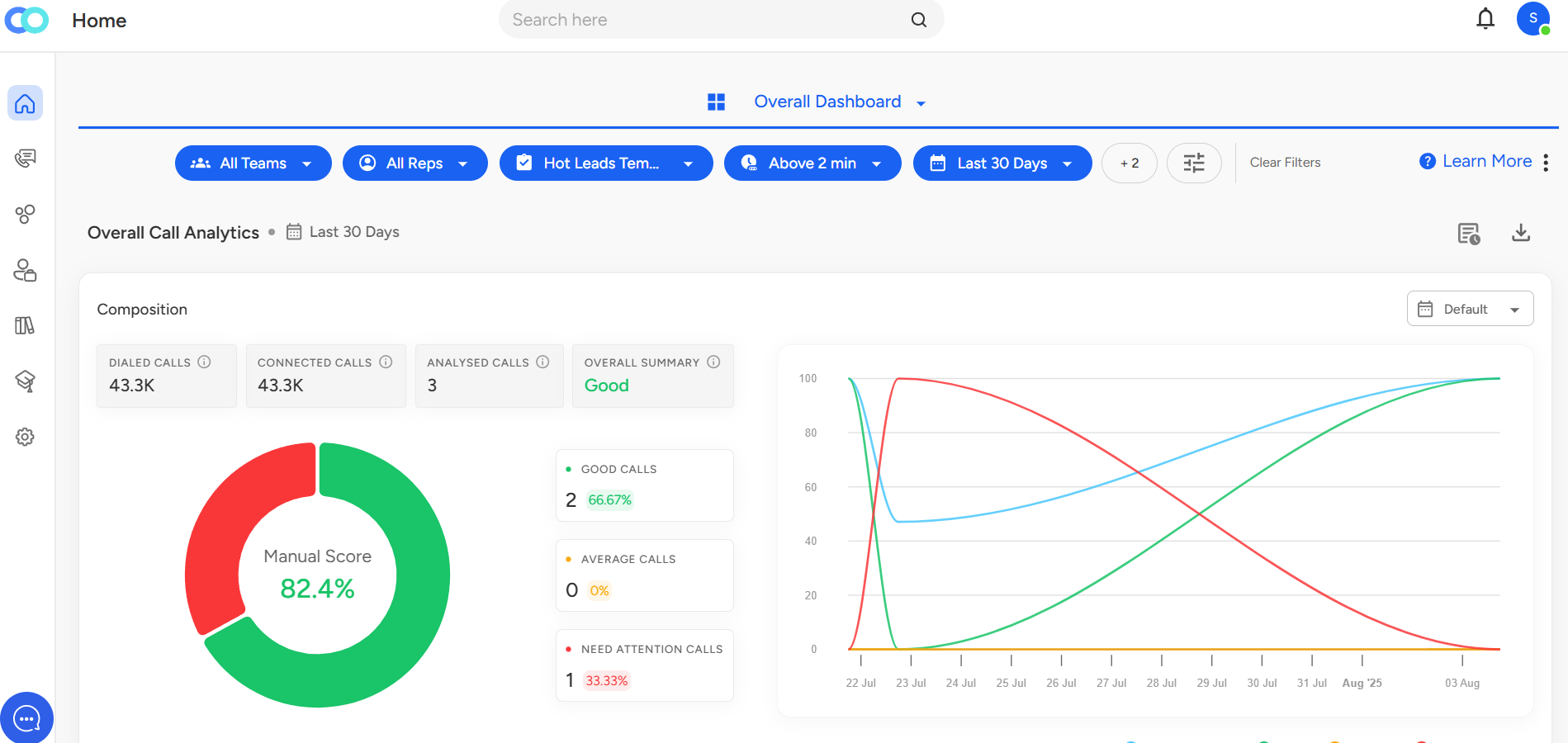
The Overall Dashboard provides a high-level view of performance metrics across your organization. Filtering by audit type helps you compare AI-generated insights with manual audit evaluations.
Steps:
- Navigate to Overall Dashboard:

- Click on Filter Icon:

- In the filter options, locate Audit Type and choose either:
AI – View data for calls audited by AI.
Manual – View data for calls audited manually by auditors.
If you select Manual, you can also choose the Audited Date and Auditor before applying the filter.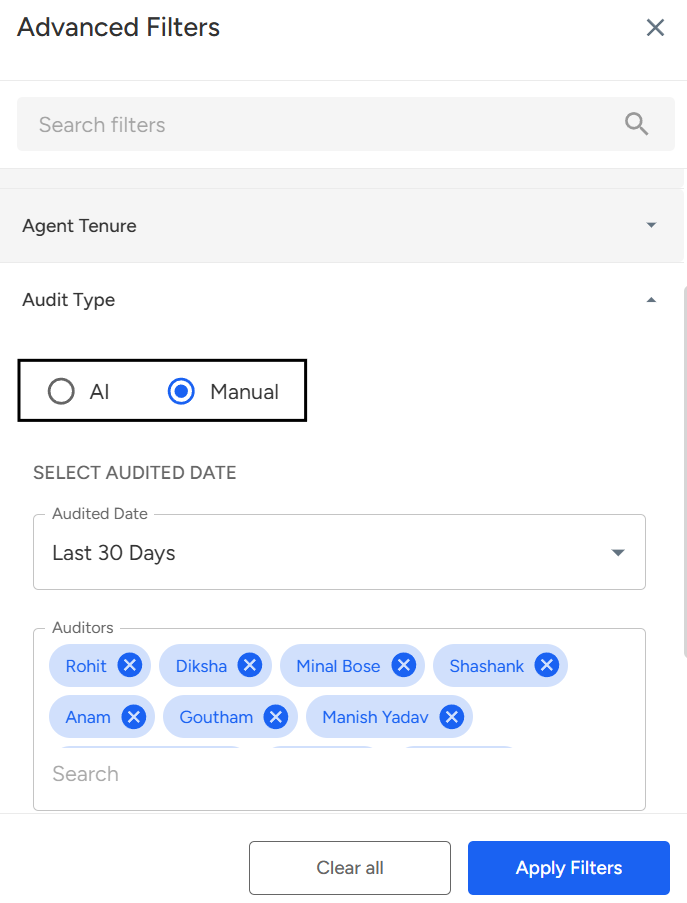
- Once you’ve selected your audit type (and, for Manual, chosen the audited date and auditor), click Apply Filter. You will then get the updated overview on the Overall Dashboard based on your selection.
Switching Audit Type in the Accounts Page:
The Accounts page gives you detailed analytics for specific user/agent accounts. Using the audit type filter here helps you analyze account-level performance based on AI or manual auditing.
Steps:
Go to the Accounts Page:

2. In the Filter options, choose either AI or Manual under Audit Type.
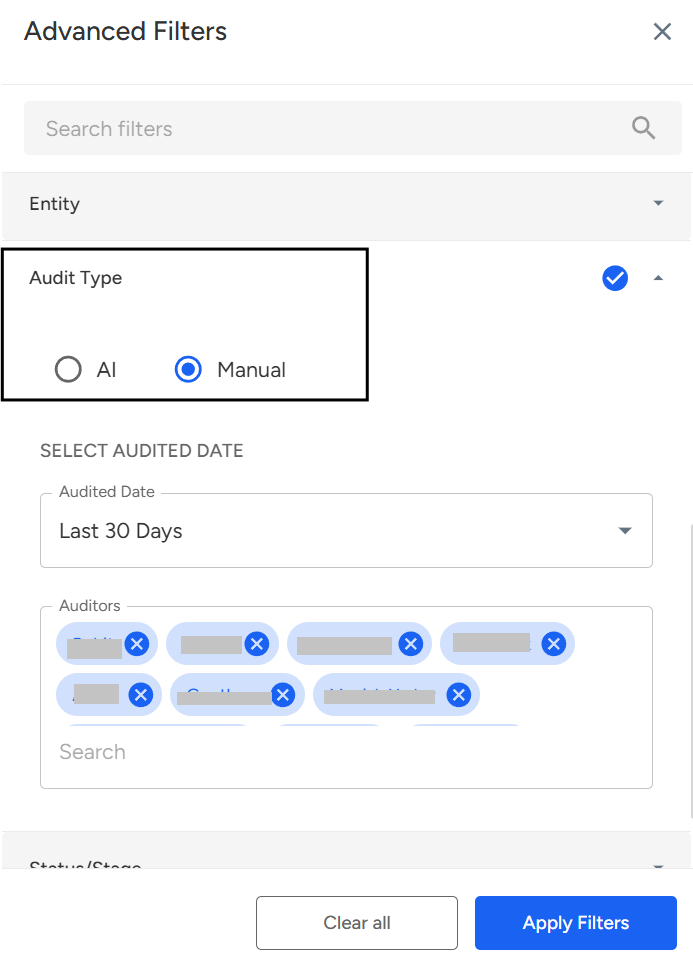
3. Once you’ve selected your audit type (and, for Manual, chosen the audited date and auditor), click Apply Filter. You will then get the updated overview on the Accounts Page based on your selection.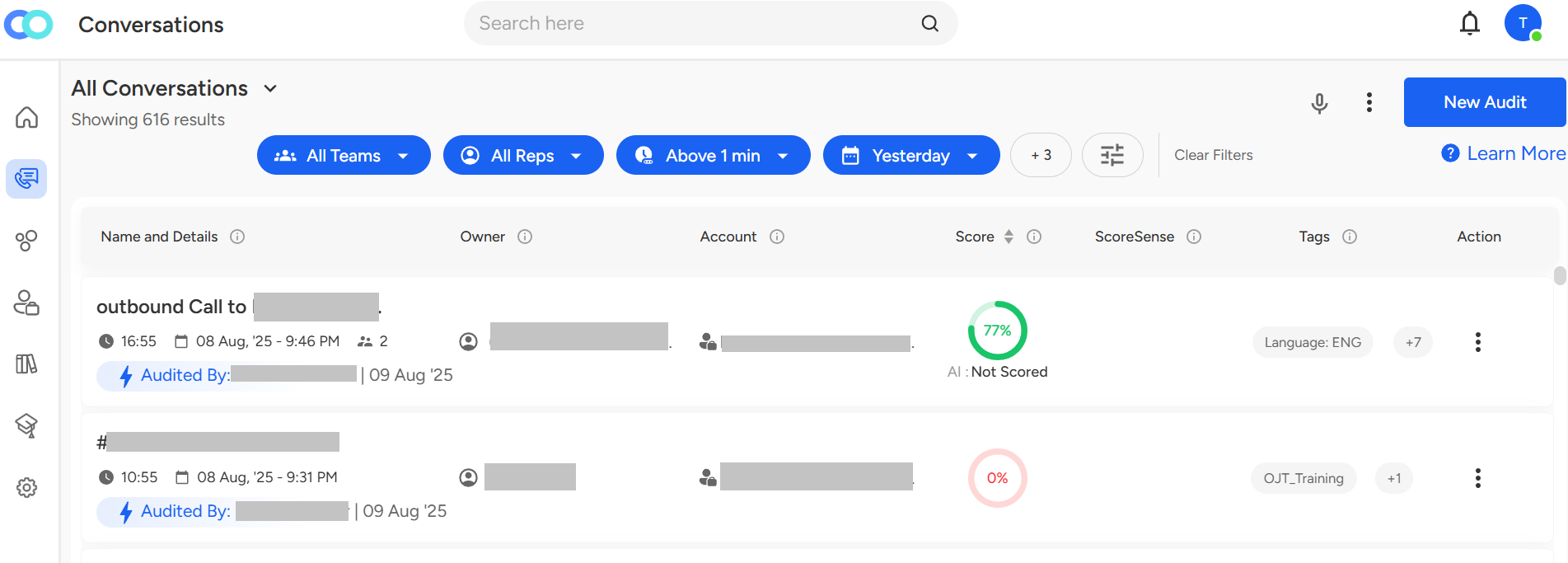
Using the Audit Type filter lets you easily view and compare AI and manual audit data. This helps you gain clearer insights into call performance at both overall and account levels.Need Additional Assistance?
📩 Still need help? Contact our support team at [email protected] —we’re happy to assist!
Good day!