
What is Supervisor Assist?
Supervisor Assist helps you monitor calls in real time, identify violations, track sentiment changes, and interact with agents instantly. The dashboard is designed to give supervisors a complete view of ongoing activity across teams.

Understanding the Dashboard
Agent Assist Status (Active Today)
Displays the current status of live calls for the day.
You will see three main indicators:
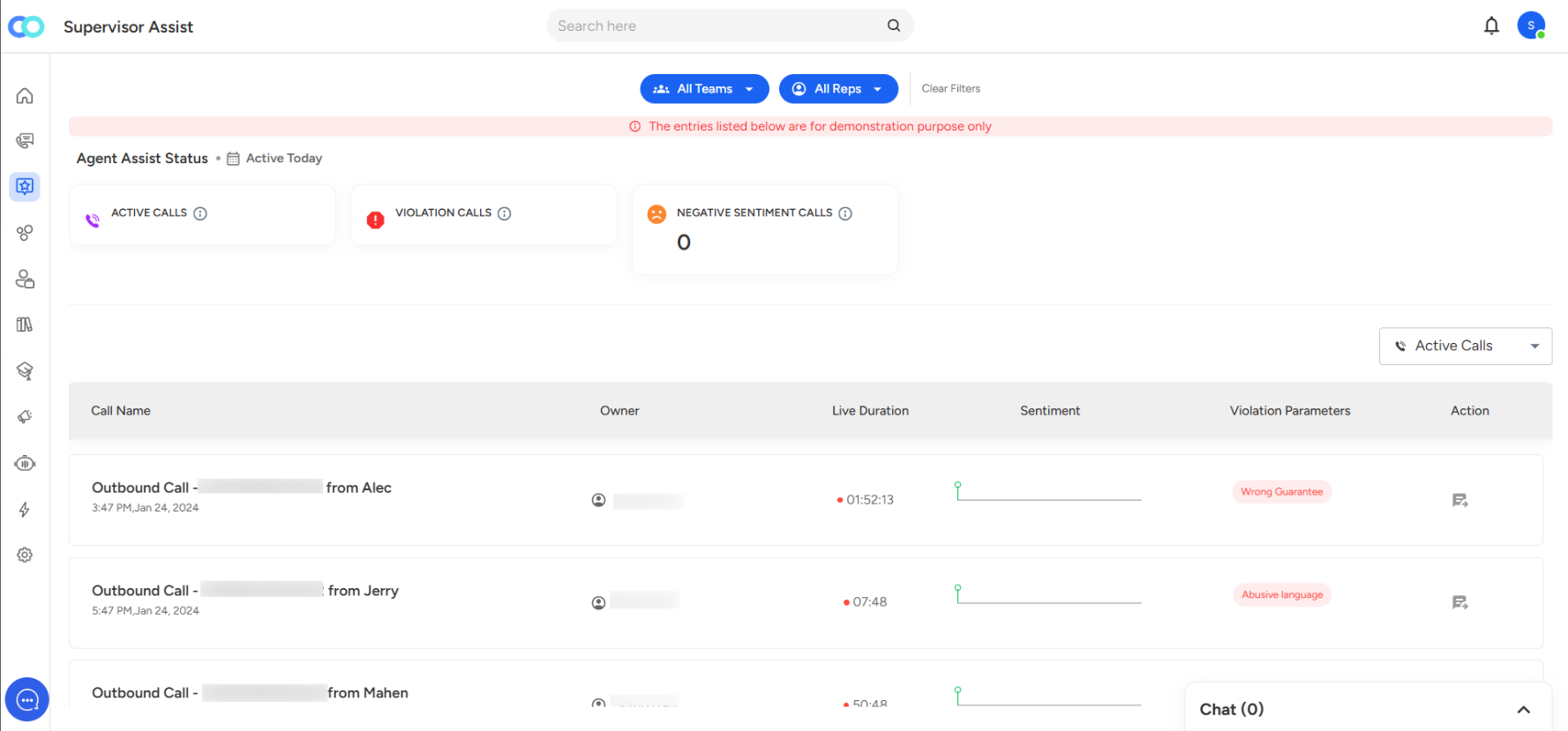
Active Calls: Shows the total number of calls currently active across your teams.
Violation Calls: Shows the total number of calls where at least one violation parameter has been triggered.
Negative Sentiment Calls: Shows the number of active calls currently marked with negative sentiment.
Note: Sentiment status can change dynamically as the system detects positive and negative moments during the call.
Dropdown Selection (Active Calls, Violation Calls, Negative Sentiment Calls)
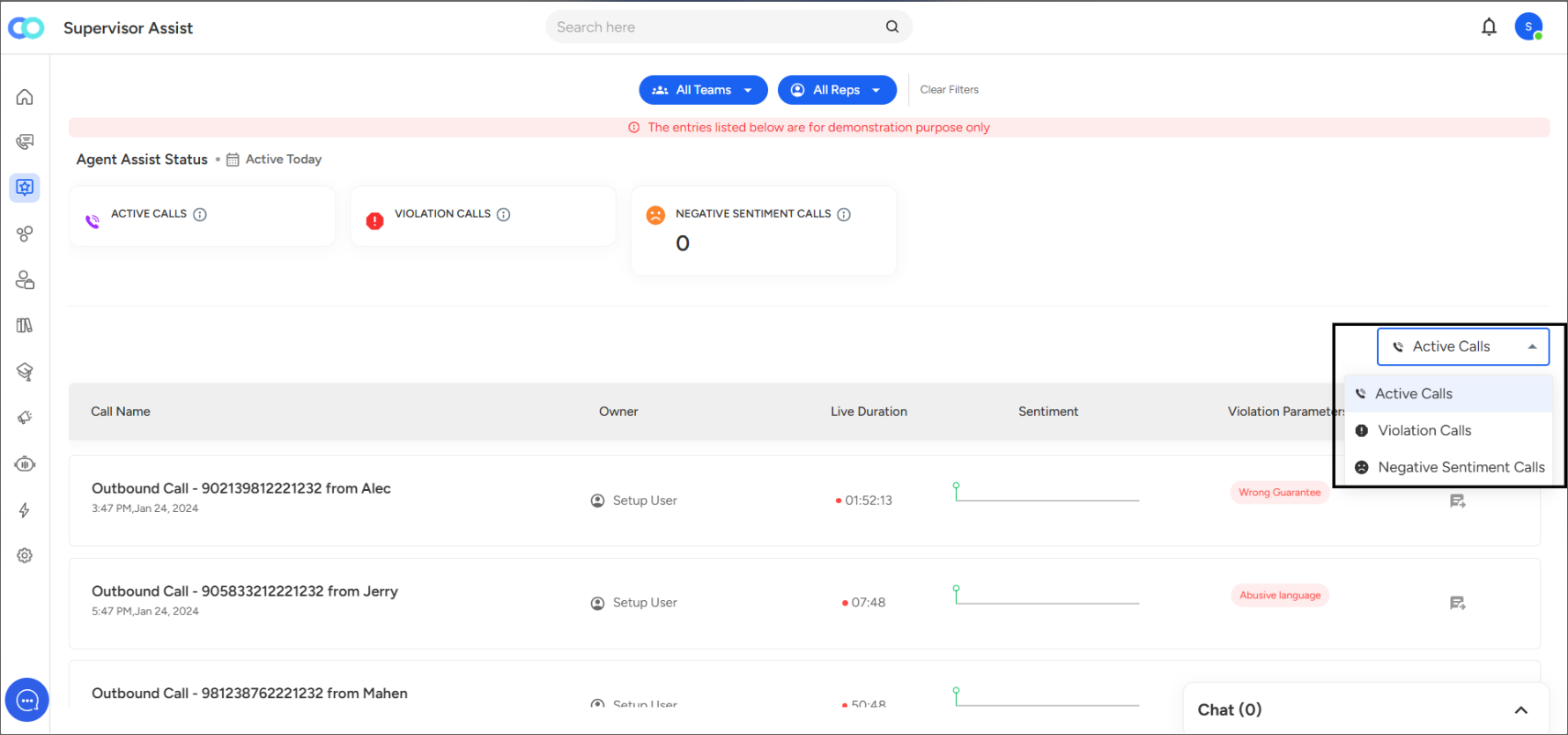
Use the dropdown on the right to filter the table view by type:
Active Calls
Violation Calls
Negative Sentiment Calls
Call Details Table
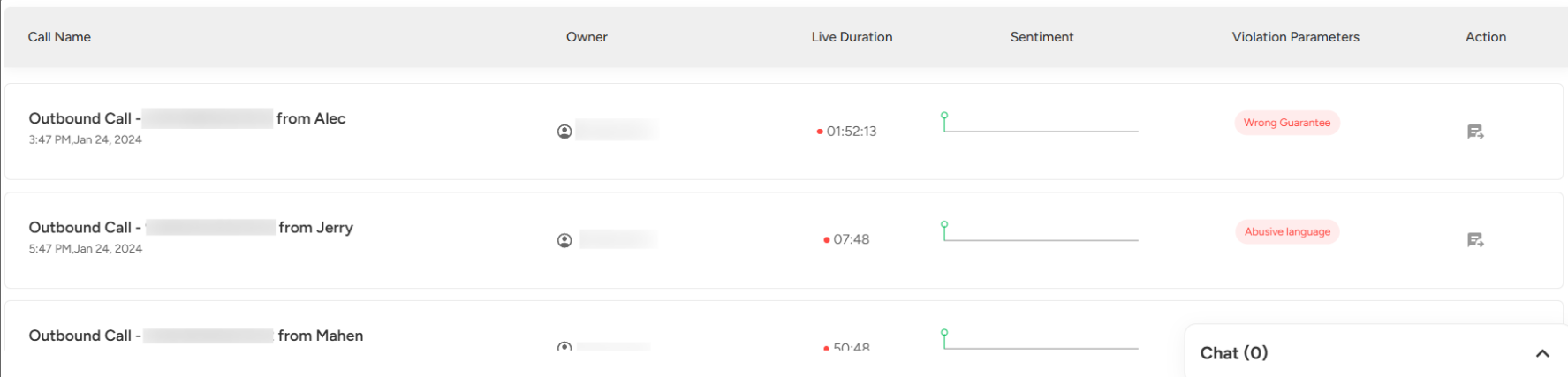
Call Name: Displays call type, number, and caller information.
Owner: Identifies the user handling the call.
Live Duration: Indicates the duration of the call.
Sentiment Graph: Provides a timeline view of detected sentiment changes during the call.
Violation Parameters: Displays alerts (e.g., Fatal) if any violations are detected.
Action: Click the chat icon to open a side panel.
Chat Panel
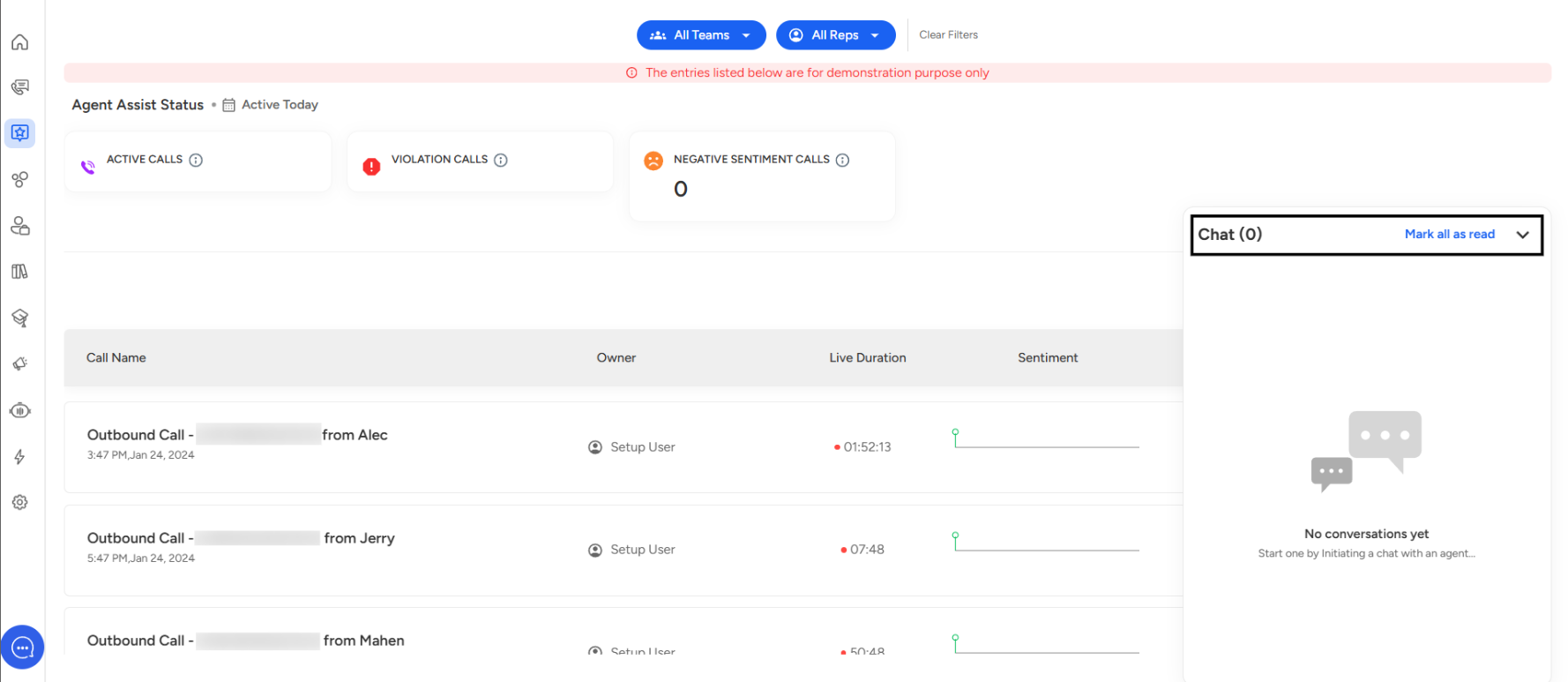
If you click on the chat icon for any call, a panel appears.
If no messages have been exchanged, it shows "No conversations yet. Start one by initiating a chat with an agent."
Supervisors can use this feature to send real-time guidance or feedback during ongoing calls.
Need Additional Assistance?
📩 Still need help? Contact our support team at [email protected] —we’re happy to assist!
Good day!