
Introduction
Compliance is the backbone of every financial technology operation. To strengthen auditing precision and adaptability, Convin introduces its rule-based engine - a powerful solution that automates auditing workflows, reduces human error, and enforces organizational standards.
But what exactly is a rule engine, and why does it matter for modern contact centers?
What Is a Rule Engine?
A rule engine is software designed to automate decisions using pre-configured rules. These rules, written in conditional formats, guide decision-making processes without manual intervention. In industries where compliance is non-negotiable, rule engines ensure that every customer interaction aligns with regulatory standards.
Key benefits of rule engines include:
Automated decision-making and reduced human error
Consistency in quality assurance and compliance checks
Significant time savings by eliminating repetitive tasks
By implementing a rule engine, contact centers can evaluate conversations systematically, streamline audits, and maintain reliable performance at scale.
Key Features of Convin’s Rule Engine
Convin’s solution combines no-code customization with flexible workflow design, making it accessible to users without technical expertise.
1. Flexible Logic Blocks
Rules are built from modular “blocks,” which define specific conditions—e.g., Did the agent introduce the product?
Blocks can be connected to create complex audit flows using logic such as Yes/No/N/A triggers.
2. Pre-Configured and Custom Templates
Use ready-made audit questions for common compliance scenarios.
Create fully customized rules to match organizational processes.
3. Adaptive Workflow for Higher Productivity
Linked rule blocks ensure all audit criteria are covered.
Minimizes rework and keeps teams focused on evaluating quality rather than configuring rules repeatedly.
4. Information Correctness Validation
Convin’s information correctness system verifies that agent inputs align with CRM records and defined standards.
Compares entity values (from transcripts), static reference values, and CRM attributes to ensure accurate data handling.
How Does Convin’s Rule Engine Work?
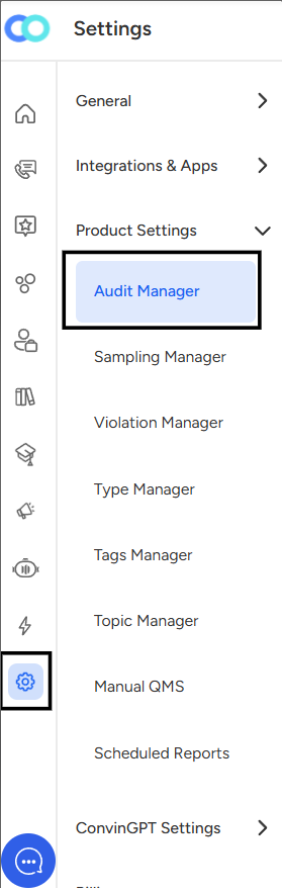
Step 1: Access the Audit Manager
Go to the product settings, open the Audit Manager, and navigate to the parameter section.
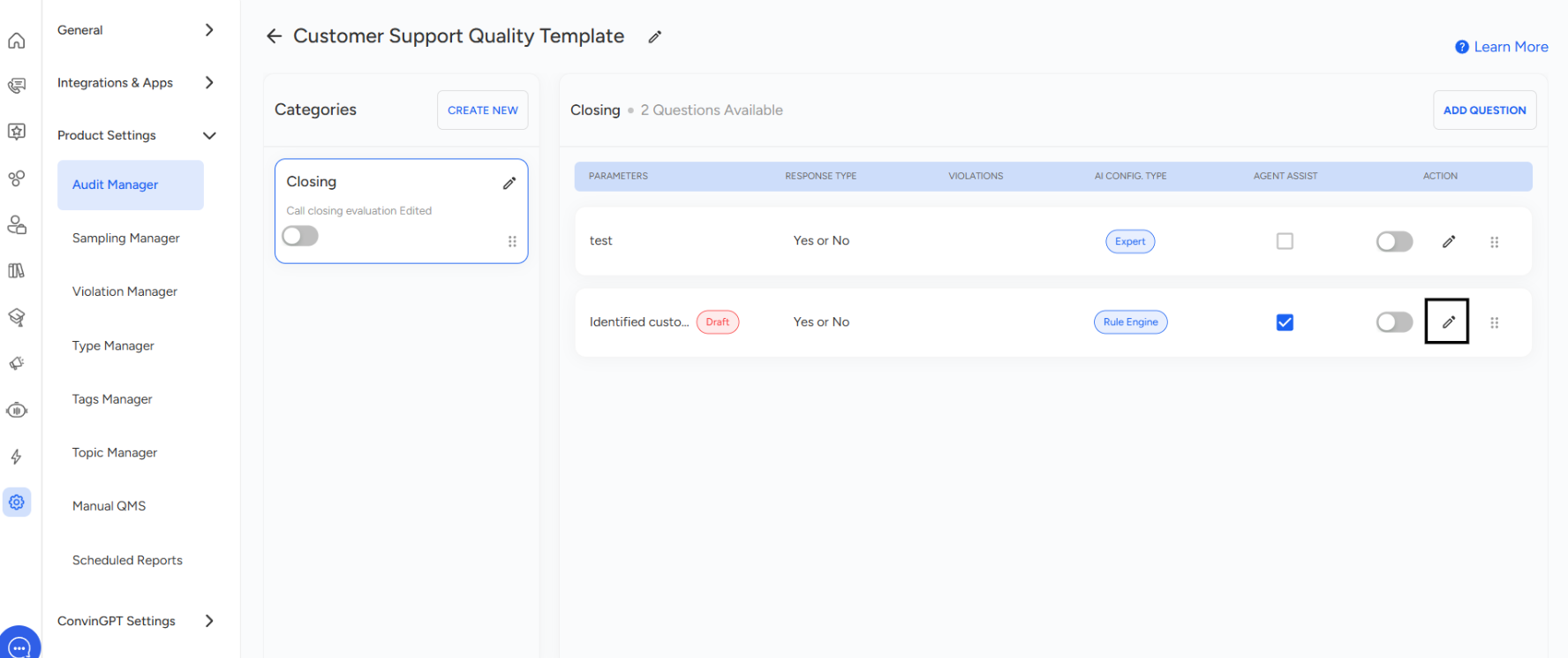
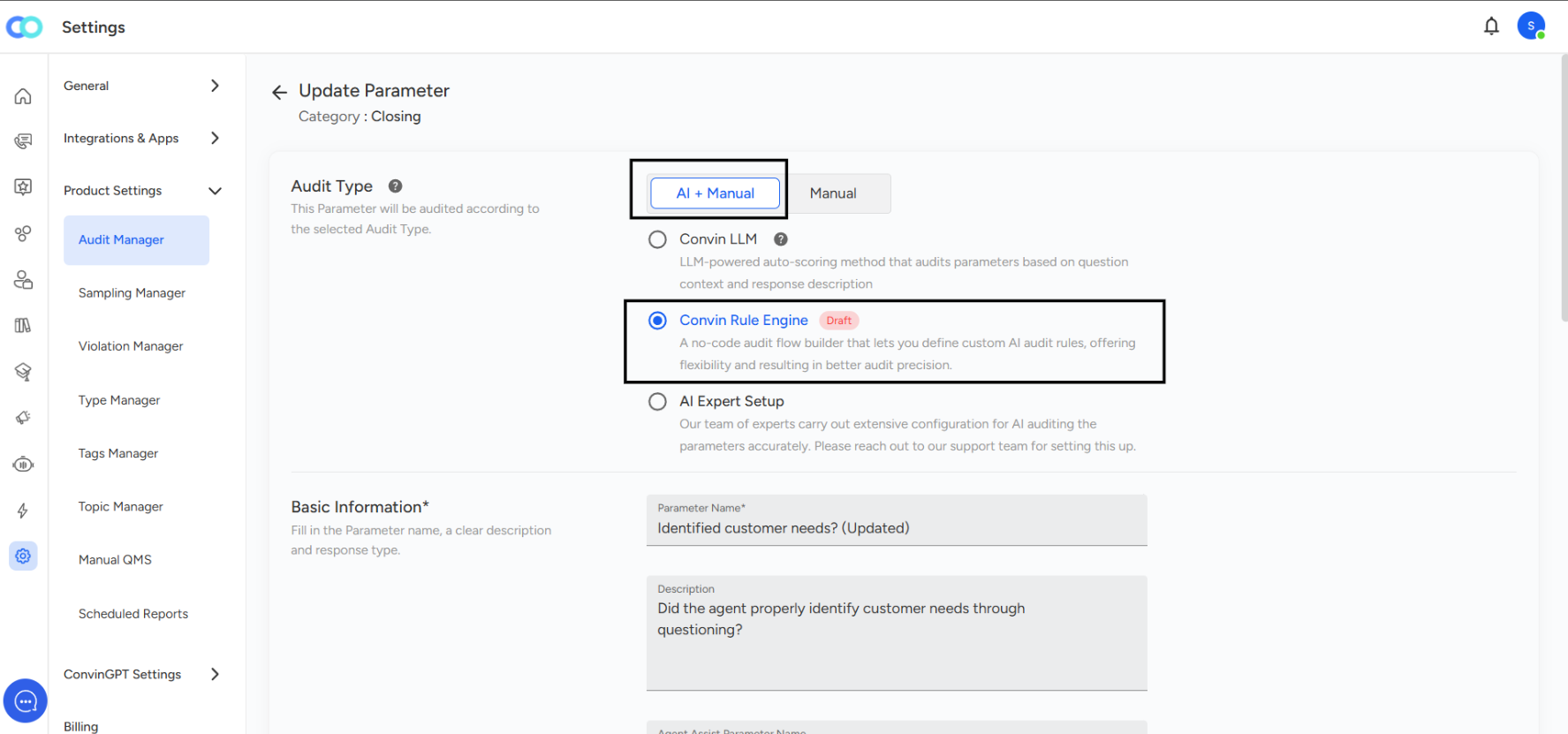
Step 2: Select Audit Type and Configure Rules
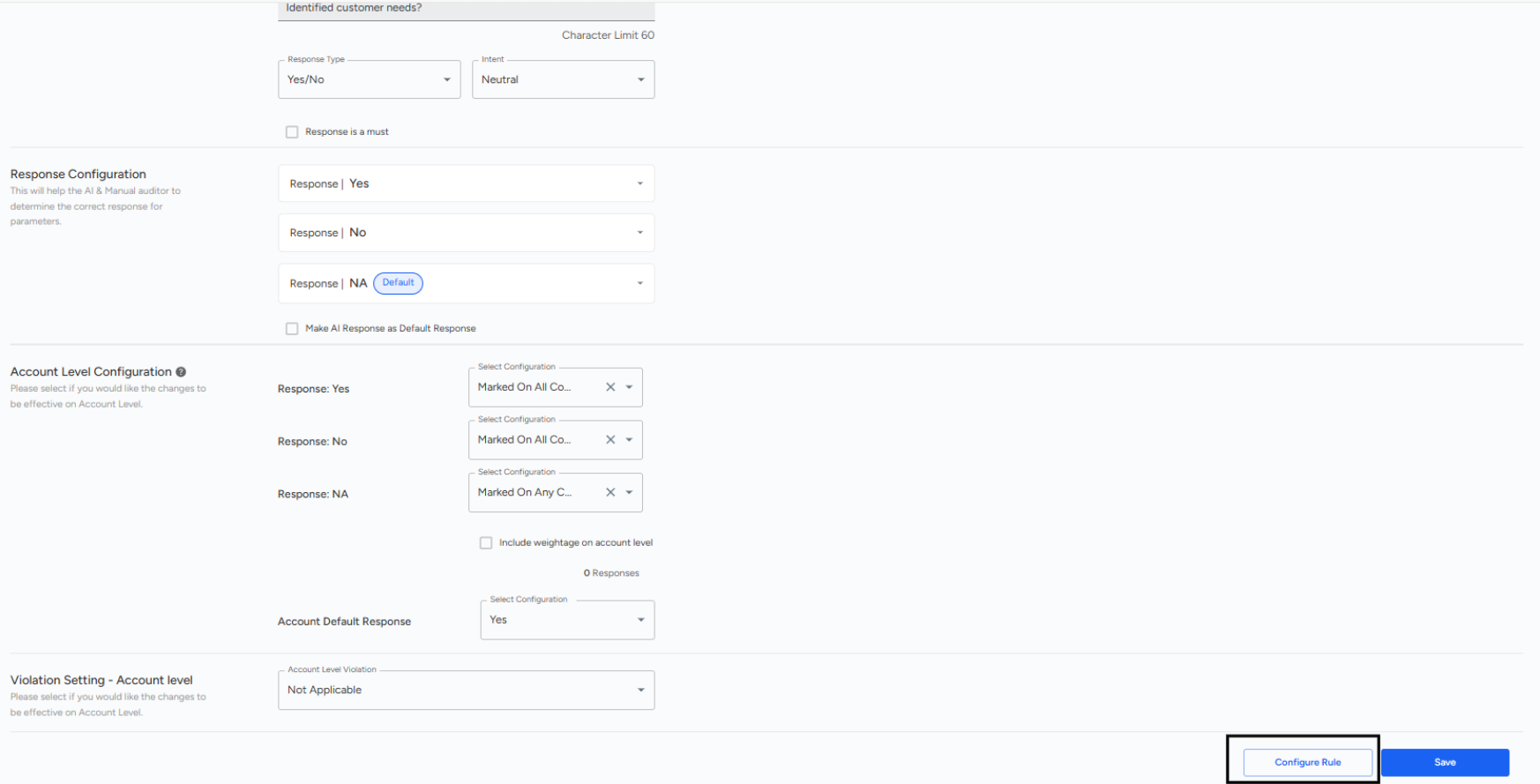
Under Update Parameter, choose AI + Manual in Audit Type settings, then select Convin Rule Engine , Select Response Type and Configure the rule.
Step 3: Build Custom Logic Using Blocks
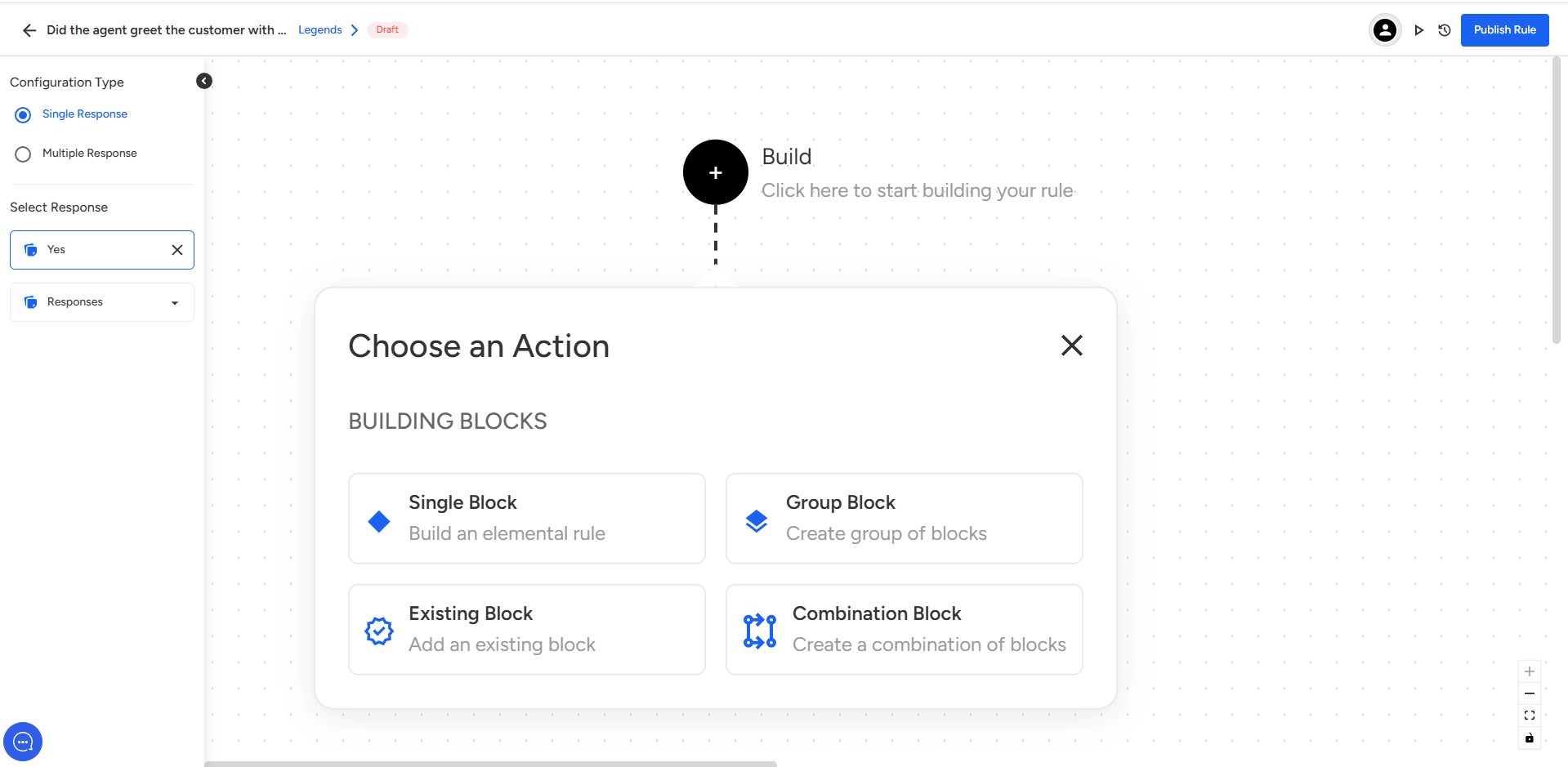
1. Configuration Type (Single vs. Multiple Response)
Located on the left side panel, this section lets you decide whether your rule should handle a single response or multiple responses:
Single Response – Choose this when only one answer (e.g., Yes/No) is expected.
Multiple Response – Choose this if the question may have several valid answers.
In the screenshot, Single Response is selected.
2. Select Response
Below the configuration type, you can select which response option you’re building the rule for. In this case, the response “Yes” has been chosen. You can also expand the “Responses” dropdown to pick another available option.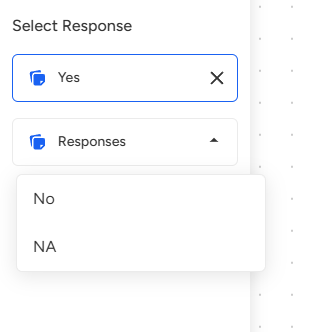
3. Build Section
At the top-center of the screen, there’s a “Build” node with a + icon, where you start creating your rule logic. Clicking this opens the Choose an Action menu to decide how you want to structure the rule.
4. Choose an Action – Building Blocks
This is where you define how the rule will be constructed. There are four options:
Single Block – Build an elemental rule from scratch. Use this when you want to create a new rule for this specific response.
Group Block – Combine multiple blocks together into a group to handle more complex logic.
Existing Block – Reuse a block that has already been created elsewhere. Saves time if similar logic is needed.
Combination Block – Create a new block that merges rules or conditions from different blocks into one.
5. Block Type (Defining Rule Logic)
Under the Choose an Action section, you’ll see Block Type options. These determine how your rule will evaluate conditions. You can select one or more depending on your needs: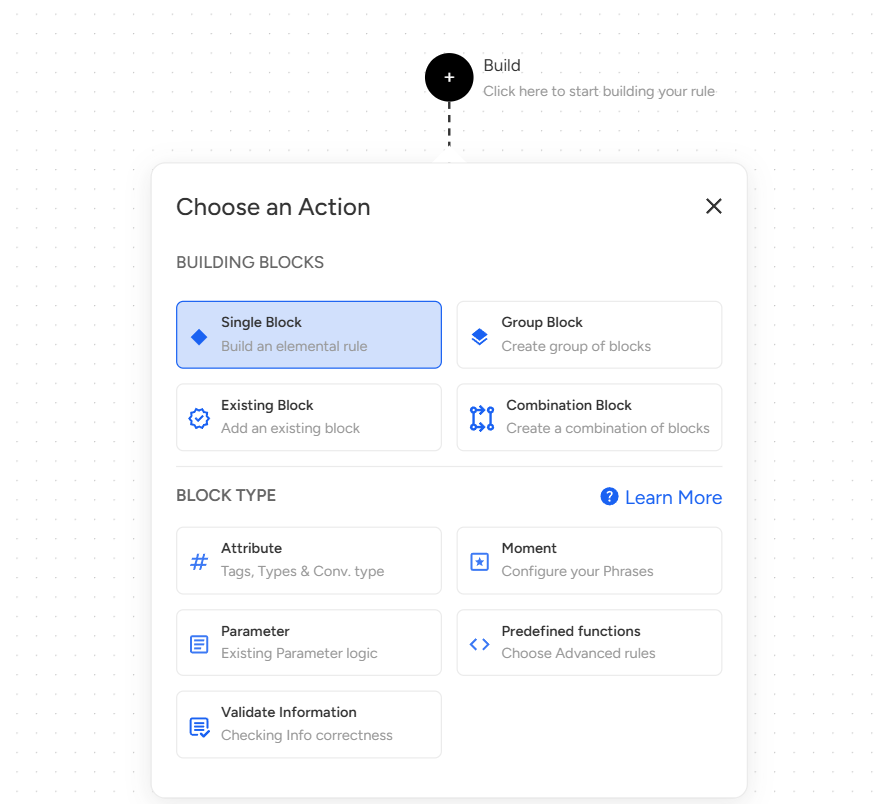
Attribute – Use tags, conversation types, or other metadata as the basis for your rule.
Moment – Configure key phrases or speech patterns that should trigger the rule.
Parameter – Reuse existing parameter logic to maintain consistency without rebuilding rules.
Predefined Functions – Choose from advanced, ready-made logic functions for more complex scenarios.
Validate Information – Ensure information captured in the call is accurate or correctly formatted.
Need Additional Assistance?
📩 Still need help? Contact our support team at [email protected] —we’re happy to assist!
Good day!