
The Audit Template Search feature allows you to locate specific templates without scrolling through the entire list. This helps auditors and managers save time and directly access the form they need for reviewing calls.
Steps to Search for a Template:
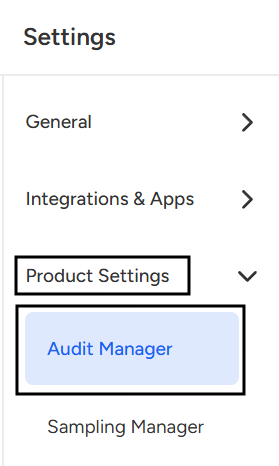
- Navigate to Setting page.

- Select Audit Manager under Product setting.
- Locate the Search Bar: On the top-right corner of the Audit Templates page, you’ll find a Search bar.

- Enter Template Name or Keyword.
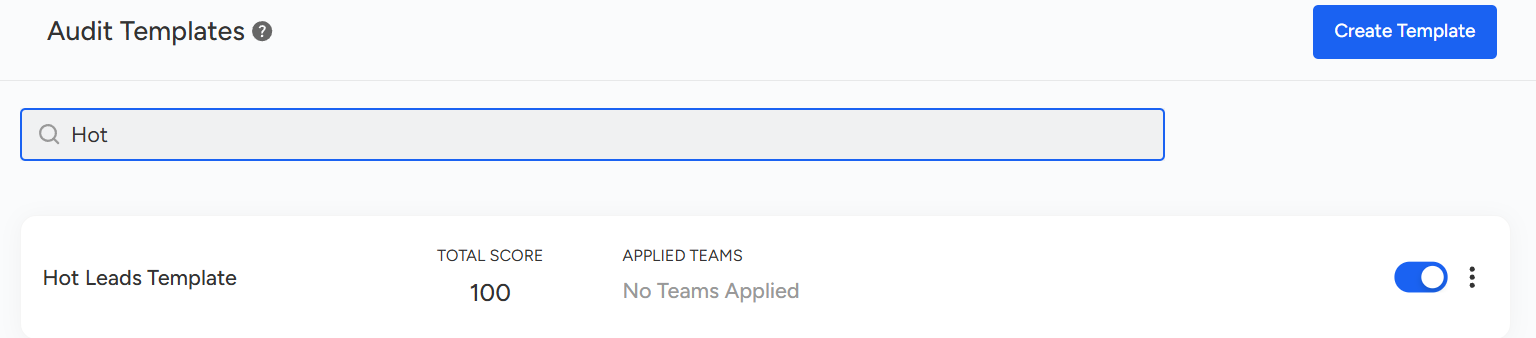
The list will automatically filter to show only templates that match your search input.
📩 Still need help? Contact our support team at [email protected] —we’re happy to assist!
Good day!