
This is the Build Your Agent dashboard, where you can create and customize AI agents for handling calls.
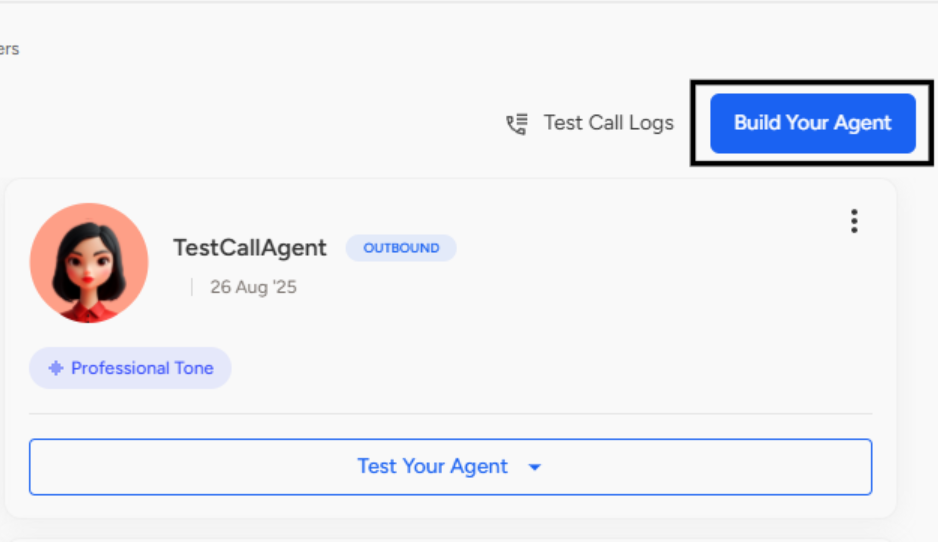
Here’s a detailed breakdown of each section shown in the image: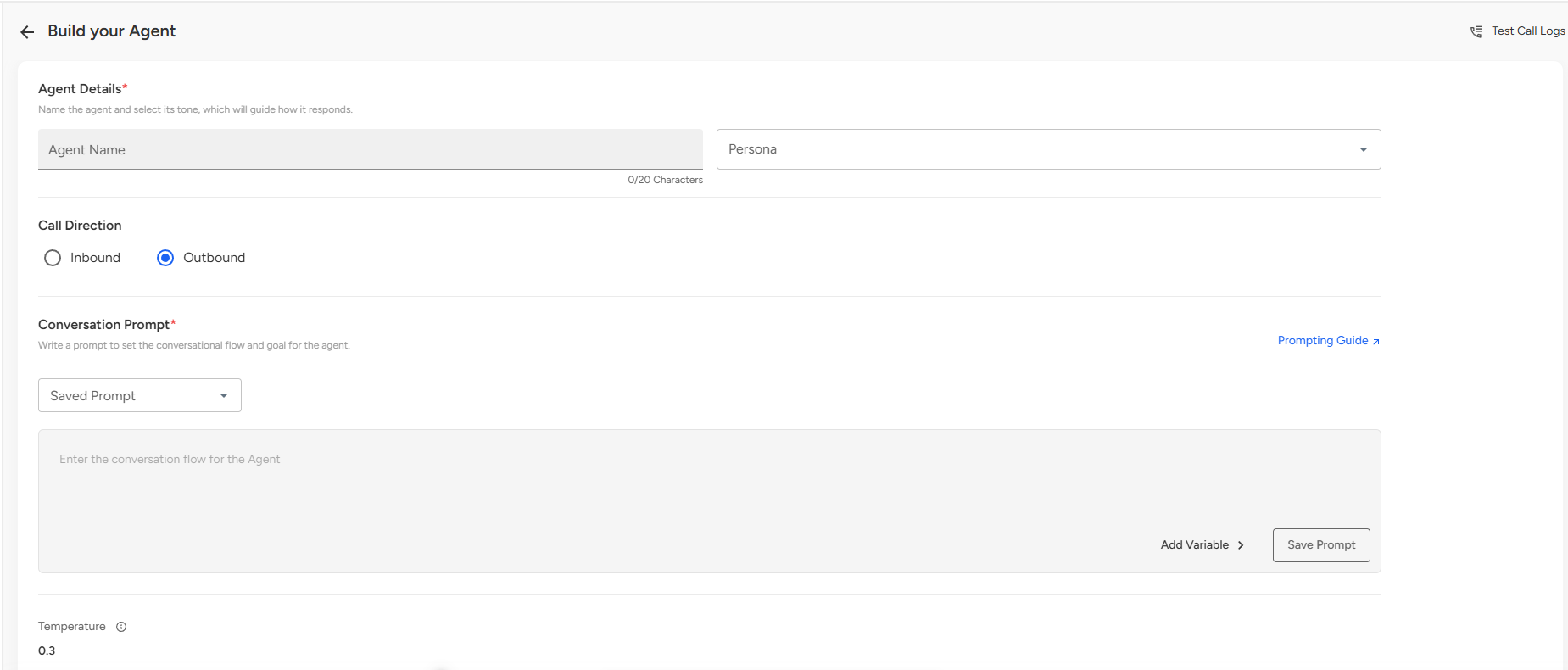
Agent Details
Enter the agent name.
Select the persona, which determines the tone and style of responses.
Call Direction
Choose whether the agent will handle Inbound or Outbound calls.
Conversation Prompt
Define the conversational flow by writing prompts or selecting from saved prompts.
You can add variables and save prompts for reuse.
Adjust the temperature (0.3 shown here), which controls how creative vs. predictable the AI is.
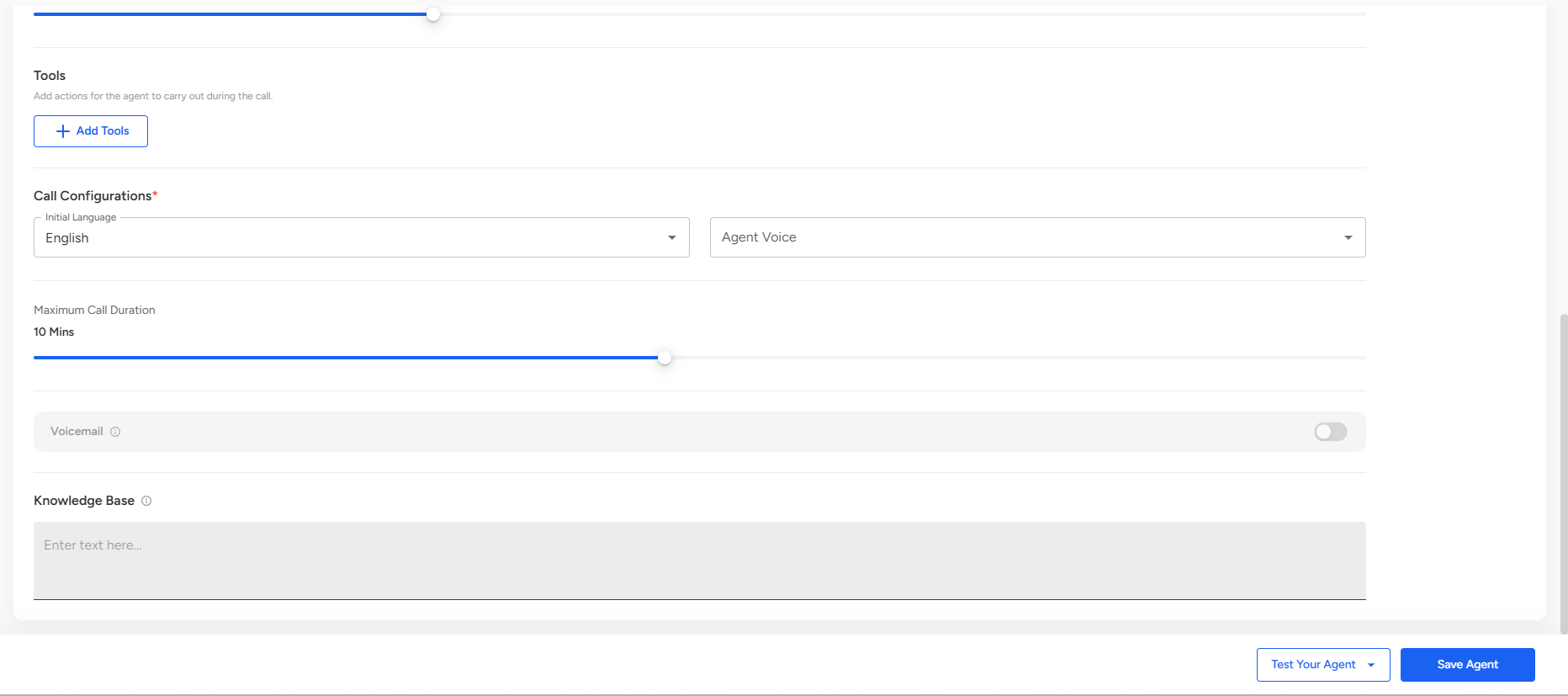
Tools
Add tools or integrations for the agent to use during calls by clicking Add Tools.
Call Configurations
Select the initial language for the agent.
Choose an agent voice from the available options.
Set the maximum call duration (e.g., 10 minutes as shown).
Optionally enable voicemail handling if required.
Knowledge Base- Add reference material or information that the AI agent can use during calls.
📩 Still need help? Contact our support team at [email protected] —we’re happy to assist!
Good day!