
Entities in Convin allow you to capture specific data points from conversations. However, if an entity is no longer required or relevant for your analysis, you can easily disable it instead of deleting it. This ensures that the entity stops being used in data extraction while preserving its configuration for future reference.
Steps to Disable an Entity:
- Navigate to Setting page.

- Select Entity under ConvinGPT Settings.
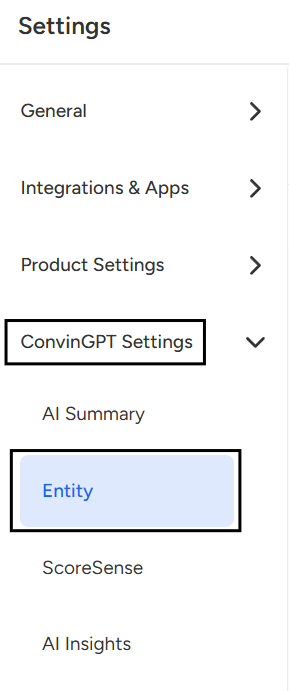
- Once you click on Entity, the entity overview/settings page will open, where you can view and manage its configuration.
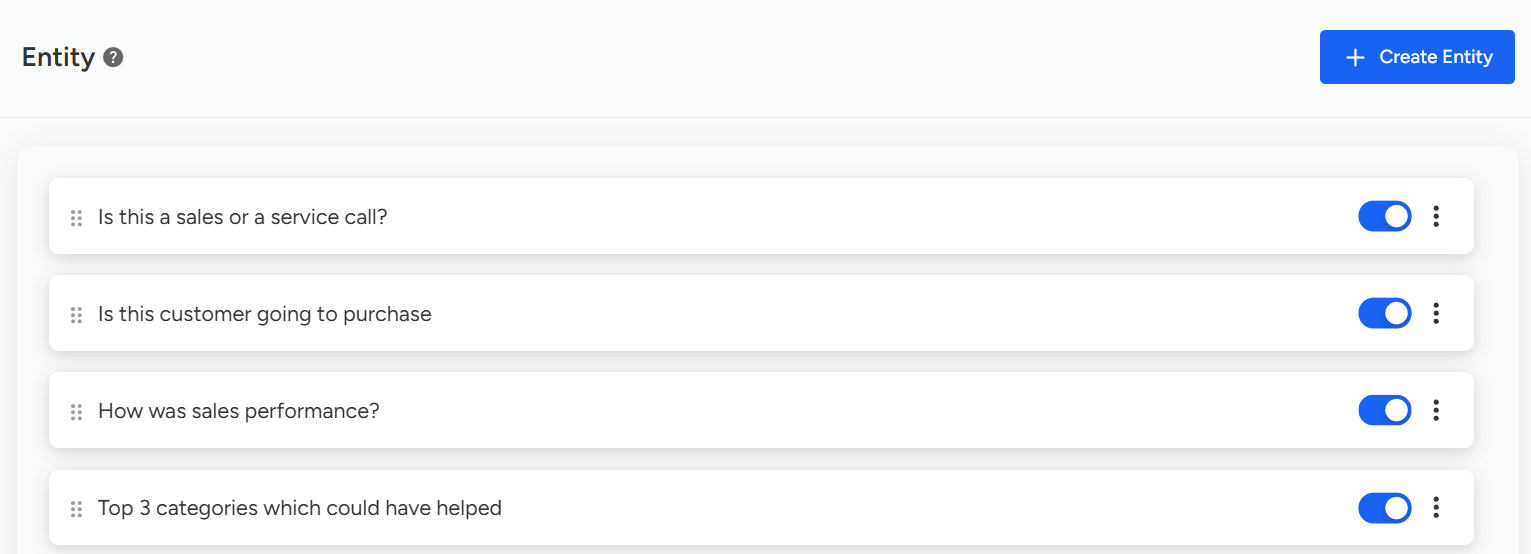
- Switch the toggle button to Disable Entity based on your requirement.

Note: Only users with Admin access or those with permission to make changes can enable or disable Entity. Changes made here will apply to all users across the organization.
📩 Still need help? Contact our support team at [email protected] —we’re happy to assist!
Good day!