
Sharing analytics empowers managers to create meaningful learning opportunities for agents. By highlighting the strengths of top-performing team members, others can learn and enhance their skills anytime, from anywhere.
The Analytics Dashboard can be shared to help users easily review and analyze important performance metrics. Follow the steps below to learn how to share the analytics dashboard.
Navigate to the "Home" module within the Convin platform.

You can access the Overall Dashboard. On the right-hand side of the page, click the three dots (…) and select Share Analytics from the options.

Note: The Share Analytics feature is only visible once at least one filter has been applied.
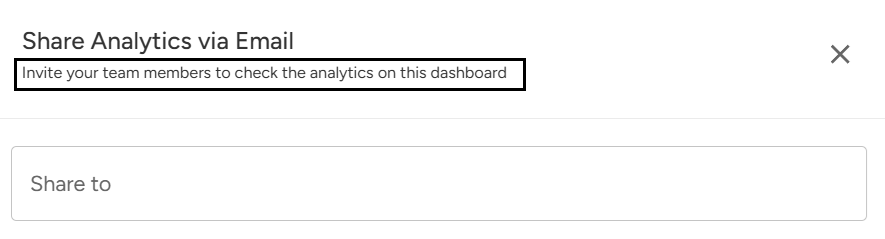
A pop-up window will appear as shown below. This step allows you to easily invite your team members to view the analytics on your dashboard.
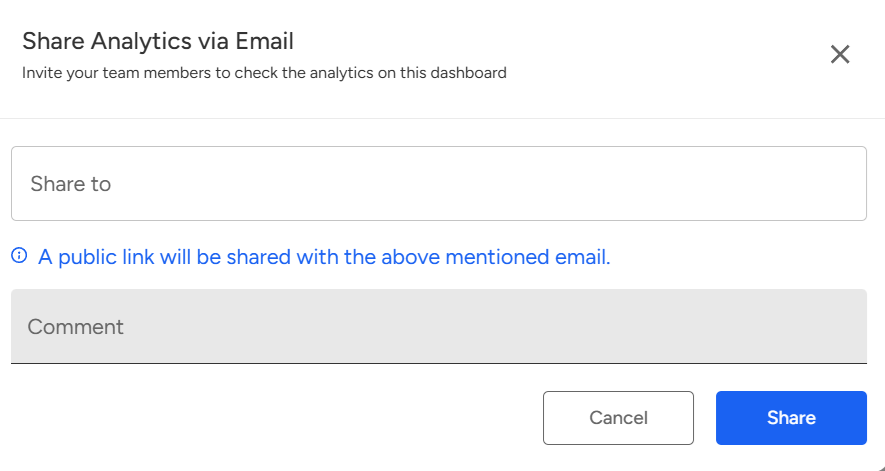
Enter the email address of the person you want to share inside convin with in the "Share to" field.
You can also add a comment to provide context or instructions along with the shared analytics. When you click "Share," a public link to the dashboard analytics will be sent to the specified email.

Click 'Share' to send the analytics to the selected email IDs.

Upon sharing the analytics dashboard with all intended recipients, they will receive an email notification accordingly.
📩 Still need help? Contact our support team at [email protected]—we’re happy to assist!
Good day!