
The Question Bank is a centralized library where all assessment questions are stored and managed. It helps in creating, organizing, and reusing questions efficiently.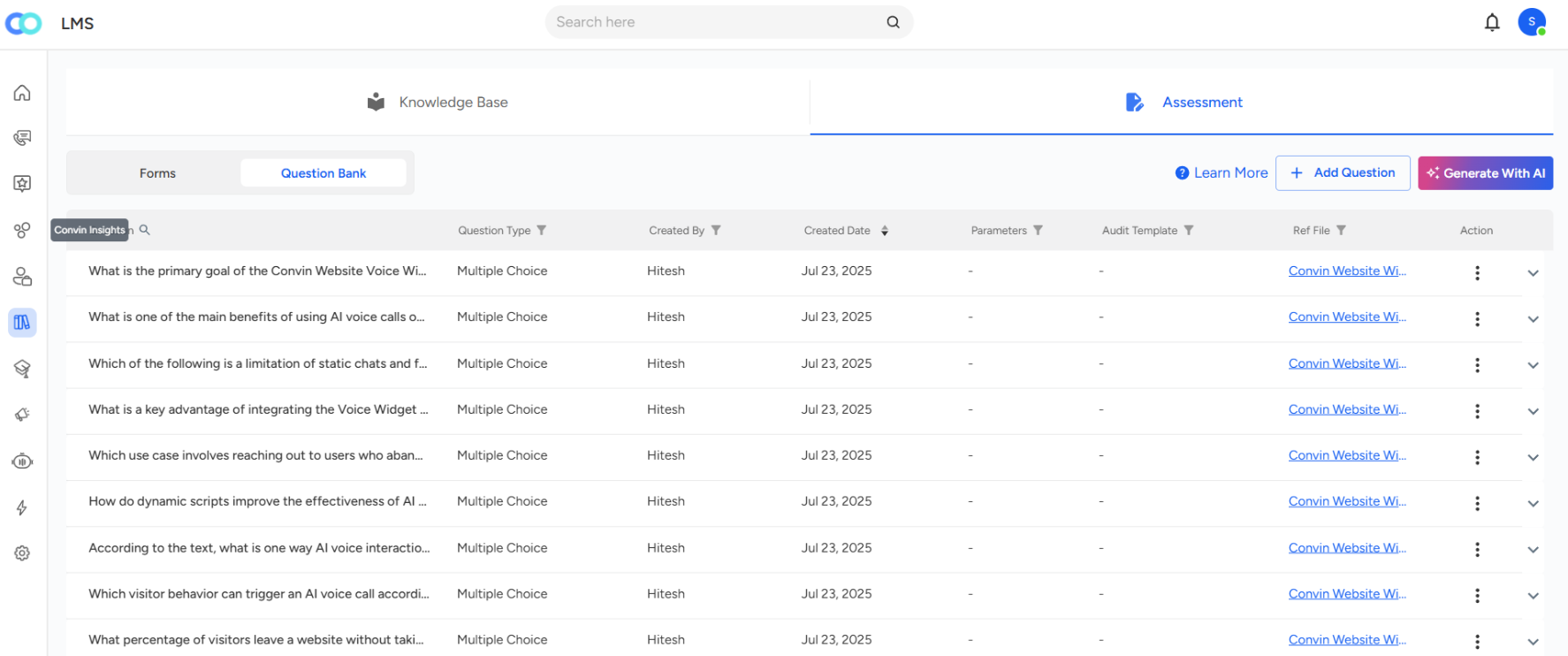
Displays key details such as question text, type, creator name, and created date for easy tracking.
Allows you to add new questions manually or use the Generate with AI option for faster creation.
Provides quick actions through the three-dot menu:

Tag Parameter – link parameters for deeper insights.
Edit – update or modify a question.
Clone – duplicate a question for reuse.
Delete – remove unwanted or outdated questions.
Supports attaching reference files, giving context and clarity to each question.
Generate with AI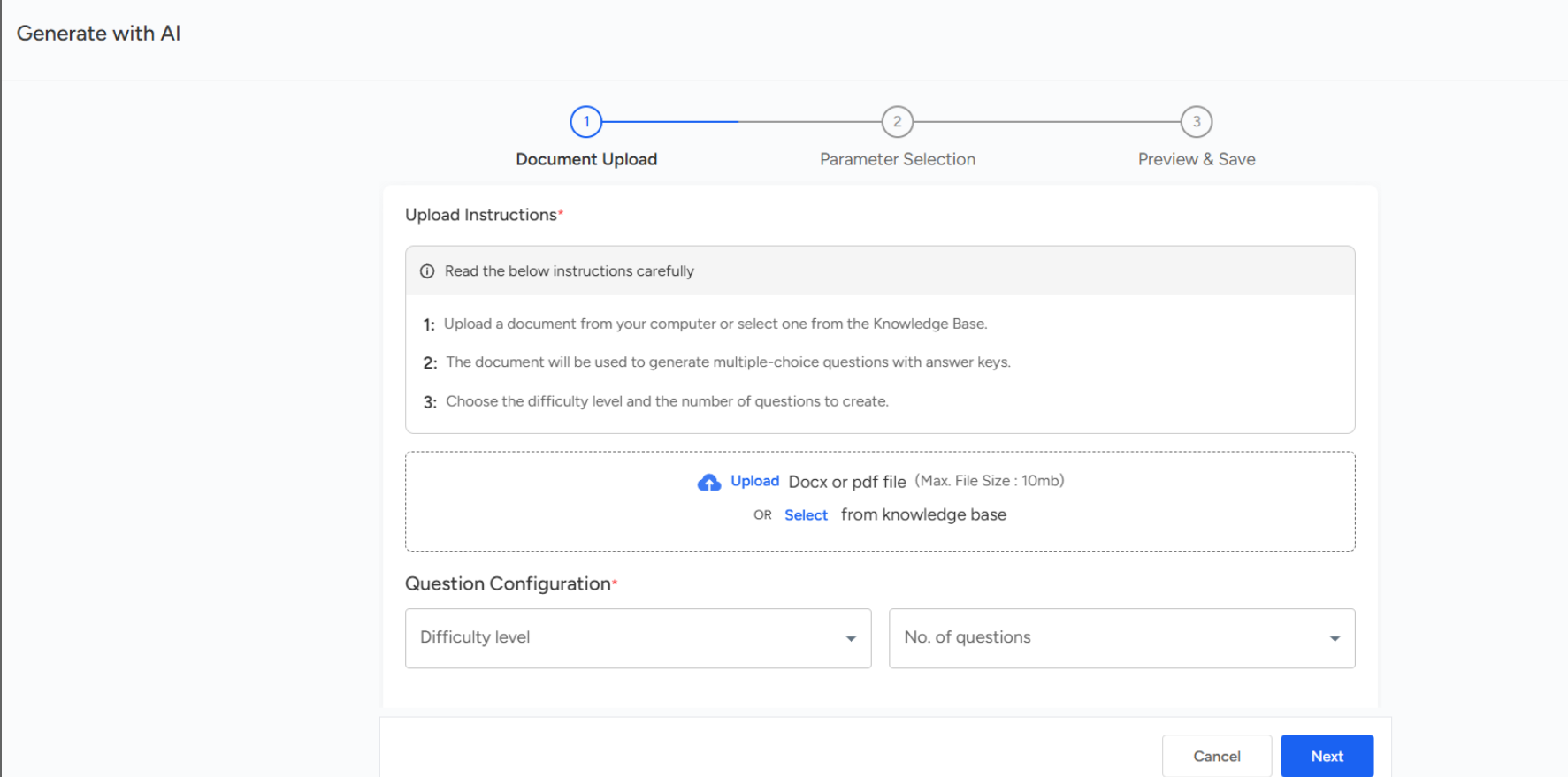
You can upload the document to generate a question bank. Once uploaded, choose the difficulty level and the number of questions you want the AI to create, then click Next to continue.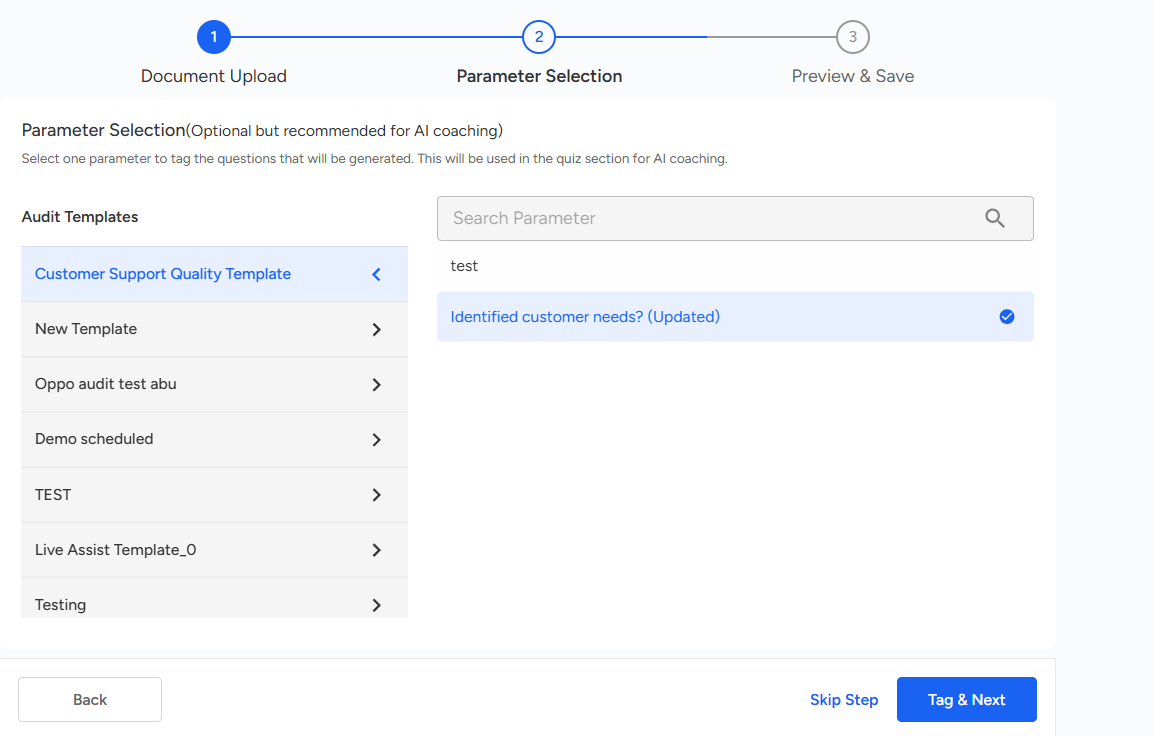
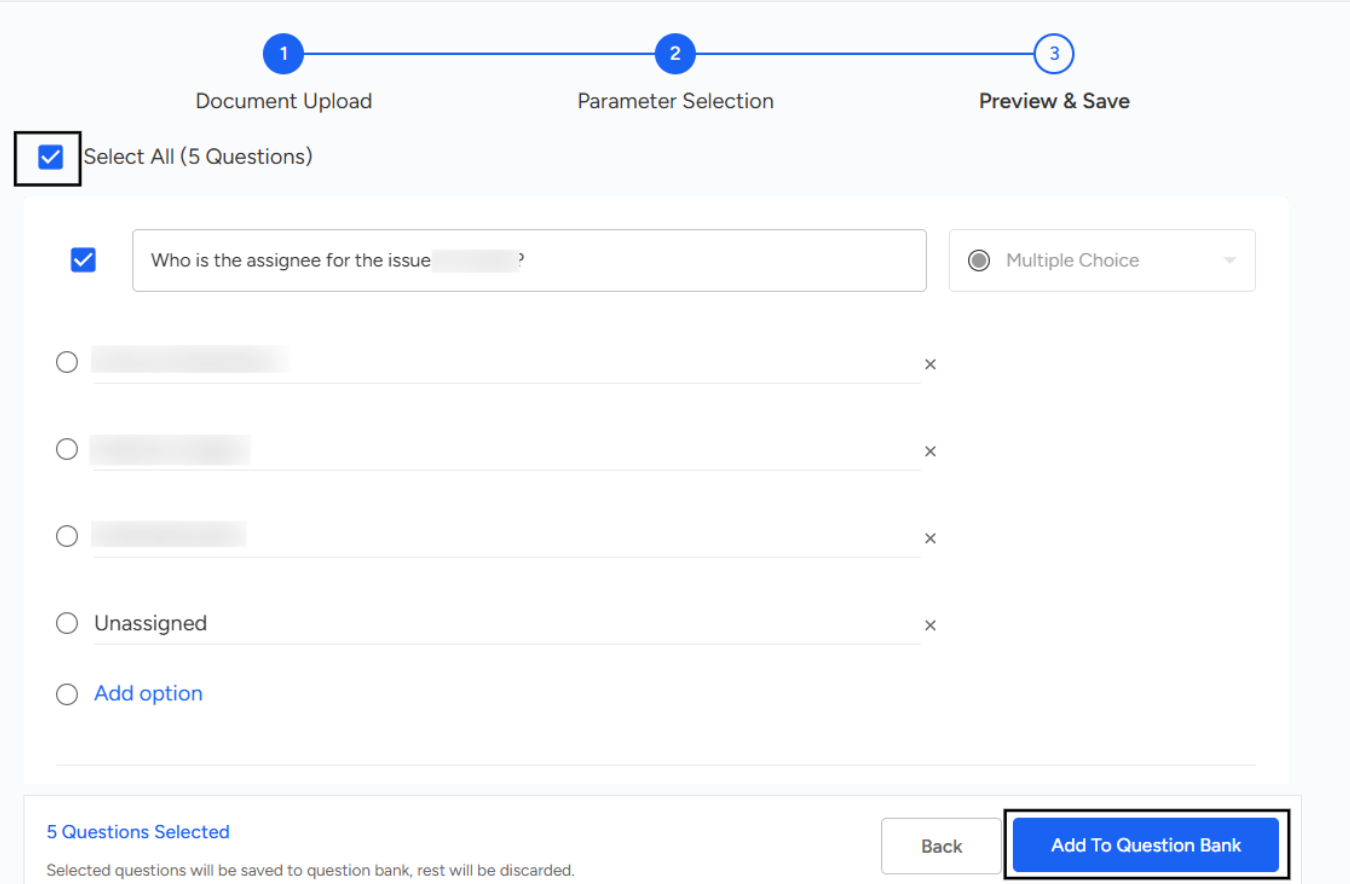
After skipping, the Save and Preview option will appear. The selected number of questions will then be generated, displayed for review, and you can click on " Add to Question Bank".
📩 Still need help? Contact our support team at [email protected] —we’re happy to assist!
Good day!