
Convin's entity recognition technology identifies and extracts key data points—such as names, IDs, dates, product keywords, or custom fields—from conversations. This guide shows how these entities are surfaced and used on the Overall Dashboard and the Conversation Page to help you analyze trends and review conversations more efficiently.
Steps on how to Use Entity Filter on Overall Dashboard:
- Navigate to Home Page.

- Locate to Advanced Filters.

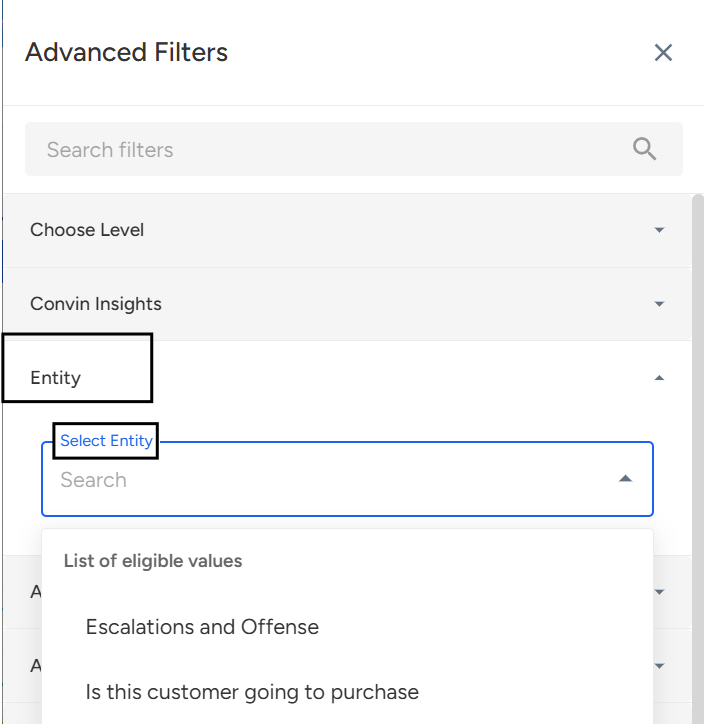
Locate and Select Entity Filter, and choose the desired entity from the dropdown.
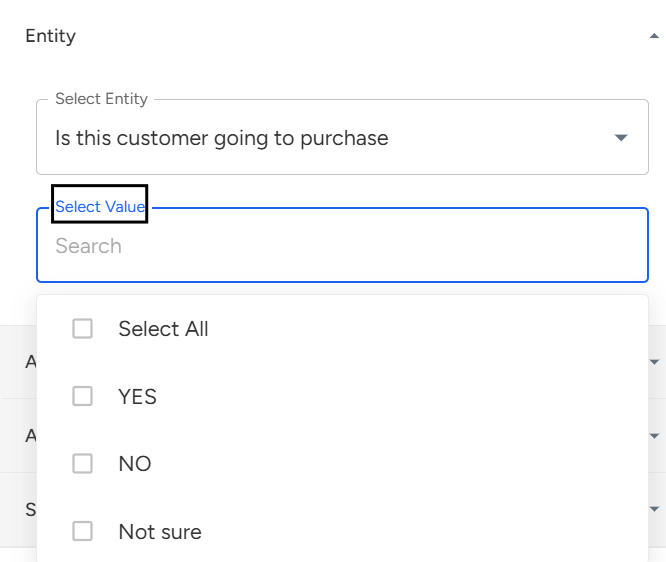
Once you select Entity, then Select Entity Value.
Click Apply Filters to refresh your dashboard and view insights based on selected entity and value.
Steps on how to Use Entity Filter on Conversation Page:
- Navigate to Conversation Page.

- Locate to Advanced Filters.

- Locate and Select Entity Filter, and choose the desired entity from the dropdown.
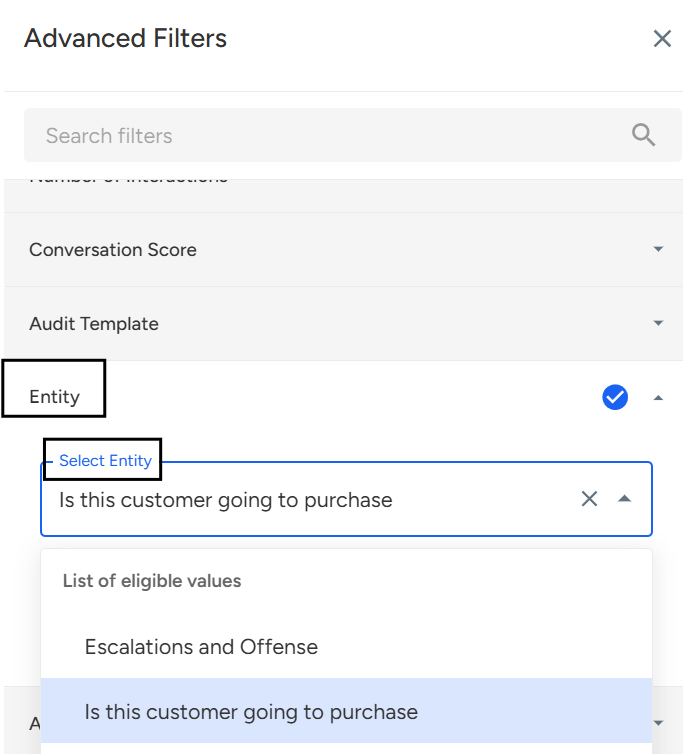
- Once you select Entity, then Select Entity Value.
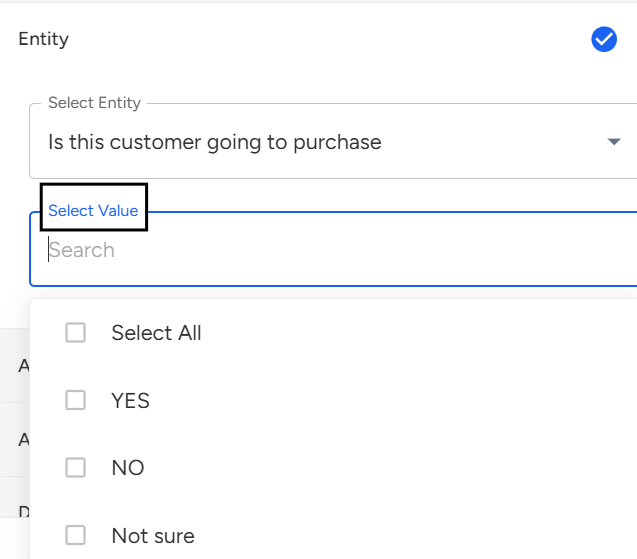
- Click Apply Filters to refresh your dashboard and view insights based on selected entity and value.
📩 Still need help? Contact our support team at [email protected]—we’re happy to assist!
Good day!