
Convin’s AI Disposition feature automatically classifies conversations based on predefined outcomes and categories. This guide explains how to use AI Disposition filters on the Overall Dashboard and Conversation Page to drill down into conversation outcomes, analyze trends across multiple disposition levels, and gain deeper insights into customer interactions.
Steps on how to Use the AI Disposition Filter on the Overall Dashboard:
- Navigate to the Home Page.

- Locate to Advanced Filters.

- Locate and select AI Disposition Filters, and choose the desired Disposition Template from the dropdown.
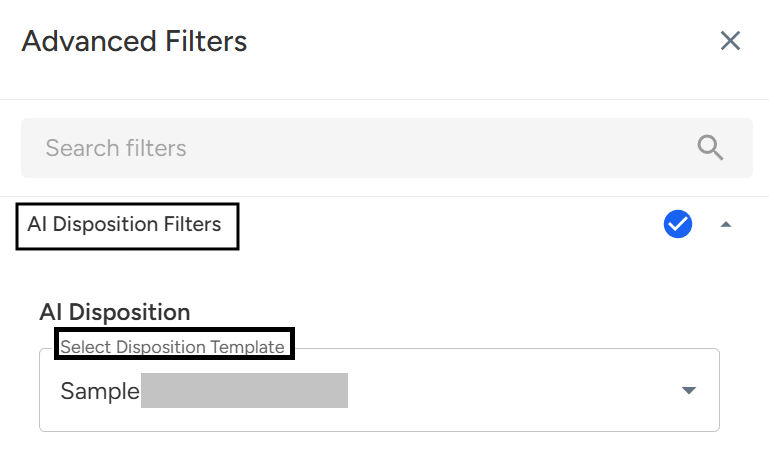
- Then select Level 1, Level 2, and Level 3 according to the selected AI Disposition to refine your analysis.
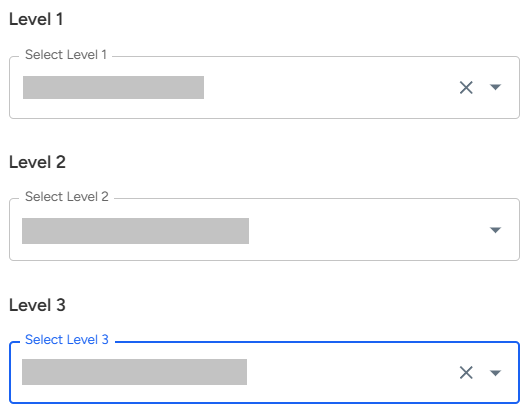
Level 1 → The primary AI-generated classification.
Provides a broad AI-driven view of the conversation outcome or intent.
Example: Lead QualifiedLevel 2 → A sub-classification of Level 1.
Adds more context and granularity to the classification, helping you narrow down results.
Example: Lead Qualified – Product Interest ConfirmedLevel 3 → The most detailed AI layer.
Captures the most specific outcome or reason predicted by AI for deep insights.
Example: Lead Qualified – Product Interest Confirmed – Pricing Discussion Completed
- Click Apply Filter to view insights based on your selection.
Steps on how to Use the AI Disposition Filter on the Conversation Page:
- Navigate to Conversation Page.

- Click on the Advanced Filters Icon.

- Locate and select AI Disposition Filters, and choose the desired Disposition Template from the dropdown.
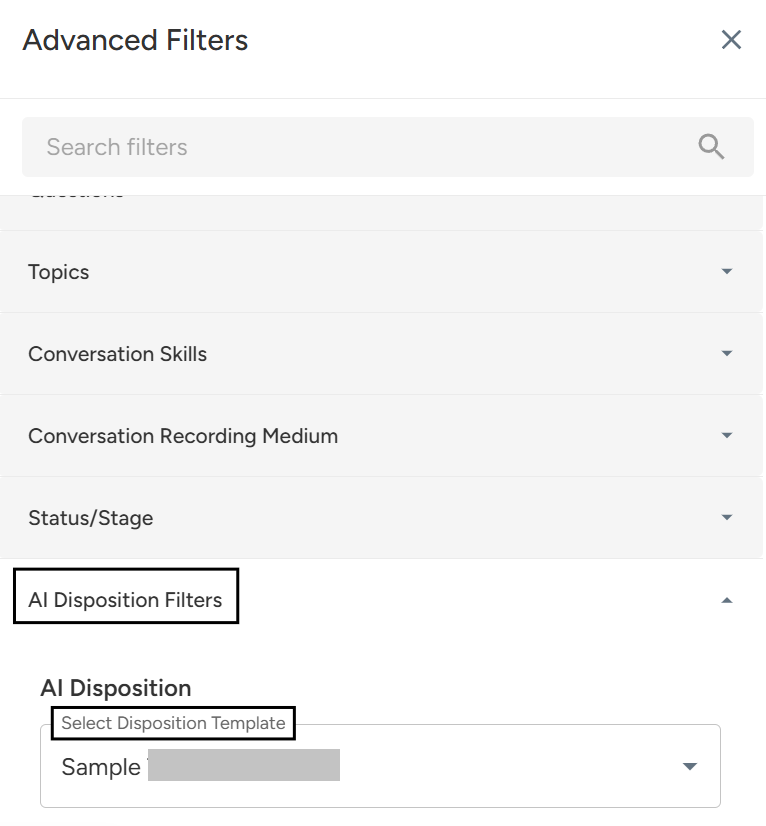
- Then select Level 1, Level 2, and Level 3 according to the selected AI Disposition to refine your analysis.
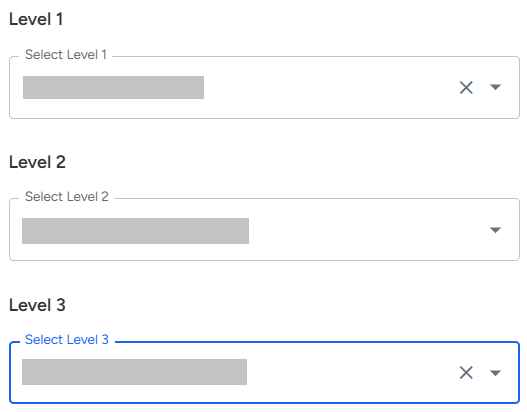
Level 1 → The primary AI-generated classification.
Provides a broad AI-driven view of the conversation outcome or intent.
Example: Lead QualifiedLevel 2 → A sub-classification of Level 1.
Adds more context and granularity to the classification, helping you narrow down results.
Example: Lead Qualified – Product Interest ConfirmedLevel 3 → The most detailed AI layer.
Captures the most specific outcome or reason predicted by AI for deep insights.
Example: Lead Qualified – Product Interest Confirmed – Pricing Discussion Completed
Click Apply Filter to view insights based on your selection.
📩 Still need help? Contact our support team at [email protected]—we’re happy to assist!
Good day!