
Using the Rep Level Dashboard, you can monitor the performance of individual agents at a granular level through detailed tables and reports. This dashboard provides statistics on call counts, parameter coverage, scores, and compliance for each agent, helping you identify top performers and areas that need improvement.
To access the Rep Level dashboard, follow the below steps:
- Navigate to the Home Page.

- Under the "Overall Dashboard" drop-down, select "Rep Level Dashboard".
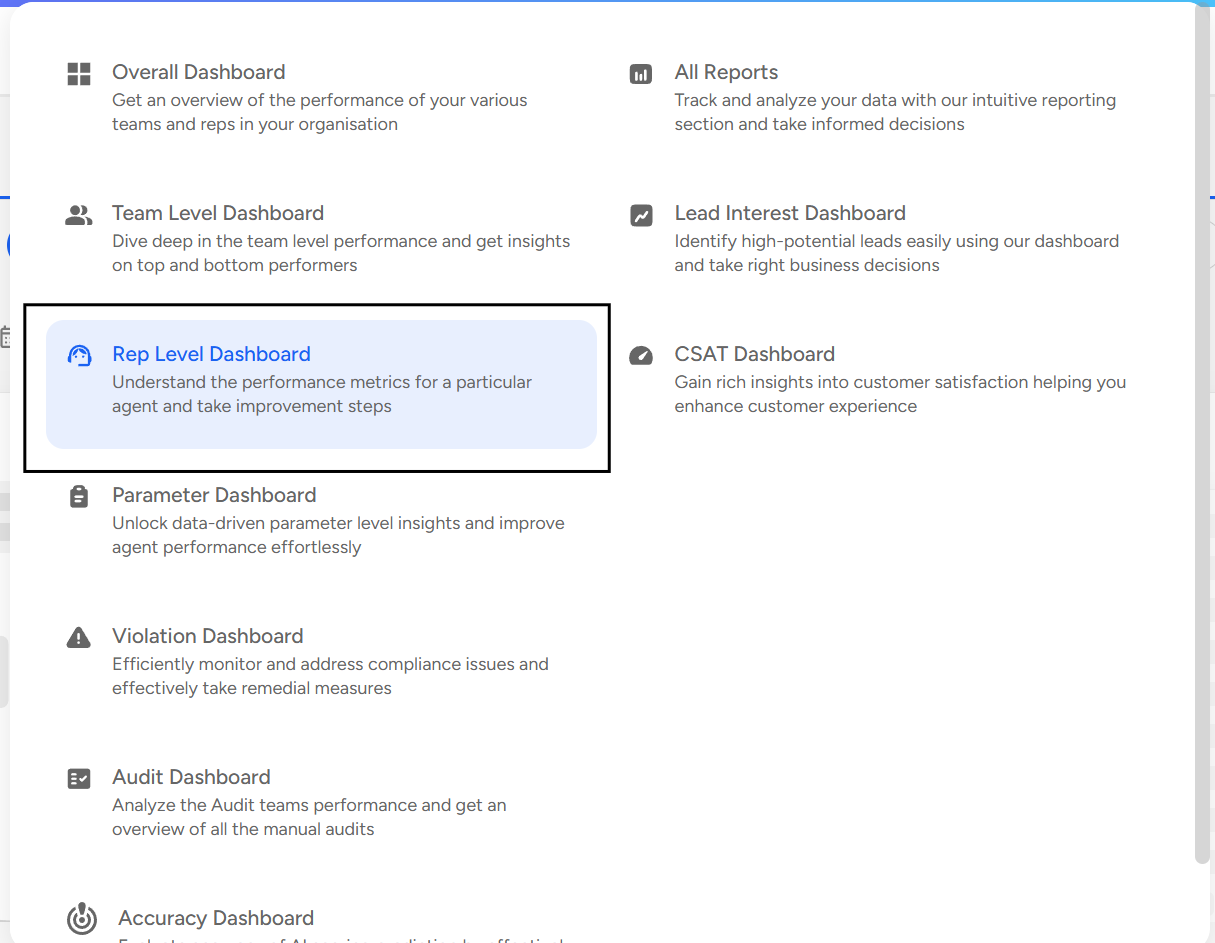
- Apply Filters

Use the filters panel to select specific reps or individual agents, date range, and any other filters like Audit type, Tags, or Status to narrow your analysis.
Rep Level Dashboard gives the following insights:
- Overall Call Analytics:
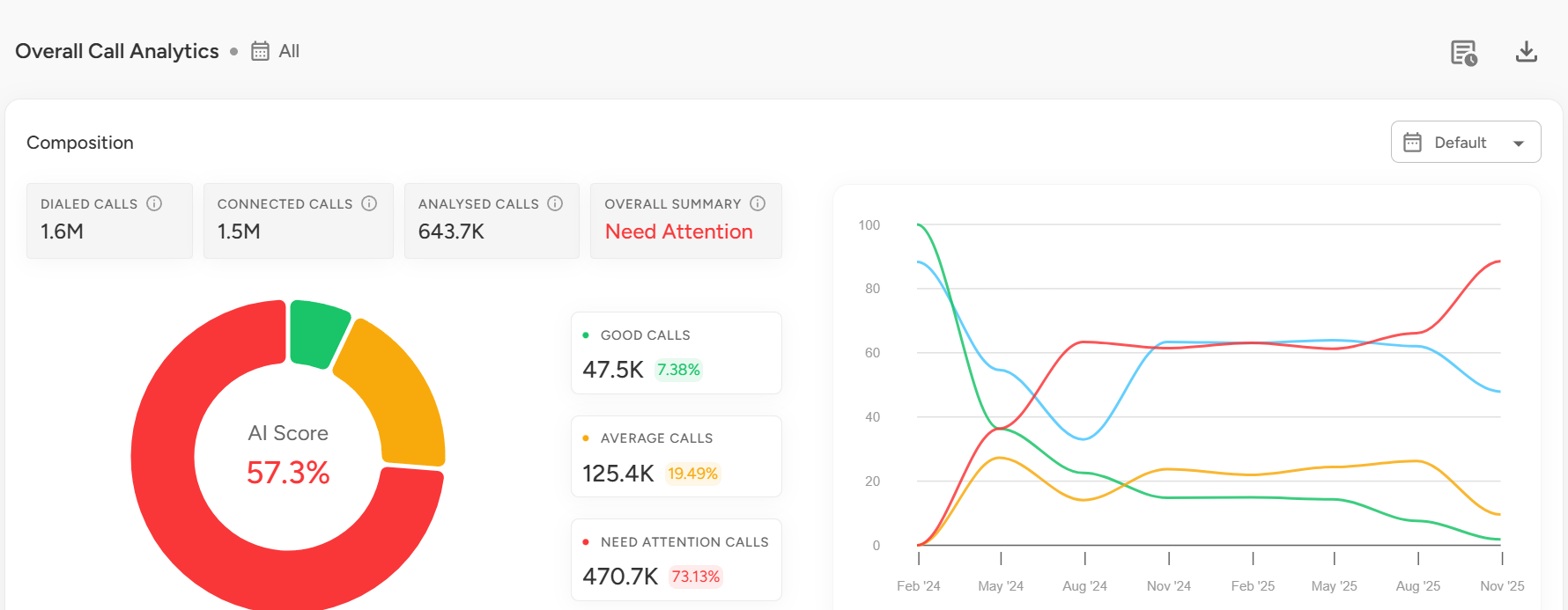
Displays a summary of dialed calls, connected calls, analyzed calls, and overall call performance.
Includes a trend chart to visualize daily or weekly fluctuations in call volumes and performance.
- Team Statistics:
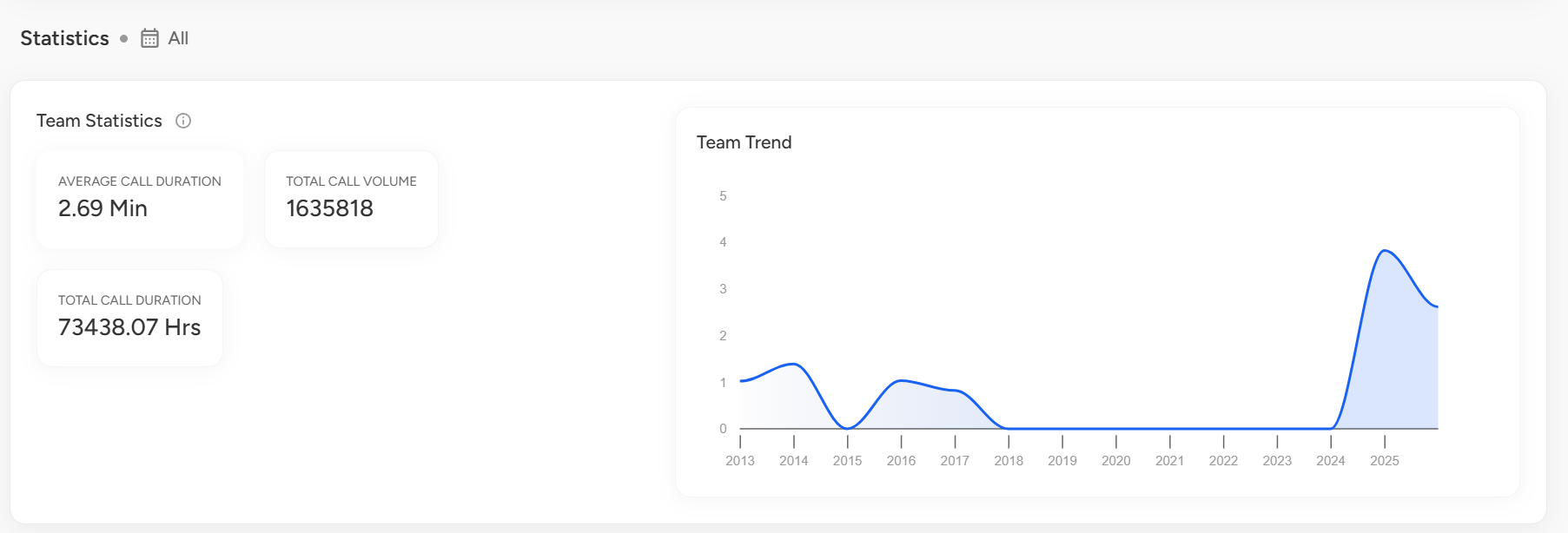
Shows key team metrics like average call duration, total call volume, and total duration, along with a trend chart to track performance over time.
Parameter Level Performance Analysis:
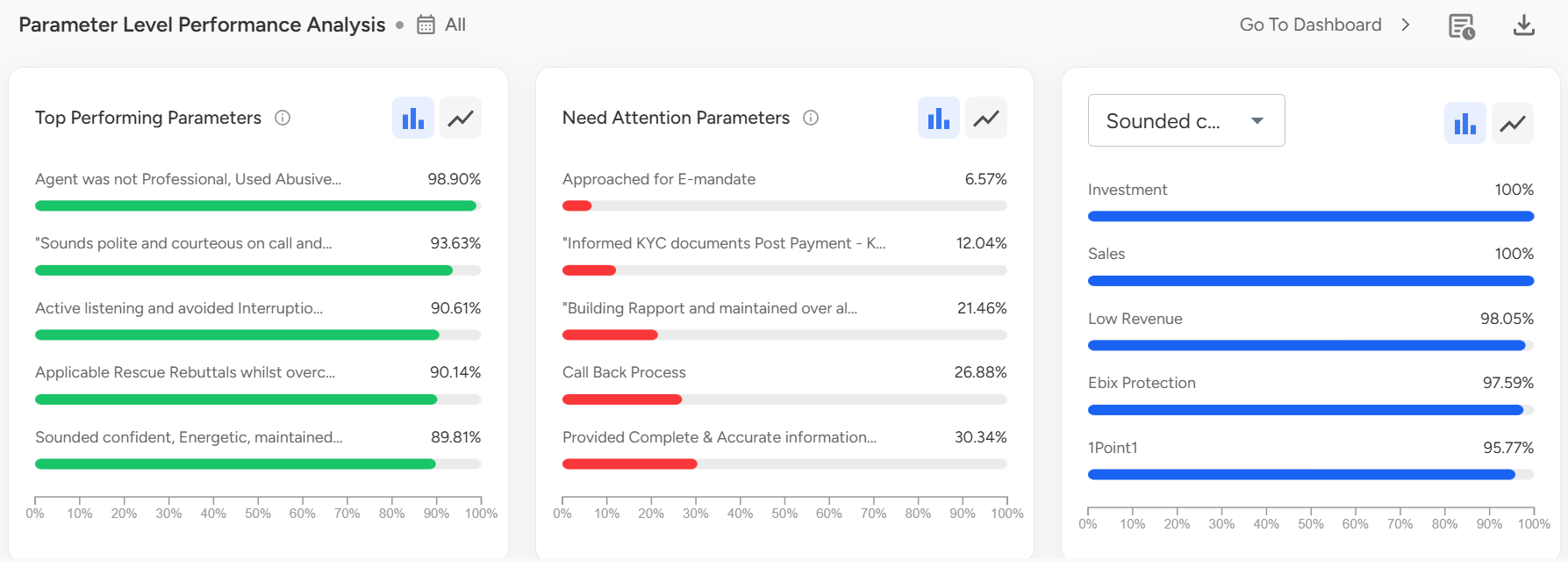
Gives insights into top-performing parameters, areas needing improvement, and team performance based on selected parameters.Violations:
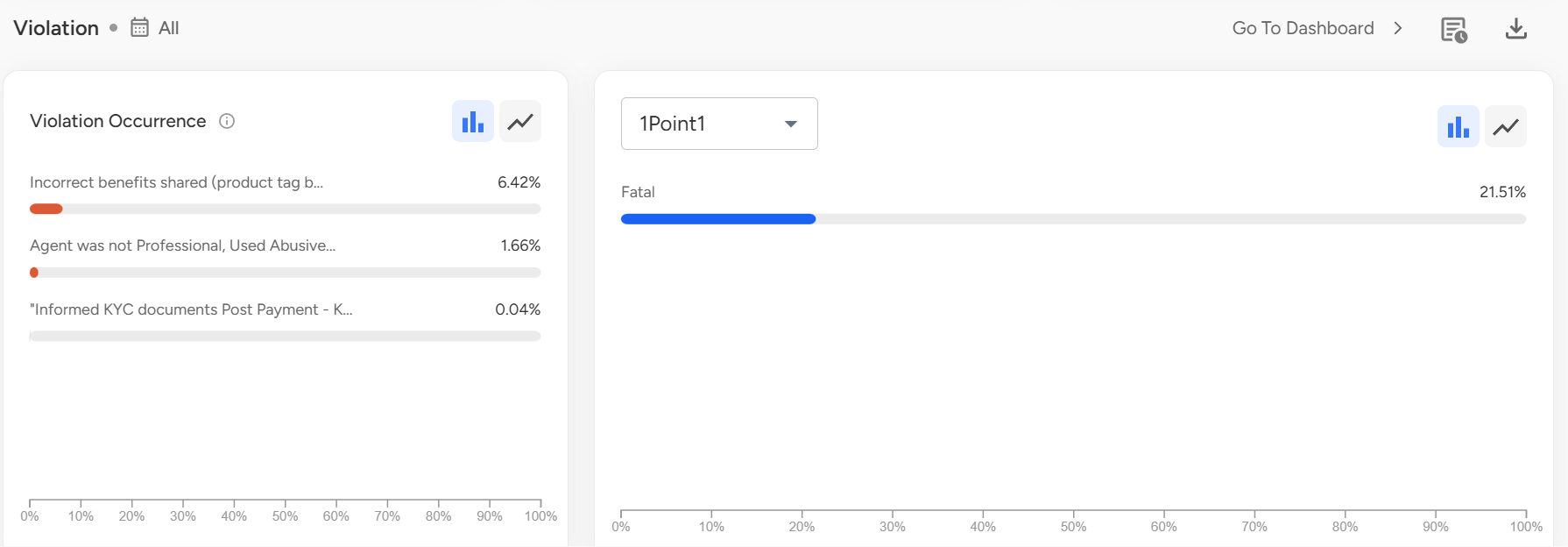
Displays violation occurrences, their frequency, and highlights teams/agents with most violations for targeted coaching.Reports:
The Rep Level Dashboard provides detailed, downloadable reports for deeper analysis:Agent Report
Agent Stats Report
Agent Parameter Report
Agent Sub-Parameter Report
AI Score Month-to-Date Stats
Violation Analysis Report
Lead Analysis Report
Email Notification Analysis Report
AI vs Manual Report
Agent Pareto Report
Parameter Detailed Analysis Report
Agent Comparison Report
Short Connected Calls Report
Agent Performance Report
Blank Call Report
Coaching Progress Report
Agent Improvement Report
📩 Still need help? Contact our support team at [email protected] —we’re happy to assist!
Good day!