
Supervisor Assist Overview
Supervisor Assist is a tool designed to help managers or supervisors monitor live agent calls in real-time and review interactions for quality assurance. It provides key metrics and visual cues about ongoing calls, agent behavior, and customer sentiment, allowing supervisors to intervene or provide feedback effectively.
Dashboard Sections
Agent Assist Status (Top Summary)
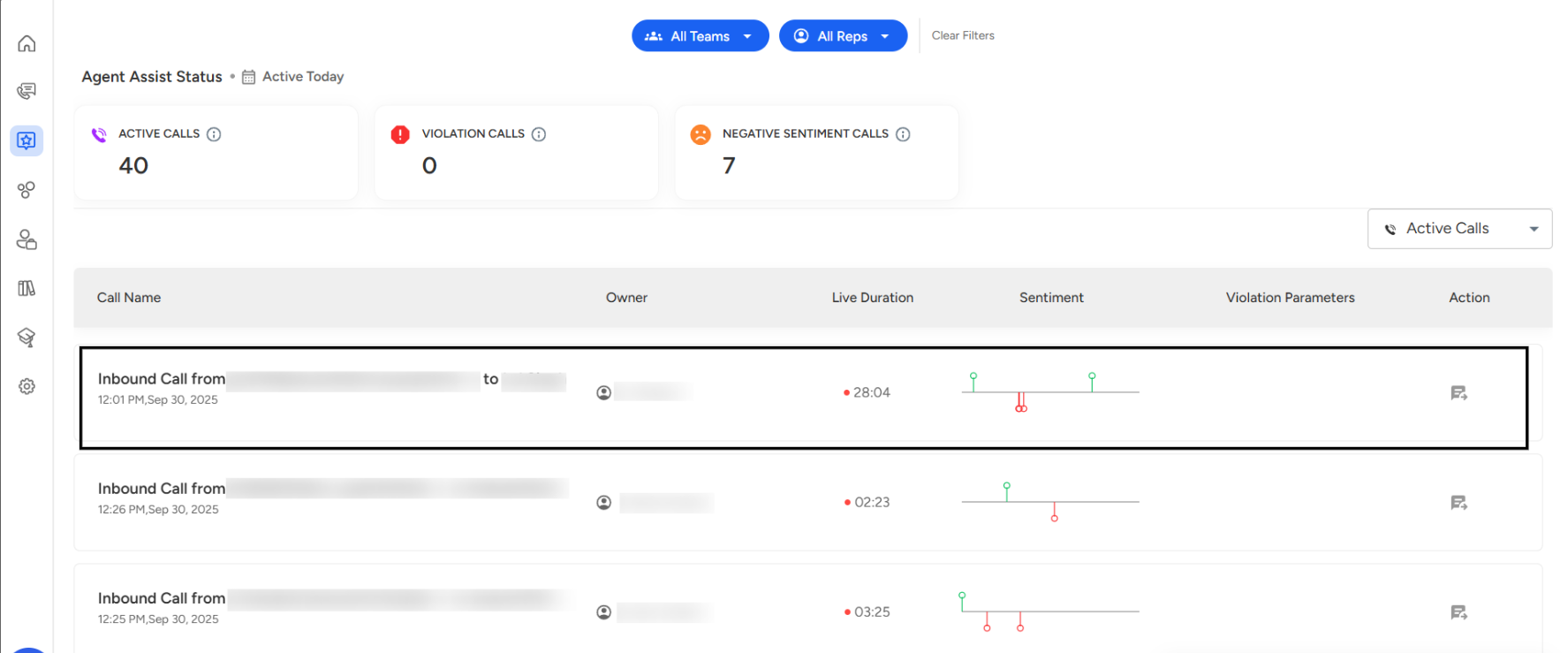
This section gives a quick snapshot of all active calls and important call metrics for the day.Active Calls: The total number of ongoing calls being handled by agents (e.g., 40).
Violation Calls: Calls where policy violations occurred, such as abusive language or non-compliance (e.g., 0).
Negative Sentiment Calls: Calls where AI detected negative sentiment from customers (e.g., 7).
How to Access Conversations
Click the Action icon next to the call you want to review.
You will be redirected to the conversation page where you can see:
The full transcript of the call.
Highlighted segments showing violations or negative sentiment.
Key metrics like talk time, sentiment trend, and interruptions.
Visual Example (from Screenshot)
The first call shows 28:04 minutes duration.
Sentiment analysis displays mostly positive interactions (green) with some negative flags (red).
No violations are currently recorded in this instance.
Supervisors can click the speech bubble icon under Action to access the full conversation and review detailed metrics.
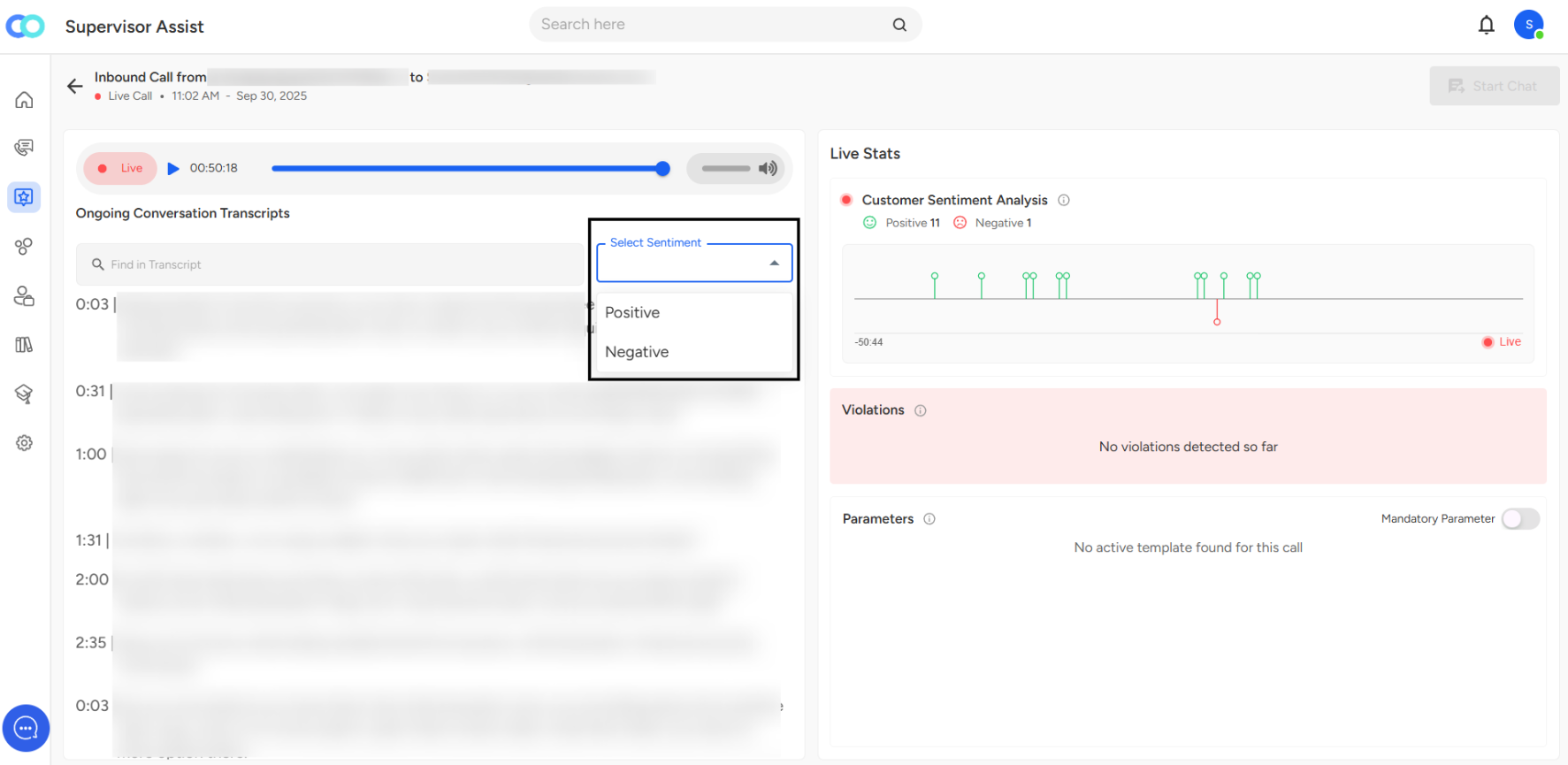
When you click on a specific live call, you will see the option to select sentiment either positive or negative based on your requirements.
In this dashboard, you can:
View the live call transcription and listen to the conversation.
Add mandatory parameters if needed.
Access customer sentiment analysis for the call.
Click on the chat section to initiate a conversation directly from the dashboard.
I hope this article was helpful to you. If you have any queries, drop us an email at "[email protected]," and we'll get you sorted.
Good day!