
Using the Accuracy Dashboard, you can compare AI-audited conversations with manual audits to evaluate precision and consistency. This dashboard provides insights into overall accuracy, parameter-level performance, and auditor reliability—helping you identify gaps and improve audit quality.
To access the Accuracy dashboard, follow the below steps:
- Navigate to the Home Page.

- Under the "Overall Dashboard" drop-down, select "Accuracy Dashboard".
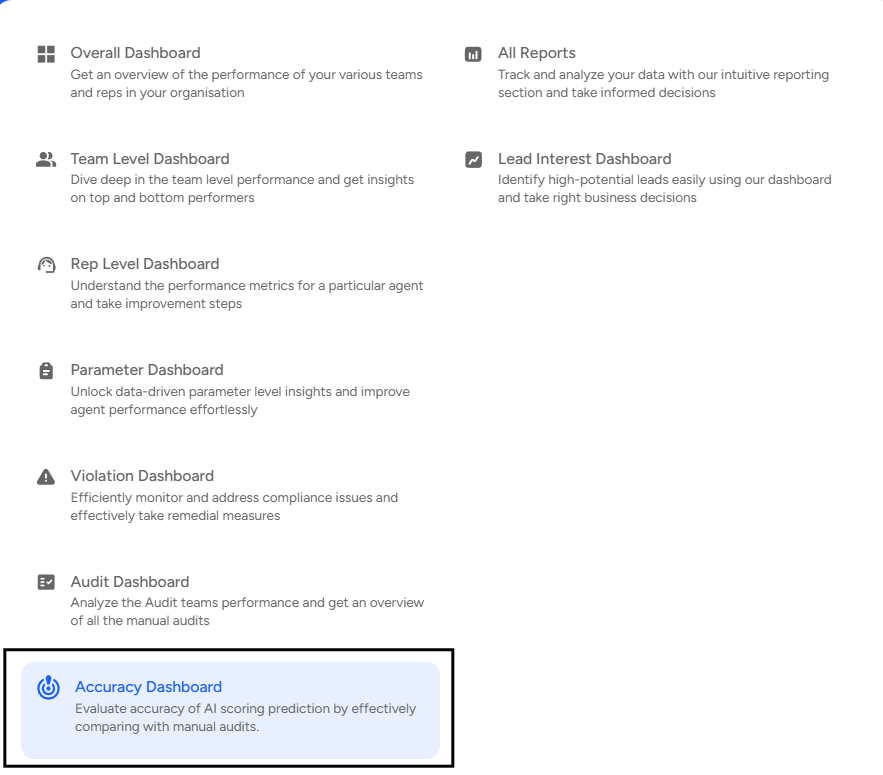
- Apply Filters

Use the Filters panel to customize your view by selecting specific teams or agents, choosing a date range, and applying additional filters such as Audit Type, Tags, or Status to refine and focus your accuracy analysis.
Accuracy Dashboard Provides the Following Insights:
- Accuracy Percentage:
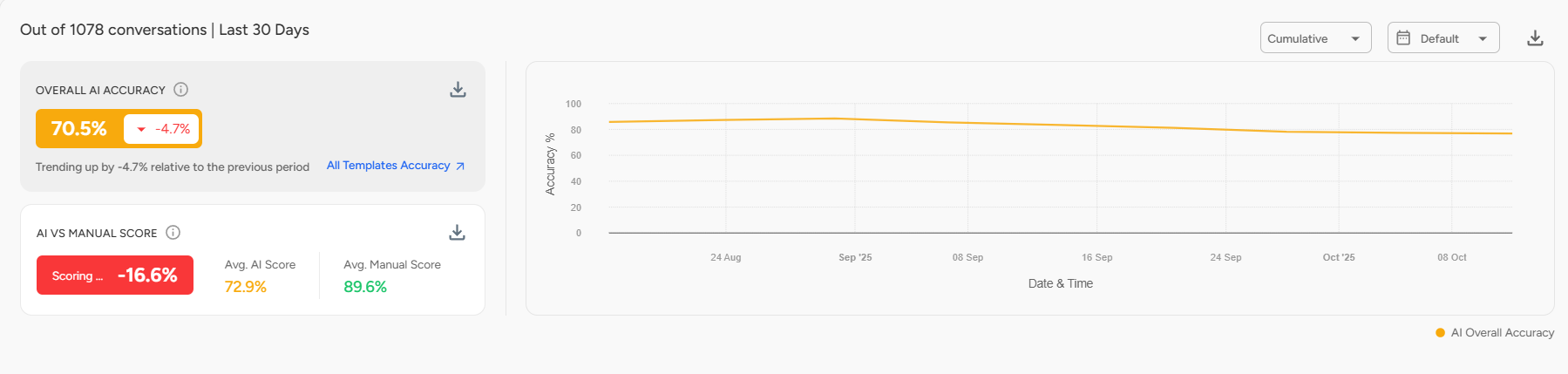
Shows Overall Accuracy (AI vs. manual audits) and AI–Manual Score Variance to track consistency between AI and human evaluations. Also includes a graphical view of accuracy based on selected filters. - Parameter Accuracy:
Provides detailed insights into the accuracy of individual audit parameters within a specific domain or sub-domain.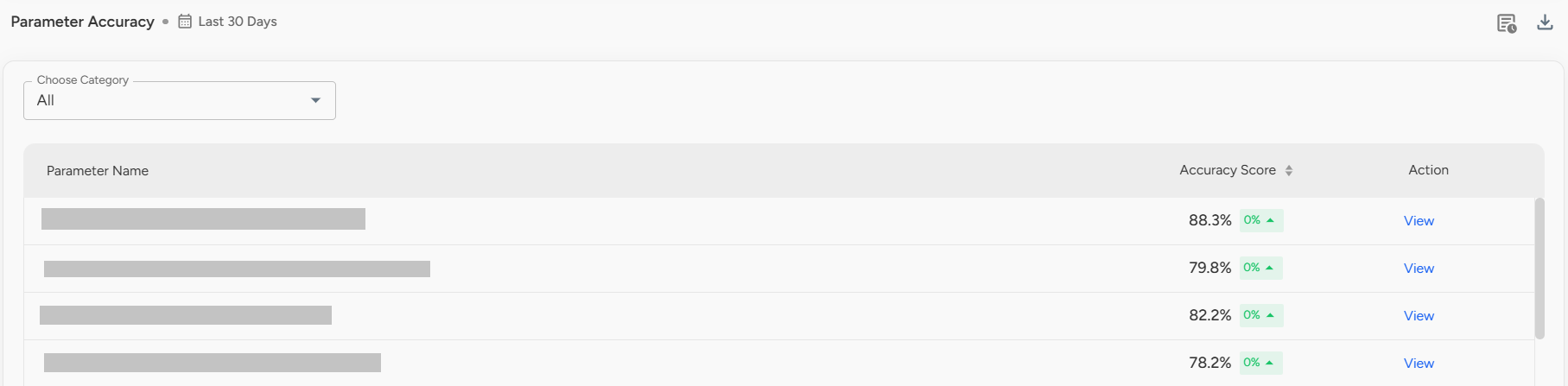
You can click “View” to explore:
Accuracy Analysis: Categorizes conversations into matching and non-matching groups to show AI performance for each parameter.
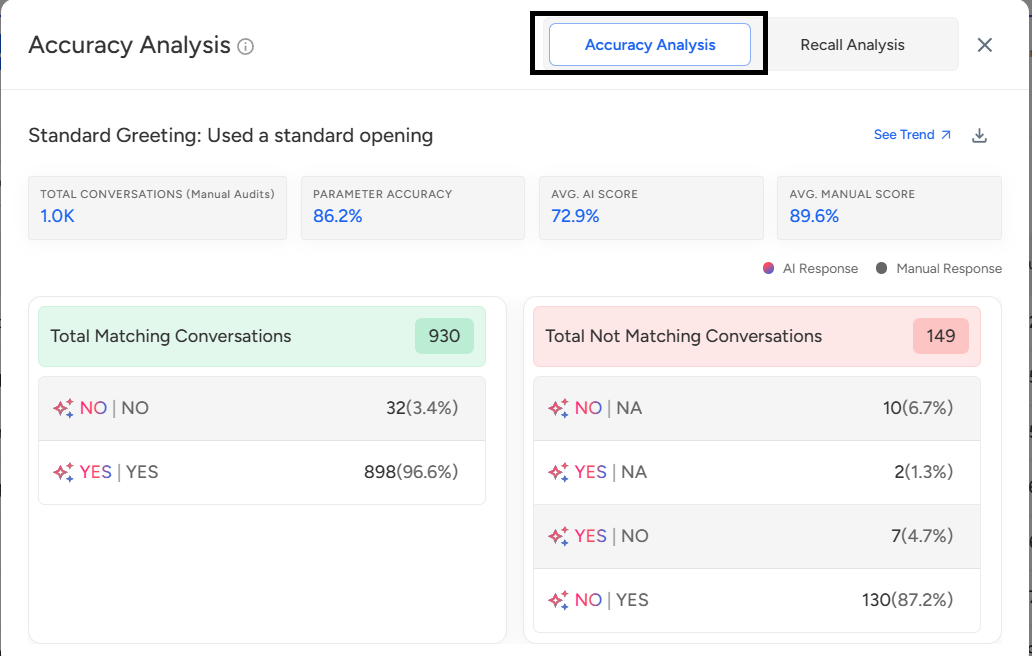
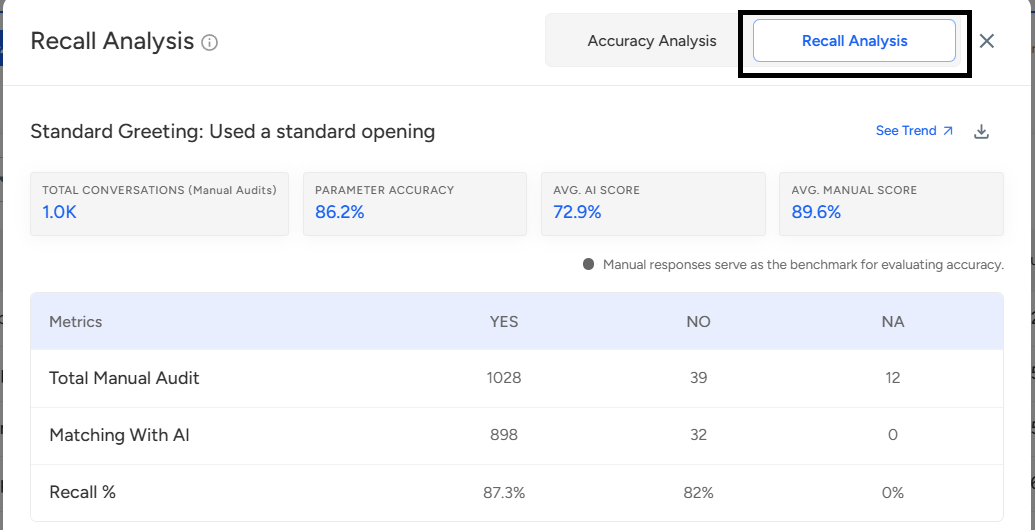
Recall Analysis: Measures how accurately AI evaluated responses compared to manually marked conversations, offering a deeper understanding of parameter-level performance.
Auditor Accuracy:
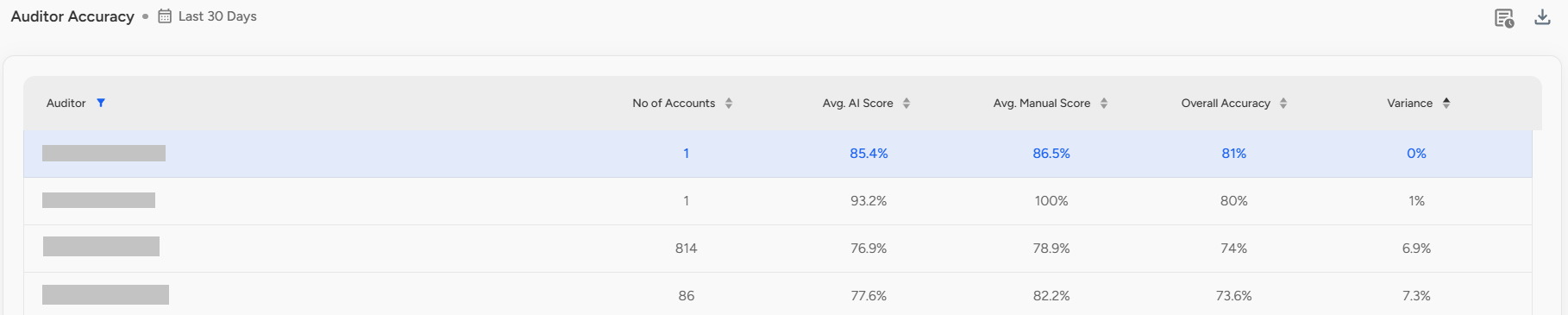
Displays a detailed comparison of manual auditor performance relative to the highest-rated audit.📩 Still need help? Contact our support team at [email protected] —we’re happy to assist!
Good day!