
Conversation Tags in Convin allow users to quickly filter and locate calls based on the disposition or outcome selected by Sales or Support teams during call logging in their dialer/telephony system.
This enables Managers, Team Leads, Admins, and Quality Analysts to review calls based on specific call outcomes and streamline QA and reporting workflows.
Steps on how to Use Conversation Tags Filter on Customer Intelligence Page:
- Navigate to Convin Insight Page.

- Select Customer Intelligence.

- Locate to Advanced Filters.

- Locate and select Conversation Tags Filter.
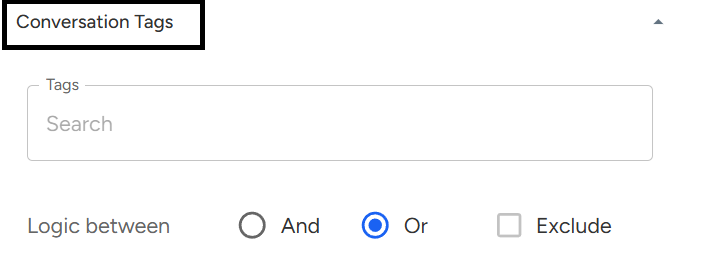
- After selecting your desired Conversation Tags, Click Apply Filter to view the filtered call dataset.

Steps on how to Use Conversation Tags Filter on AI Insights Page:
- Navigate to Convin Insight Page.

- Select AI Insights.

- Locate to Advanced Filters.

- Locate and select Conversation Tags Filter.
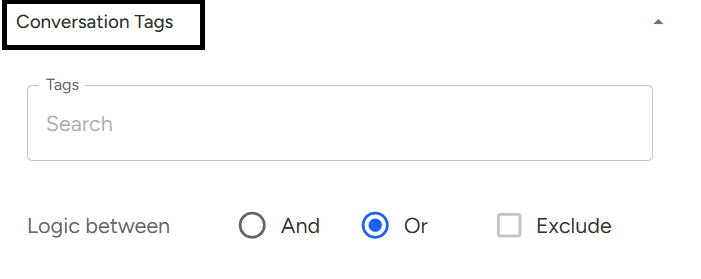
- After selecting your desired Conversation Tags, Click Apply Filter to refine your AI-driven insights and reports.

Steps on how to Use Conversation Tags Filter on Custom Tracking Page:
- Navigate to Convin Insight Page.

- Select Custom Tracking Page.

- Locate to Advanced Filters.

- Locate and select Conversation Tags Filter.
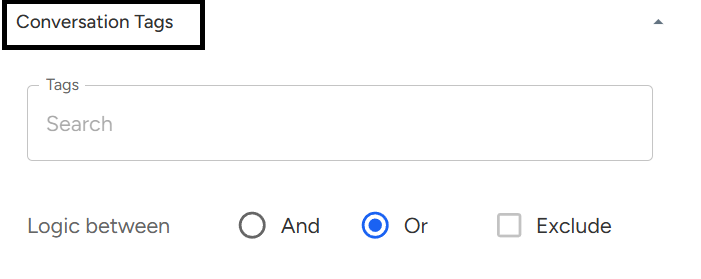
- After selecting your desired Conversation Tags, Click Apply Filter to generate tailored tracking insights.

Note: These Conversation Tags are given by clients according to their dialer/Telephony
📩 Still need help? Contact our support team at [email protected] —we’re happy to assist!
Good day!