
Agent Assist – Live Assist Battle Cards: Overview and Navigation
Navigation
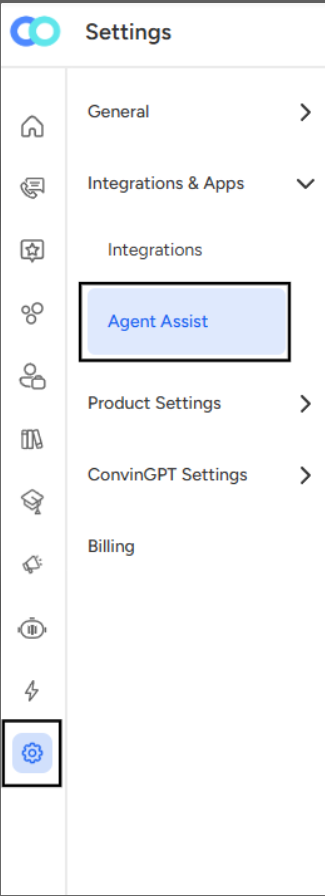
To access the Live Assist – Battle Cards section within the platform:
Go to the Settings panel from the left-hand sidebar.
Under the Agent Assist tab, select Live Assist – Battle Cards.
Once you enter this section, you’ll find the Battle Cards management interface, where you can view, create, and manage predefined responses or guidance cards designed to assist agents during live interactions.
Overview
The Live Assist – Battle Cards page is divided into three main sections for better usability and quick access to relevant information:
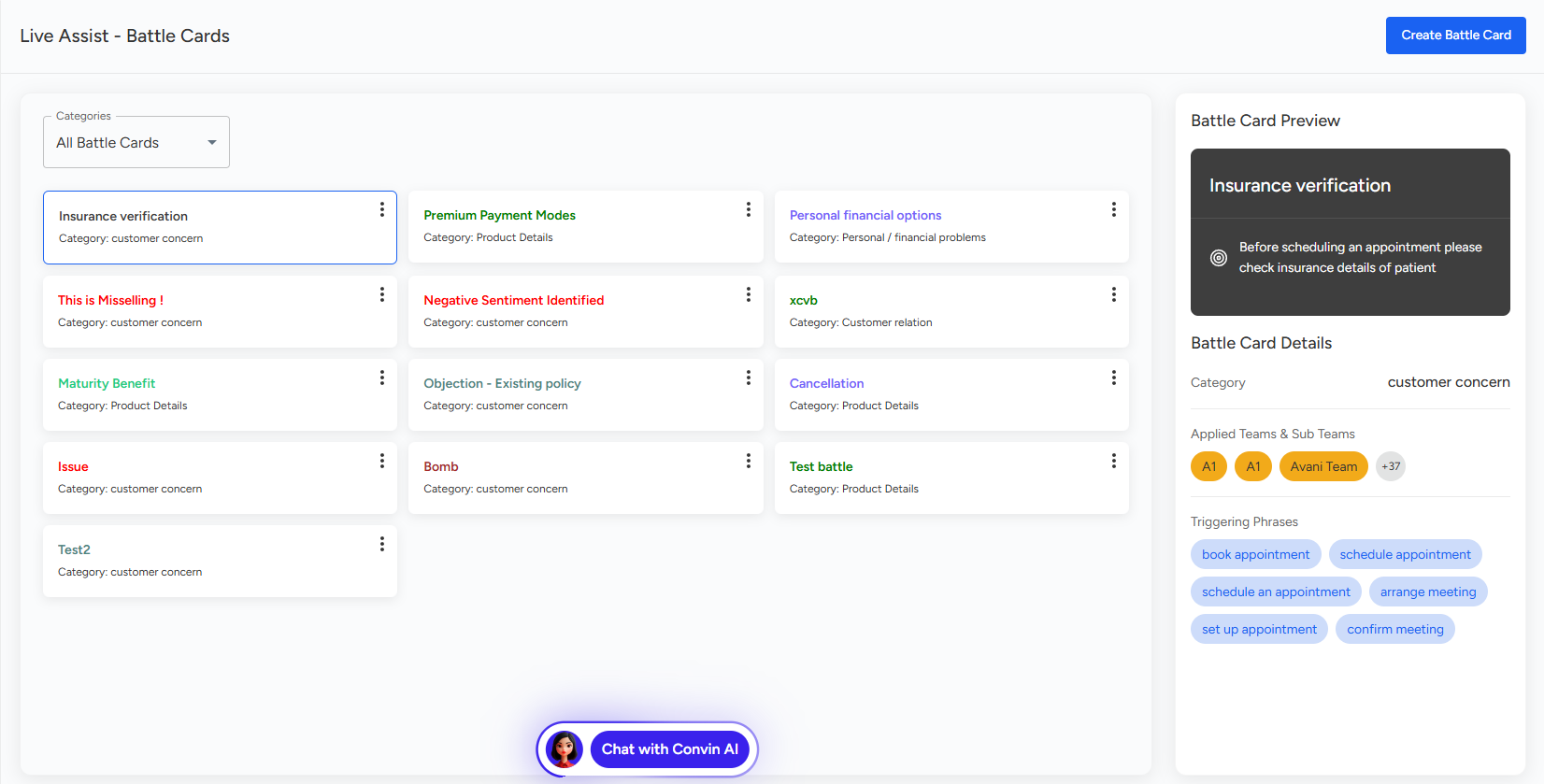
Battle Card List Panel (Center Section)
This section displays all existing battle cards, categorized by topics such as Customer Concern, Product Details, and more.Each card appears as a labeled tile containing its title and associated category.
A dropdown at the top allows you to filter and view All Battle Cards or select a specific category.
Battle Card Preview (Right Panel)
When you select any battle card from the list, its preview and details appear on the right side.The Preview area shows the actual message or instruction that appears to agents during live assist sessions.
The Battle Card Details section provides information such as the assigned category, applied teams and sub-teams, and triggering phrases - keywords that activate this battle card in live interactions.
Action Controls
The Create Battle Card button on the top right allows you to add new cards.
The three-dot menu on each card provides options for editing or managing existing cards.
In summary, the Live Assist – Battle Cards section under Agent Assist offers a structured interface where users can easily navigate, preview, and manage all battle cards that support agents during live customer conversations.
📩 Still need help? Contact our support team at [email protected]—we’re happy to assist!
Good day!