
The Custom Insight feature allows users to create personalized insights tailored to their specific business objectives. It enables you to define custom rules, keywords, or conditions to identify unique patterns or themes within conversations. This helps in uncovering deeper, business-relevant insights beyond default system metrics and ensures more focused and actionable analysis.
Steps on how to create Custom Insight on AI Insights Page:
- Navigate to Convin Insight Page.

- Select AI Insights.

Click on Custom Insight, located at the top of the page.

- Enter Basic Information.
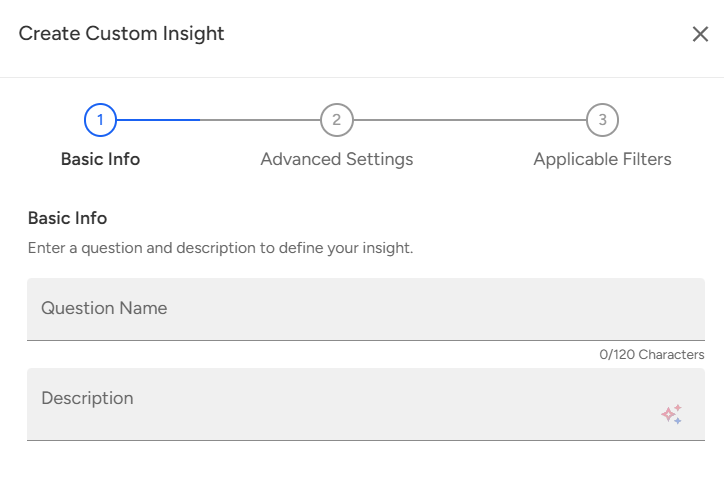
Provide the Question Name and Description for your custom insight.
Advanced Settings:
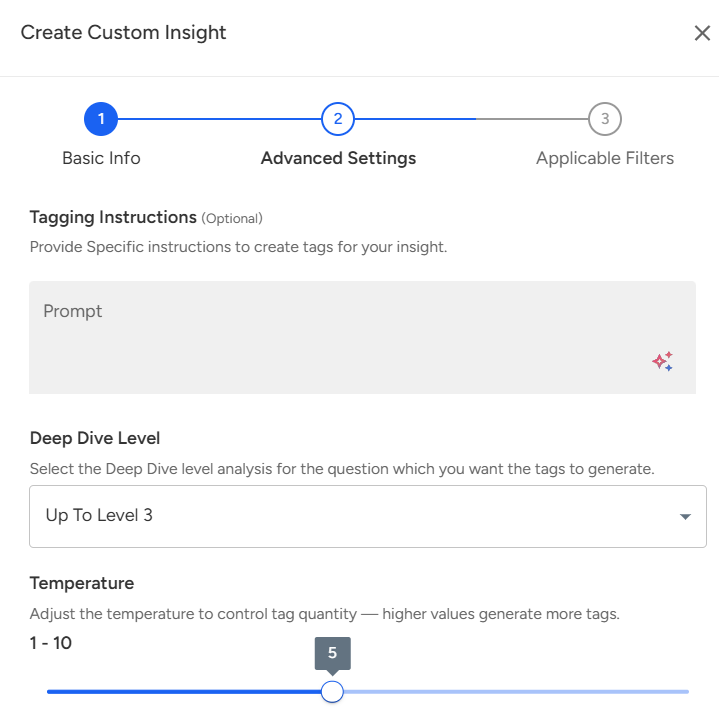
In this section, you can enter a Prompt, select the desired Deep Dive Level, and adjust the Temperature to control the number of tags generated — higher values produce more tags.
Note: This step is optional and can be skipped while creating a custom insight.Set Up Applicable Filters.
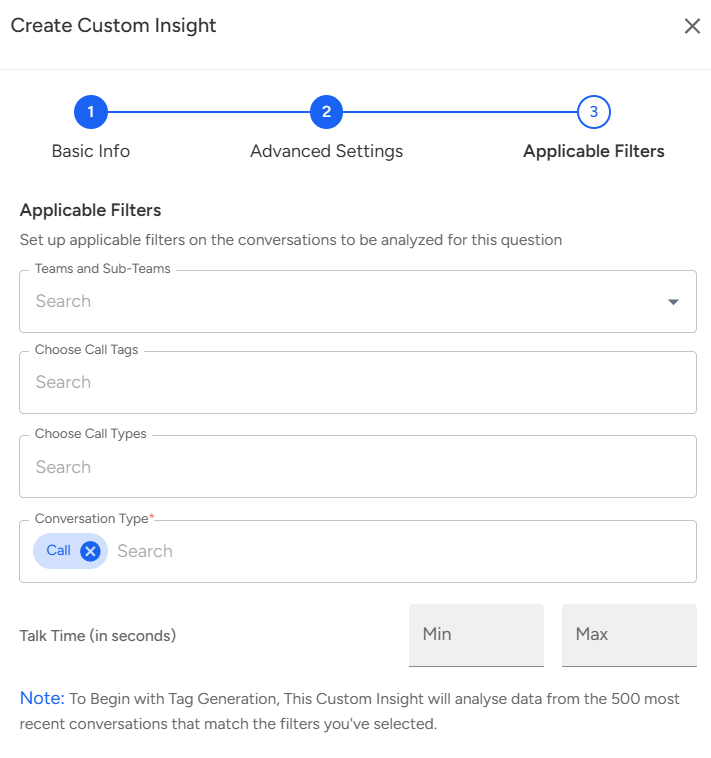
Choose the relevant Teams, Subteams, Call Tags, Call Type, Conversation Type, and Talk Time to define the scope of your insight.Once all details are filled in, click on the Create button to generate your Custom Insight.

📩 Still need help? Contact our support team at [email protected]—we’re happy to assist!
Good day!