
AI Disposition – Overview
AI Disposition is a feature within ConvinGPT Settings that allows teams to automate the call disposition process using AI. Instead of agents manually tagging calls with the correct outcomes, AI listens to the conversation and assigns the most accurate disposition based on spoken intent, context, and call resolution.
This ensures consistency, saves time, and improves the accuracy of post-call categorization across all teams.
To access AI Disposition:
Navigate to:
Settings → ConvinGPT Settings → AI Disposition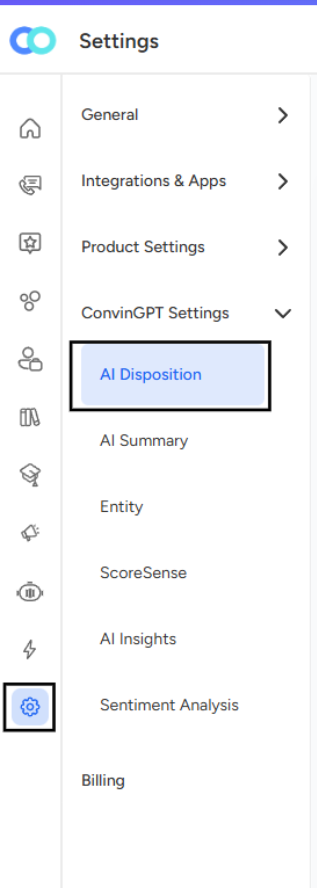
AI Disposition Dashboard
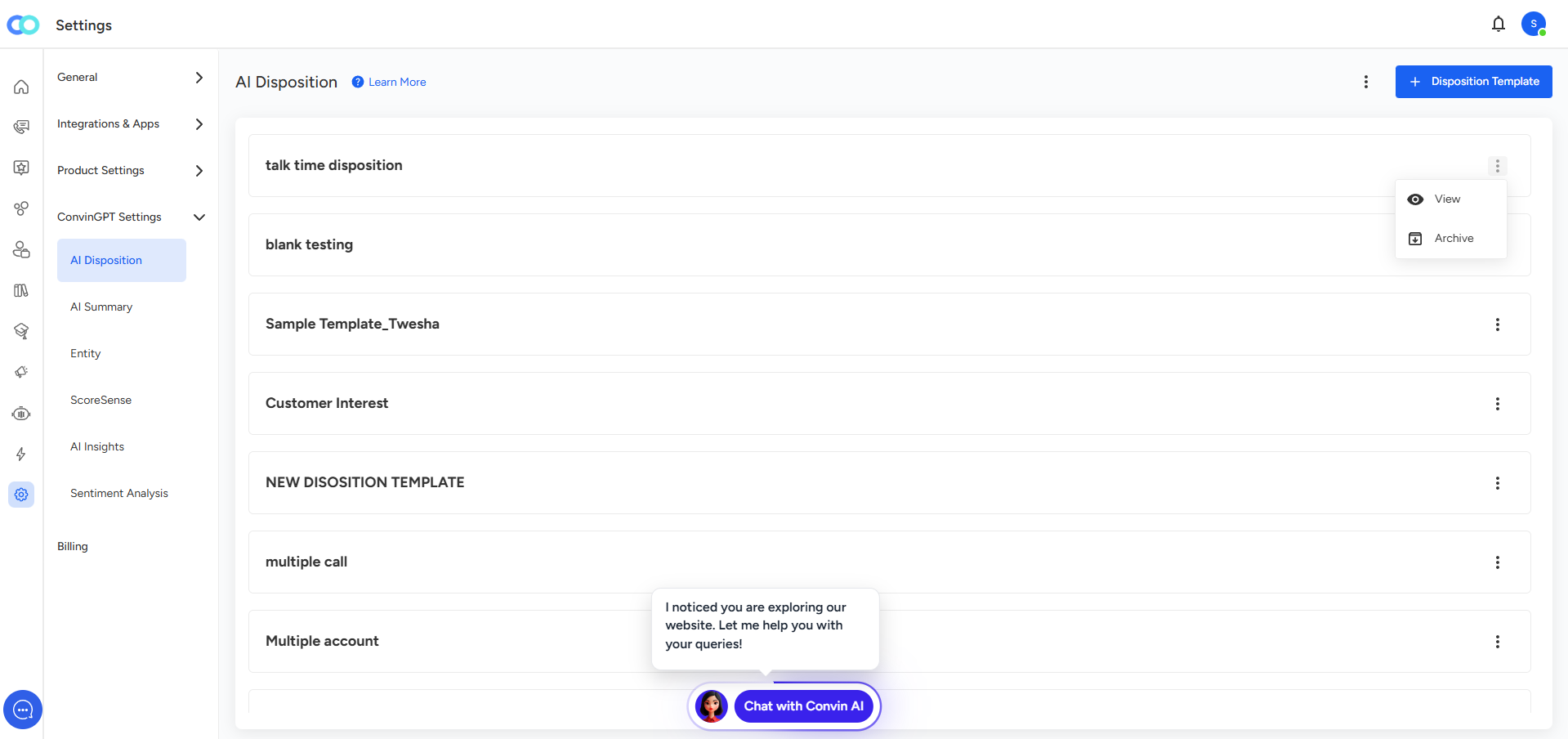
The AI Disposition dashboard displays all existing Disposition Templates that have been created in your system. Each template defines a set of disposition labels and rules used to categorize calls automatically.
The screen contains multiple examples such as:
talk time disposition
blank testing
Sample Template_Twesha
Customer Interest
NEW DISPOSITION TEMPLATE
multiple call
Multiple account
These represent different AI disposition models configured for various business needs and call scenarios.
Key Elements of the Dashboard
1. Template List
Each card in the dashboard represents one AI Disposition Template.
Templates may differ based on:
Business team
Call type
Process workflow
Classification requirements
You can create multiple templates to support different categories of calls or business units.
2. Actions Menu (⋮)
Each template has a three-dot menu offering quick actions:
View – Opens the template to review its configurations, labels, or setup.
Archive – Moves the template out of the active list when it’s no longer needed.
Archiving helps maintain a clean workspace without deleting historical configurations.
3. Create Disposition Template
The “+ Disposition Template” button at the top right allows you to:
Create a new AI disposition model
Add custom disposition labels
Define rules for AI classification
Assign templates to specific teams or processes
Purpose of AI Disposition
AI Disposition helps organizations streamline post-call workflows by:
Automatically tagging calls based on conversation insights
Eliminating manual effort by agents
Ensuring 100% consistency in call labeling
Reducing human errors
Enhancing reporting accuracy
Improving downstream analytics like QA, coaching, and performance tracking
📩 Still need help? Contact our support team at [email protected] —we’re happy to assist!
Good day!