
AI Insight Reports in Convin provide users with downloadable, AI-driven analysis across conversations, teams, and agents. These reports help Managers, Team Leads, Admins, and Quality Analysts access deeper performance insights, evaluate trends, and make data-backed decisions. By exporting these reports, users can easily review detailed metrics, share findings with stakeholders, and improve operational efficiency.
Steps on how to Download the Insight report in AI Insights Page:
- Navigate to Convin Insight Page.

- Select AI Insights.

- The page displays different AI-identified attributes.
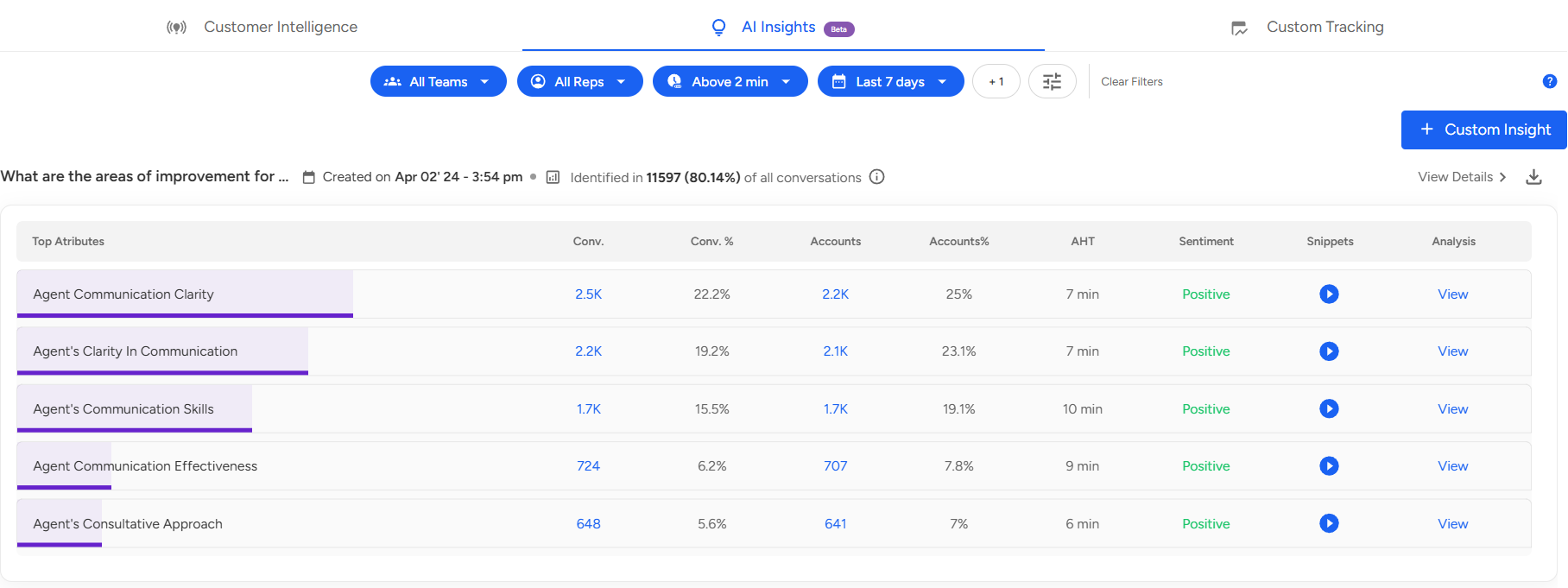
- On the right side of the screen, next to View Details, you will find the Download icon.

- Select the Report Type:
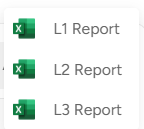
Once you click on the Download icon, you will see the report level, select the report level based on your needs or requirements. - Click on the Bell icon at the top right corner of the screen.

Go to the Downloads section.
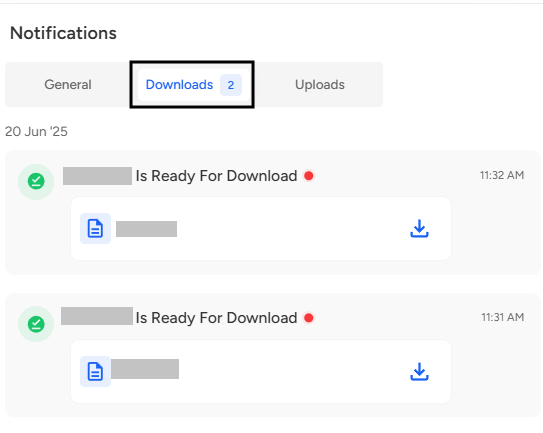
From here, you can view your downloading report or access your completed downloads.
📩 Still need help? Contact our support team at [email protected] —we’re happy to assist!
Good day!