
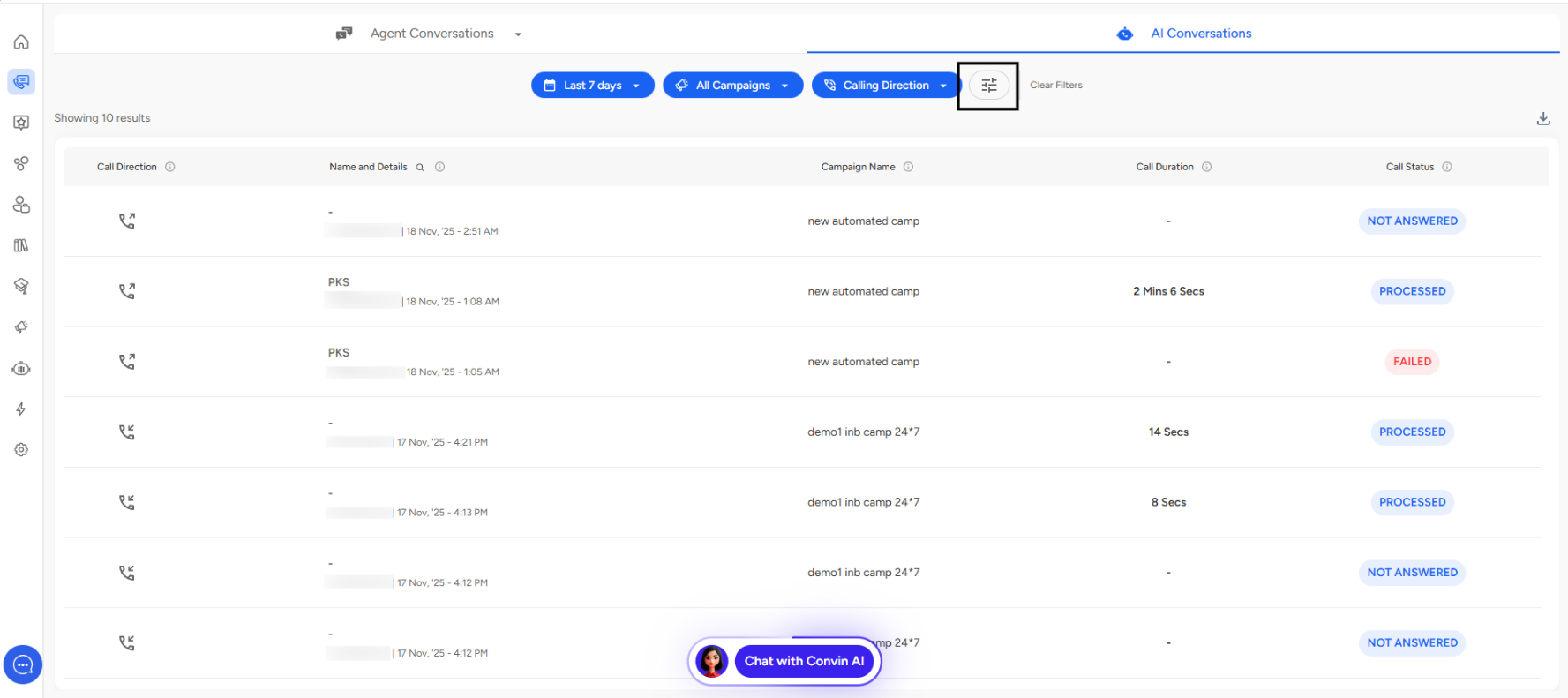
Navigate to the Conversations page and open AI Conversation Overview.
You can then apply the Advanced Filters as shown in the screenshot.
Campaign Status Types
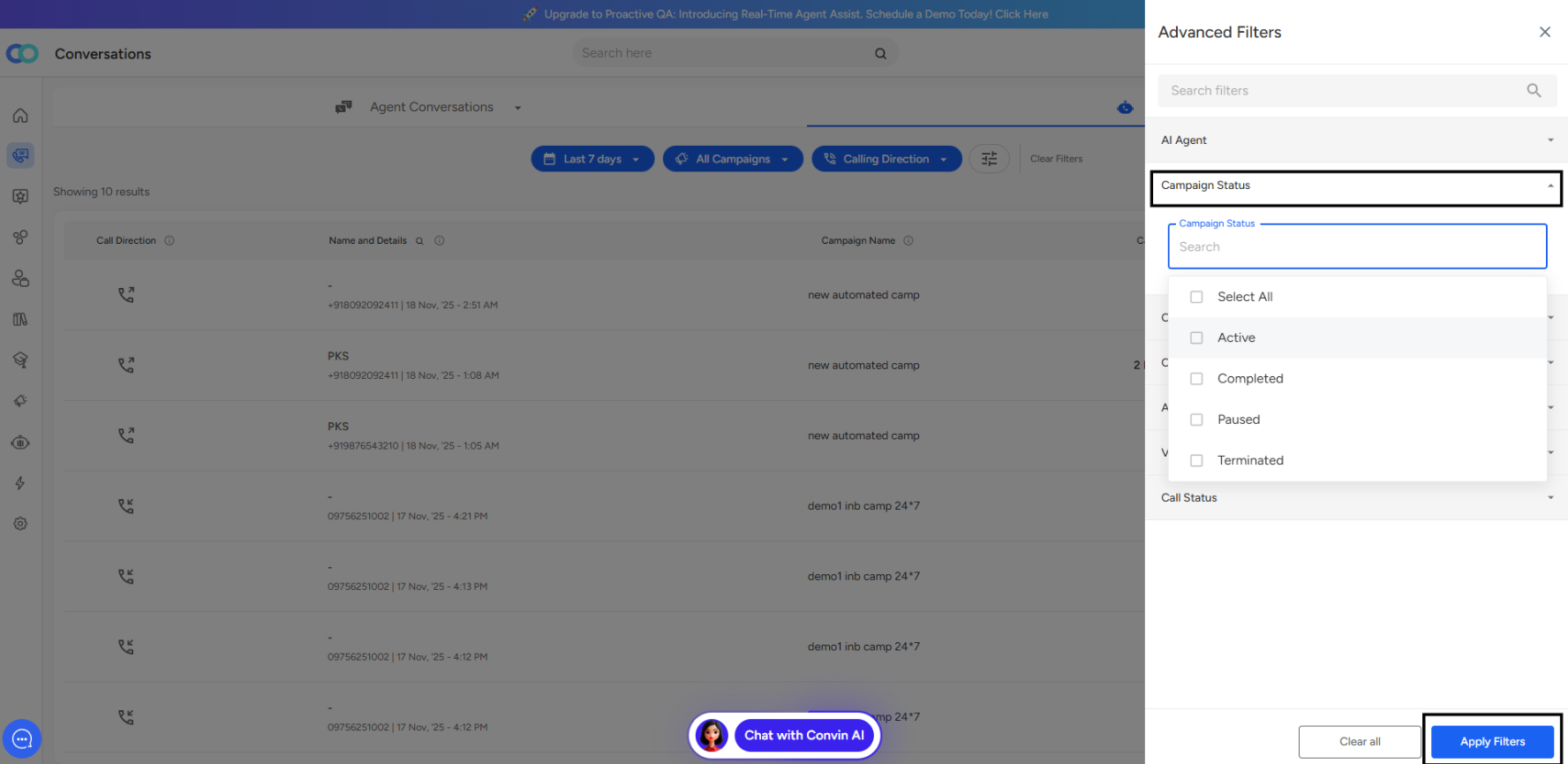
Active
Campaigns that are currently running and receiving or making calls.
Use to: Monitor live performance metrics like received and answered calls.
Completed
Campaigns that have finished their scheduled duration.
Use to: Review overall performance and generate post-campaign reports.
Paused
Campaigns that are temporarily stopped.
Use to: Suspend activity for maintenance or review. Can be resumed later.
Terminated
Campaigns that were ended before completion.
Use to: Indicate campaigns that were stopped permanently.
📩 Still need help? Contact our support team at [email protected]—we’re happy to assist!
Good day!