
Navigate to the Conversations page and open AI Conversation Overview.
You can then apply the Advanced Filters as shown in the screenshot.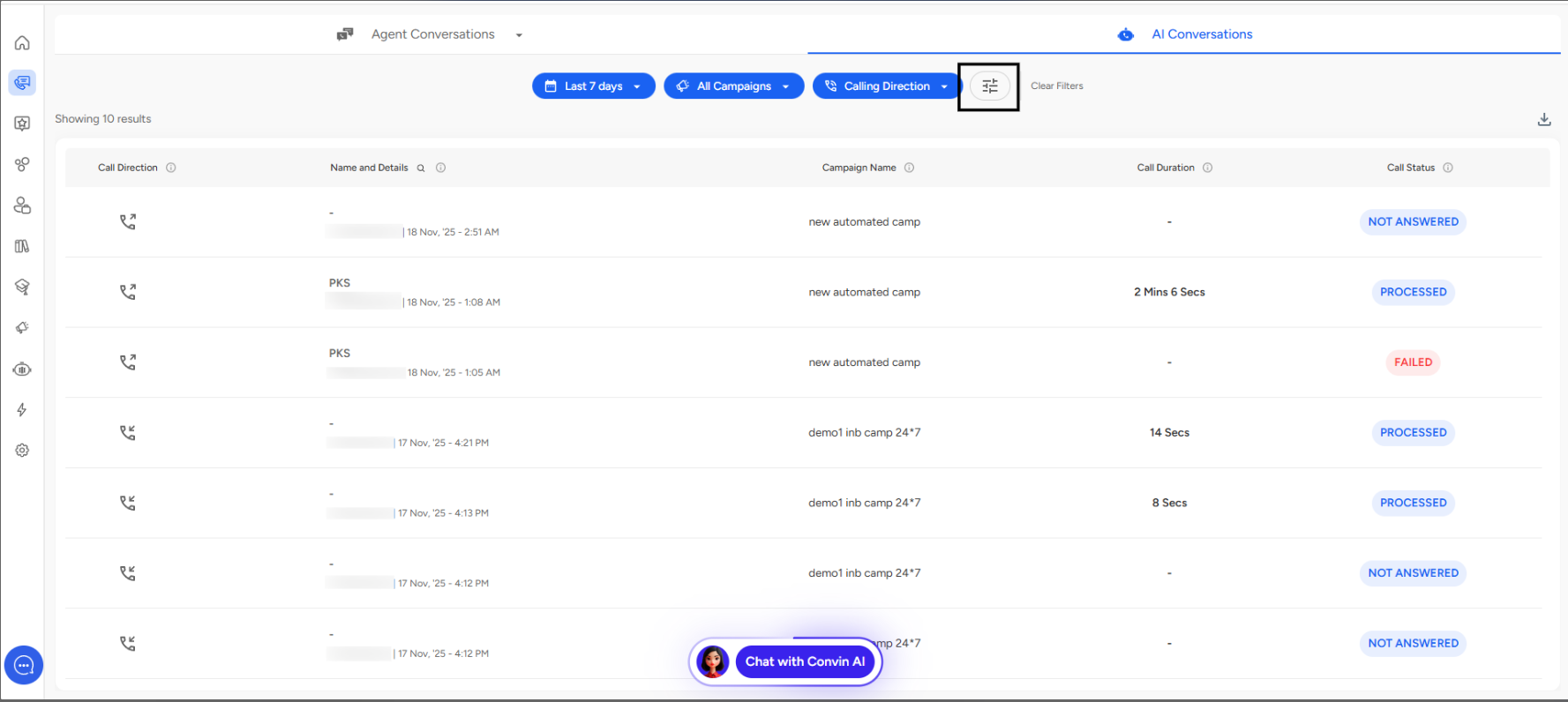
The Two Options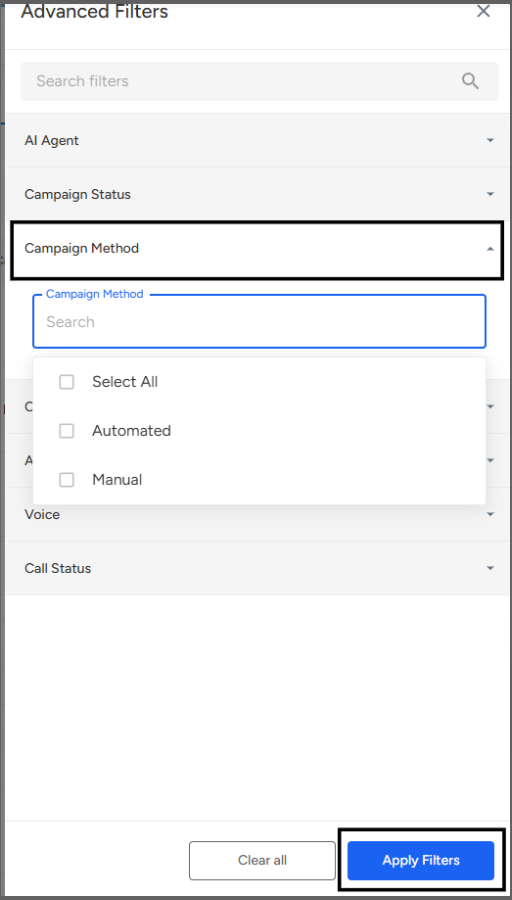
Automated Campaigns:
- System-driven calling without human intervention
- Pre-scheduled with auto-dialing
- AI handles the entire conversation flow
- Runs based on predefined rules and triggers
Manual Campaigns:
- Require human operator involvement
- Agent-initiated calls
- More control over timing and approach
- Flexible, personalized interactions
How to Use
- Click "Campaign Method" dropdown
- Select "Automated" or "Manual"
- Filter campaigns by execution type
📩 Still need help? Contact our support team at [email protected]—we’re happy to assist!
Good day!