
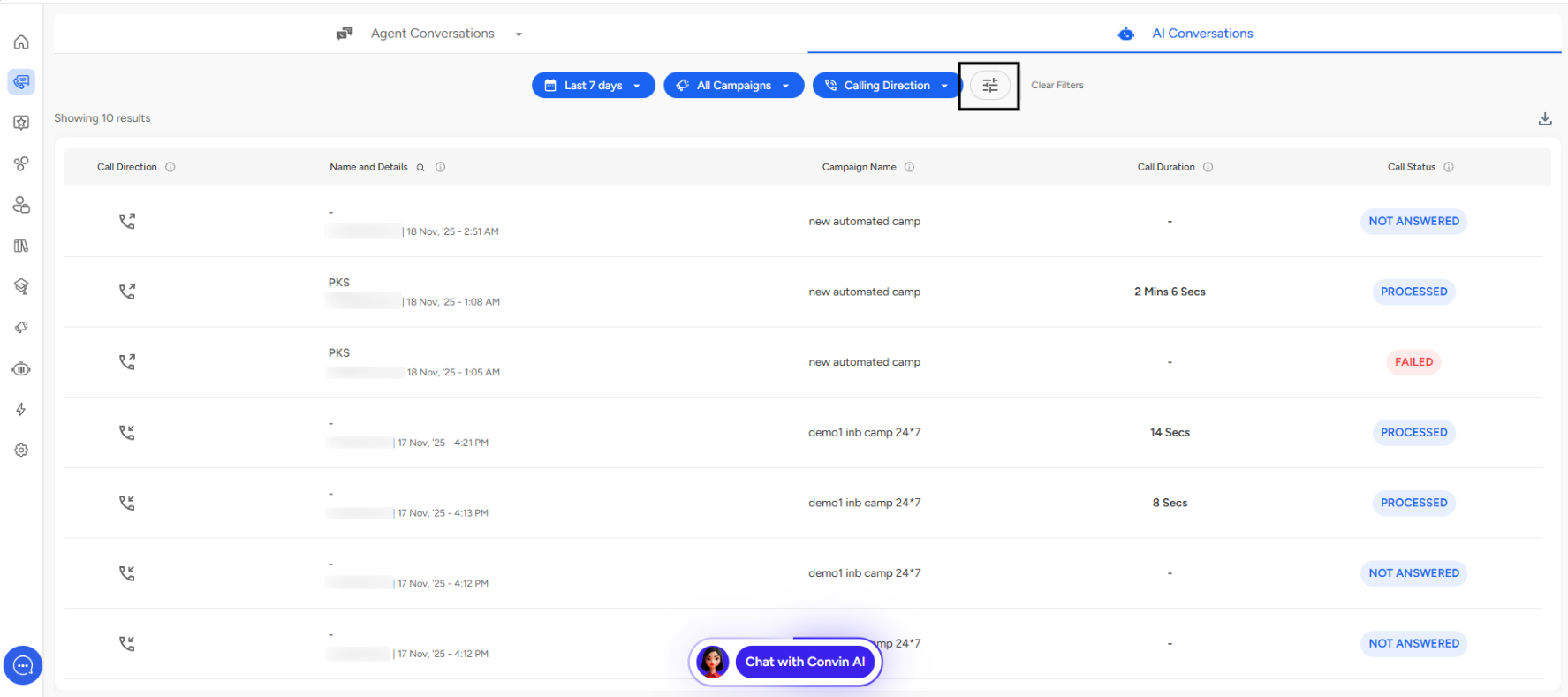
Navigate to the Conversations page and open AI Conversation Overview.
You can then apply the Advanced Filters as shown in the screenshot.
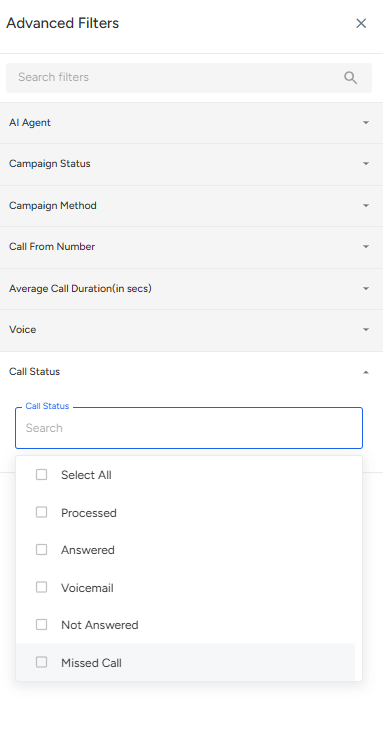
Outcome-Based Statuses
These statuses reflect the final result of the call interaction:
Processed calls represent interactions that have been successfully completed and analyzed by the AI system. This status indicates that the conversation has been recorded, transcribed, and is ready for detailed review.
Answered calls are those where the recipient picked up and engaged in conversation. This metric is crucial for measuring connection rates and assessing the effectiveness of calling campaigns.
Voicemail interactions occur when calls reach an automated voicemail system. Tracking these helps teams understand when to implement different outreach strategies or adjust calling times.
Not Answered calls indicate attempts where the recipient didn't pick up, providing insights into optimal calling windows and contact list quality.
Missed Call status tracks instances where incoming calls weren't answered by the agent or system, which is vital for measuring response capacity and staffing needs.
Connection-Based Statuses
These statuses focus on the technical aspects of call establishment:
Retrying indicates the system is making multiple attempts to establish a connection, useful for understanding persistence strategies.
Valid calls are those where the phone number format and routing information are correct and the call can be attempted.
Invalid status flags calls with incorrect number formats or routing issues, helping maintain database hygiene.
Connected calls represent successful establishment of a voice channel, regardless of whether a conversation occurred.
Initiated tracks calls that have begun the dialing process but haven't yet reached a final state.
Failed calls indicate technical failures in establishing the connection, which may require investigation of system issues or carrier problems.
Practical Applications
The Call Status filter enables several powerful use cases. Campaign managers can quickly identify which calls require follow-up by filtering for "Not Answered" or "Voicemail" statuses. Quality assurance teams can focus their review efforts on "Answered" and "Processed" calls to evaluate conversation quality and AI performance.
Operations teams benefit from analyzing "Failed" and "Invalid" statuses to maintain system health and data quality. Sales leaders can calculate true connection rates by comparing "Connected" versus "Answered" calls, providing accurate funnel metrics.
The Select All Feature
The "Select All" checkbox at the top of the filter options provides a quick way to reset filters or view comprehensive data across all call statuses simultaneously. This feature is particularly useful when transitioning from filtered views back to holistic analysis.
📩 Still need help? Contact our support team at [email protected] —we’re happy to assist!
Good day!