
Accessing Individual Conversations
To view a specific conversation, simply click on any row in the table. The system immediately loads a detailed view of that interaction.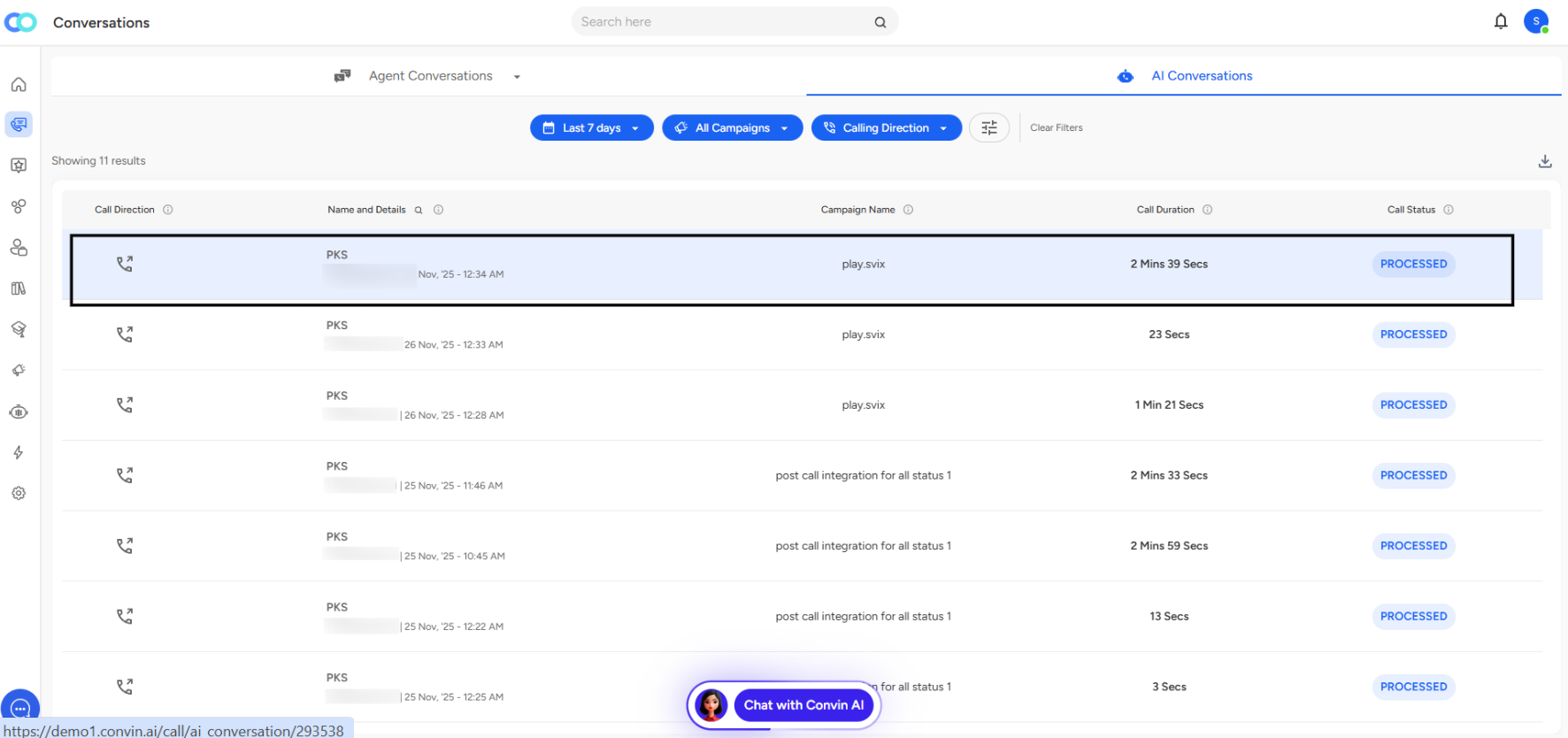
The Conversation Detail Page
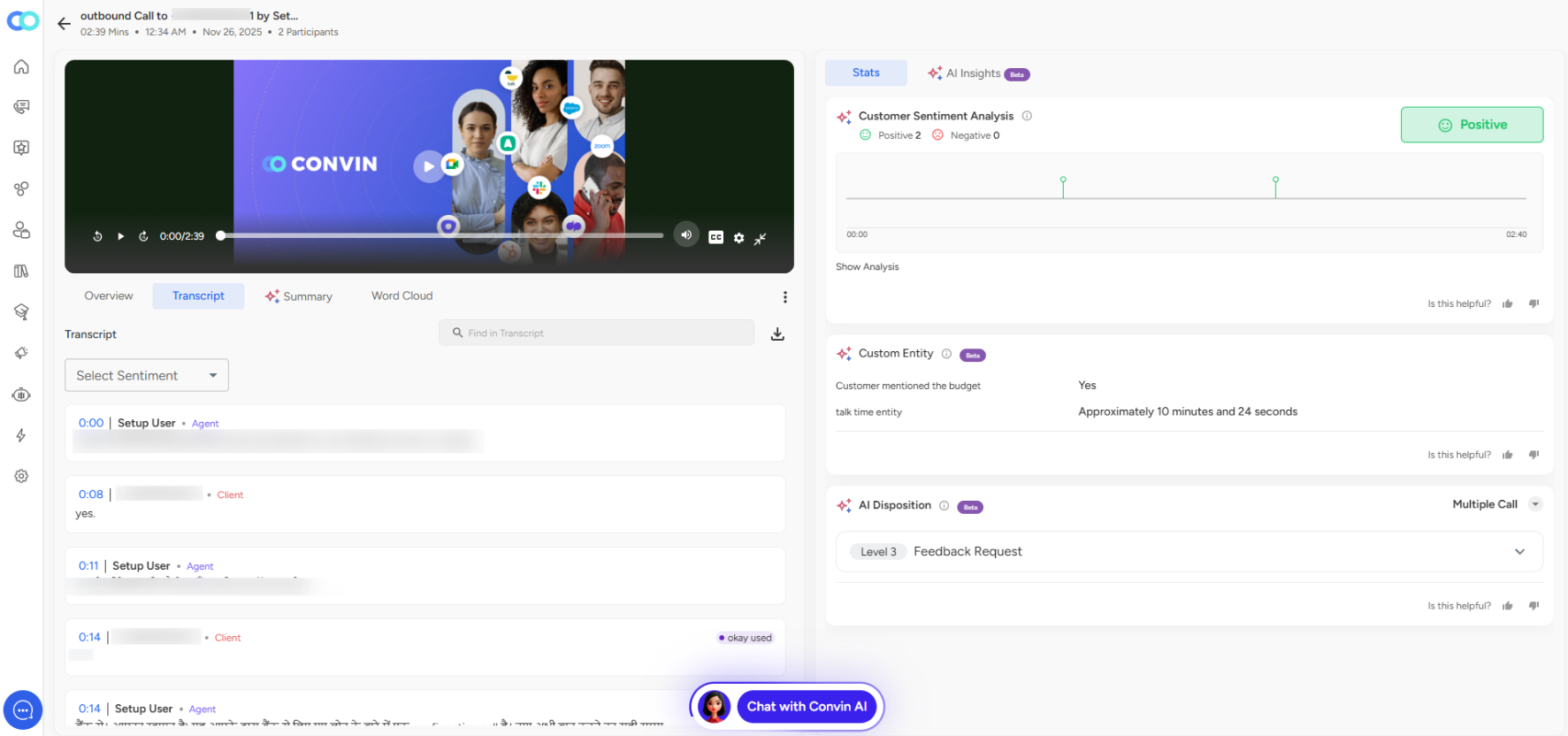
The detail page opens with essential metadata at the top showing call type, duration, timestamp, and participant count. A video or audio player takes center stage, allowing you to review the entire conversation with standard playback controls.
Below the player, four tabs organize your analysis tools:
The Conversation Detail Page
The detail page opens with essential metadata at the top showing call type, duration, timestamp, and participant count. A video or audio player takes center stage, allowing you to review the entire conversation with standard playback controls.
Below the player, four tabs organize your analysis tools:
Overview provides a high-level summary of key outcomes and notable moments.
Transcript displays the complete conversation text with speaker identification, timestamps, and a search function. The "Select Sentiment" dropdown lets you filter by emotional tone.
Summary offers an AI-generated condensation of the main points.
Word Cloud visualizes the most frequently used terms in the conversation.
AI Insights Panel
The right side of the page contains powerful analytical features:
Customer Sentiment Analysis shows positive and negative sentiment counts with a visual timeline mapping emotional changes throughout the call.
Custom Entity Recognition highlights specific information the AI has been trained to identify, such as budget mentions or talk time on particular topics.
AI Disposition automatically categorizes the call outcome, such as "Level 3: Feedback Request" or "Multiple Call," enabling efficient follow-up routing.
📩 Still need help? Contact our support team at [email protected]—we’re happy to assist!
Good day!