
Custom VOC Setup — Customer Intelligence shows the main reasons customers are contacting you, highlighting conversation counts, sentiment, and key topics. It helps Managers, Team Leads, Admins, and QA teams track trends, identify recurring concerns, and make data-driven decisions.
Overview of Custom VOC Setup — Customer Intelligence:
- Navigate to Convin Insight Page.

- Select Customer Intelligence.

- Apply Filters:

Use the filters at the top to refine the data based on:Teams
Reps
Date Range
Conversation Duration
Additional available filters
The page updates instantly based on your selections.
Explore Customer Intelligence Cards.
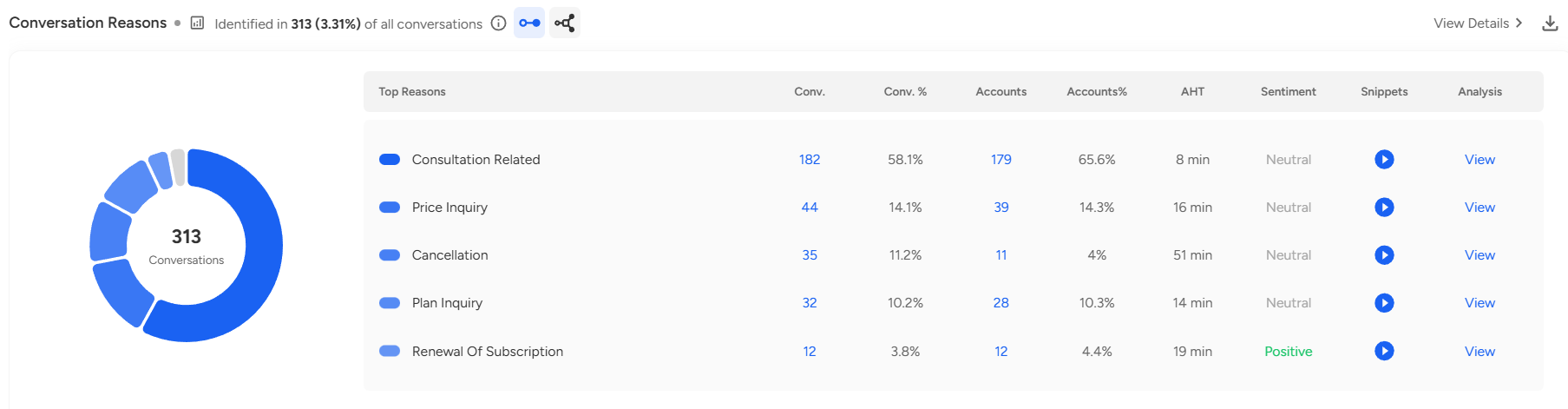
Each card provides:
Top Reasons: most common topics customers contact you about.
Key metrics: conversation count, accounts affected, average handling time (AHT), and sentiment.
Snippets: example customer conversations.
View Details option for deeper insights.
Download option to export detailed reports from the card.
Click the View button on any insight or reason to See Detailed Analysis:

Once you click on View the detailed view includes visual charts (Pie charts, and tables) and deep analysis for: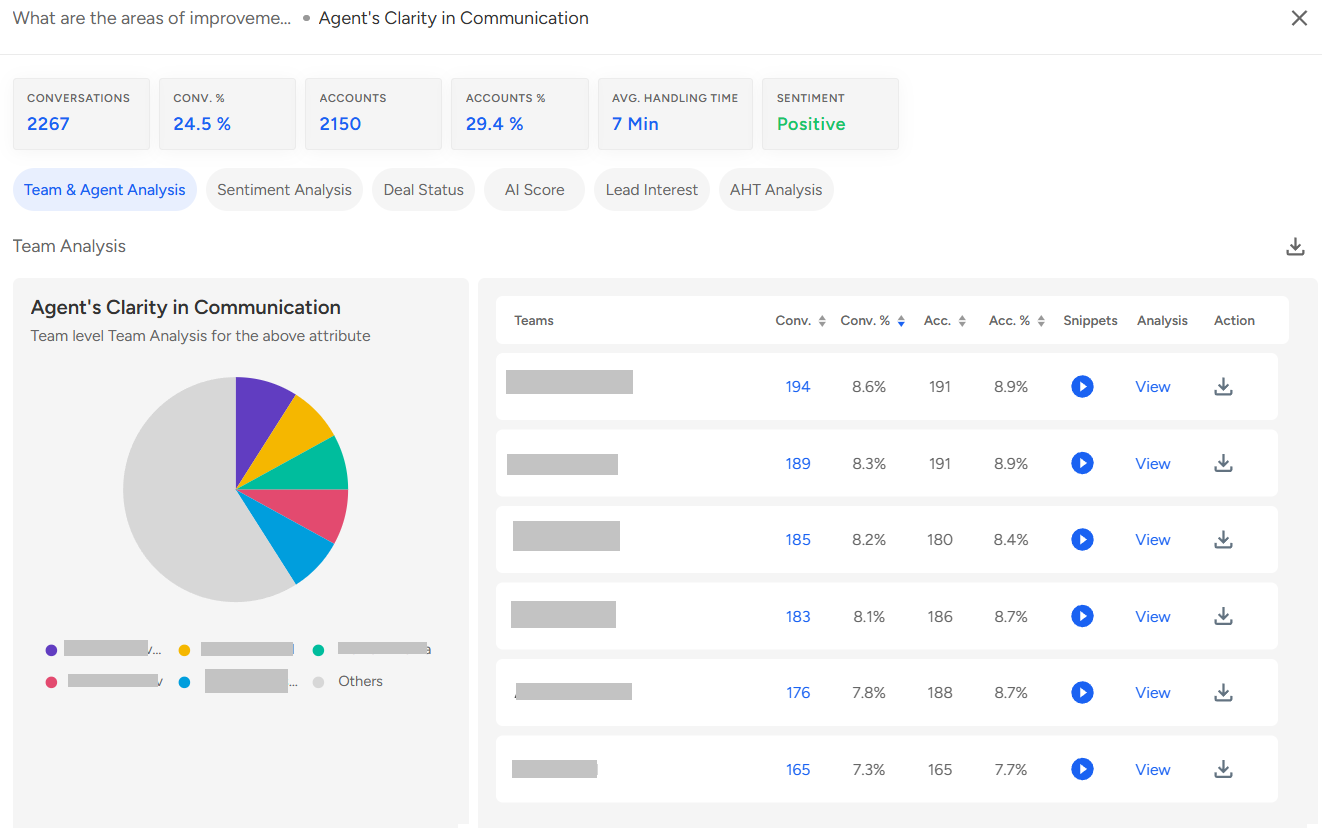
Team & Agent Analysis – performance breakdown by team and individual agent.
Sentiment Analysis – overall sentiment distribution.
Deal Status – progress and status of associated deals.
AI Score – AI-generated priority or impact score (if applicable).
Lead Interest Analysis – level of customer interest based on conversations.
Average Handling Time (AHT) Analysis – breakdown of handling times for the selected topic.
Notes / Uses
Track recurring customer concerns and top reasons for contacts.
Identify areas for agent performance improvement.
Monitor sentiment, lead interest, and deal outcomes across teams and agents.
Access detailed charts and analysis for coaching, reporting, and decision-making.
📩 Still need help? Contact our support team at [email protected] —we’re happy to assist!
Good day!