
Lead Ingestion API
This document explains how to send leads to Convin’s AI Phone Call Campaigns using Convin's Lead Ingestion API.
Before sending leads, you must generate an Auth Token using Convin’s Auth Token Generation API. This token must be passed in the Lead Ingestion API request header.
1. Generate Auth Token (Mandatory Step)
To authorize your Lead Ingestion API requests, generate an Auth Token using Convin’s Auth Token Generation API.
Endpoint:
POST https://<your-org-id>.api.convin.ai/person/auth/token/Required: Username + password of any active Convin user
Token Validity: 10 minutes
Use in Header:
X-AUTH-TOKEN: <your-token>
Without a valid token, the Lead Ingestion API will return a 401 Unauthorized Error.
2. Send Leads to Convin (Lead Ingestion API)
After generating the Auth Token, you can send leads into a specific AI phone call campaign.
Method: POST
Endpoint: Custom endpoint (org specific) will be provided by your Convin Project Manager.
Request Headers:
X-AUTH-TOKEN: <your-auth-token>
Content-Type: application/json
Request Body Example:
{
  "campaign_id": "3456789",
  "phone_number": "123456789",
  "example_var1": "example_value1",
  "example_var2": "example_value2"
}
cURL Example:
curl --location '<lead-ingestion-endpoint>' \
--header 'X-AUTH-TOKEN: ***' \
--header 'Content-Type: application/json' \
--data '{
    "campaign_id": "3456789",
    "phone_number": "123456789",
    "example_var1": "example_value1",
    "example_var2": "example_value2"
}'
Replace:
<lead-ingestion-endpoint>with your org-specific endpoint.*** with the Auth Token generated via the Auth Token Generation API.
Response Examples
Success – 200
{
  "status": "success"
}
Unauthorized – 401
{
  "error": "Unauthorized"
}
3. Field Mapping in Convin Dashboard
Before leads can be consumed by the Convin AI agent, you must map the fields you send in the Lead Ingestion API to the Convin AI required fields.
Steps
Go to Create Campaign.
Select Automated Campaign as the Campaign Method.
Paste your Lead Ingestion API Sample JSON into the provided input area (snapshot below).
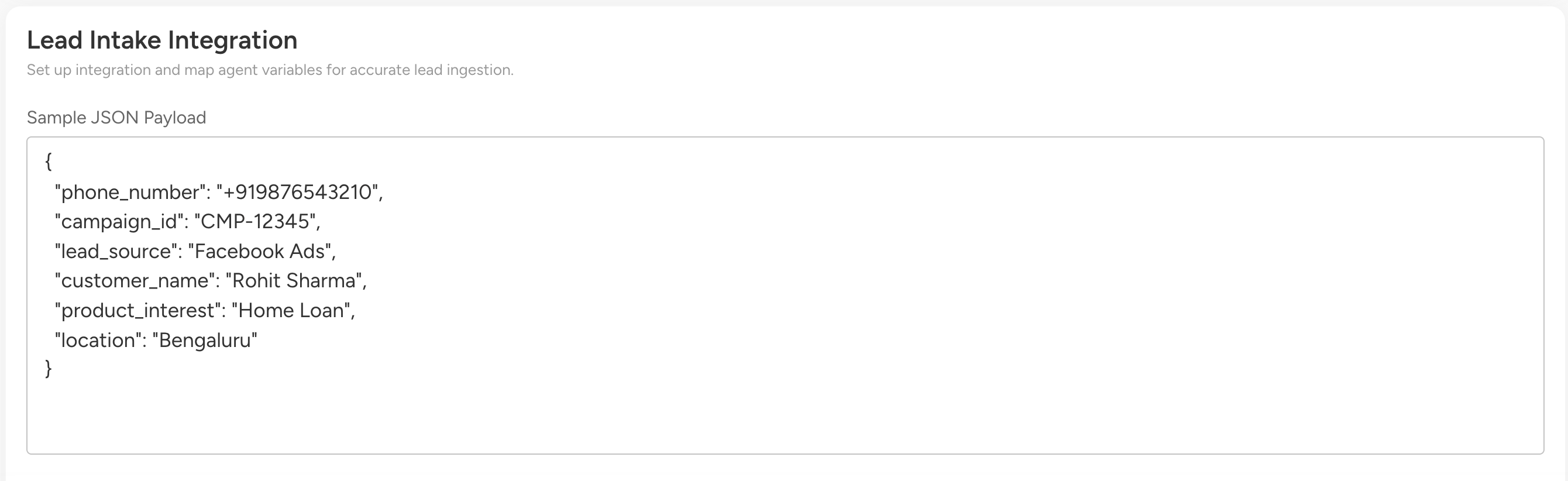
Convin will automatically parse the sample JSON.
Map each JSON field to the corresponding Convin agent fields (snapshot below).
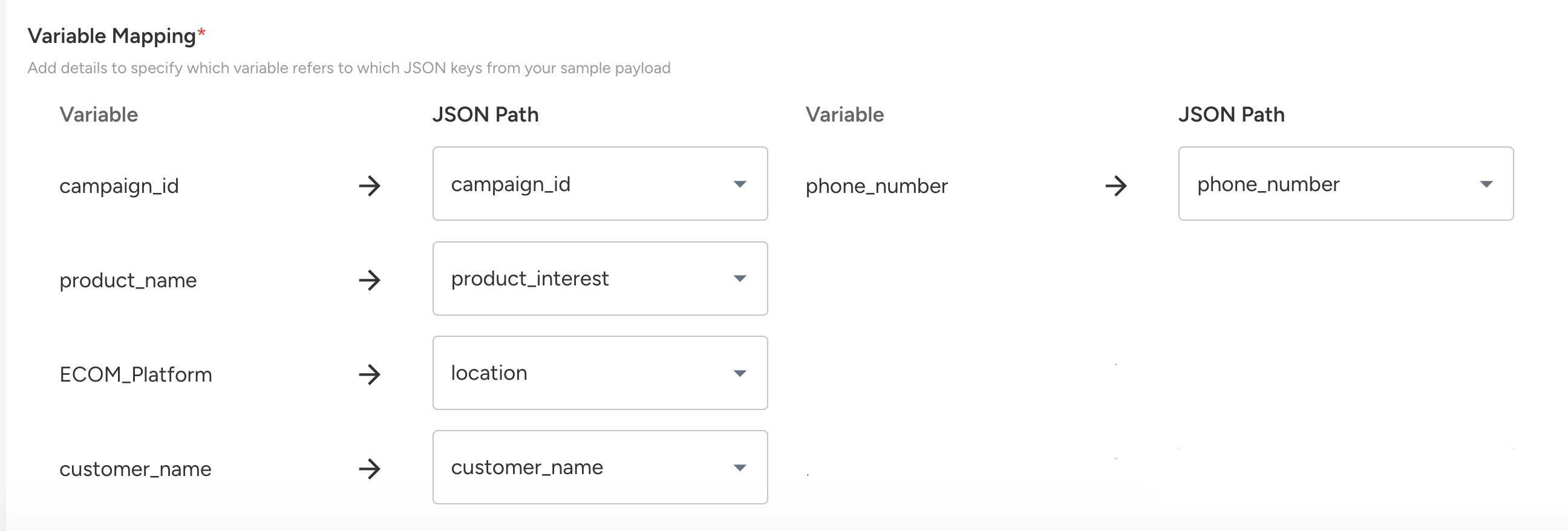
Mandatory Field Mappings
campaign_id→ Campaign IDphone_number→ Phone Number
Without these mappings, leads cannot be processed. The campaign_id and phone_number field mappings should contain valid data for leads to be processed.
4. Getting Your Campaign ID
After creating a campaign:
Go to your Convin account > Campaigns dashboard and find the newly created campaign.
Click the copy icon at the bottom-right (snapshot below) to copy the Campaign ID.
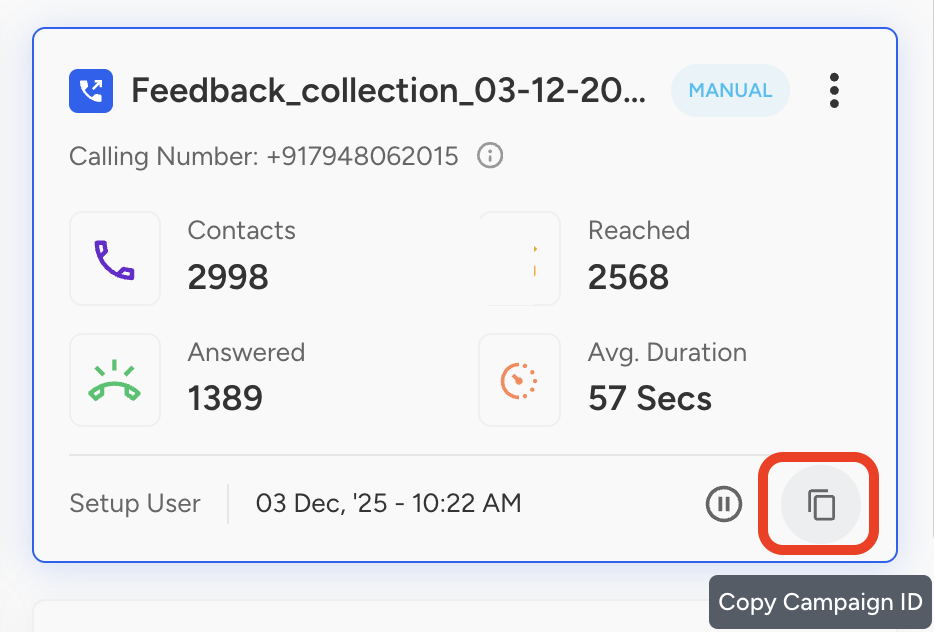
Use this copied value as
"campaign_id"in your API request body.
This ensures the lead is ingested into the correct campaign.
For any help during setup or configuration, please reach out to your Convin Project Manager.