
In Multiple Insights per Conversation mode, Convin identifies and counts every detected reason or insight from each conversation. This approach helps teams understand the variety of topics covered during customer interactions, from product feedback to objections and sentiment.
Steps to Use Multiple Insight per Conversation:
- Navigate to the Convin Insights module.

- Select the Customer Intelligence page.

- Use the Filters section to customize your analysis.

You can filter data based on parameters such as Team, Agent, Date Range, Duration, or other available fields. - Ensure the Insight Type toggle at the top of the page is set to Multiple Insight per Conversation.
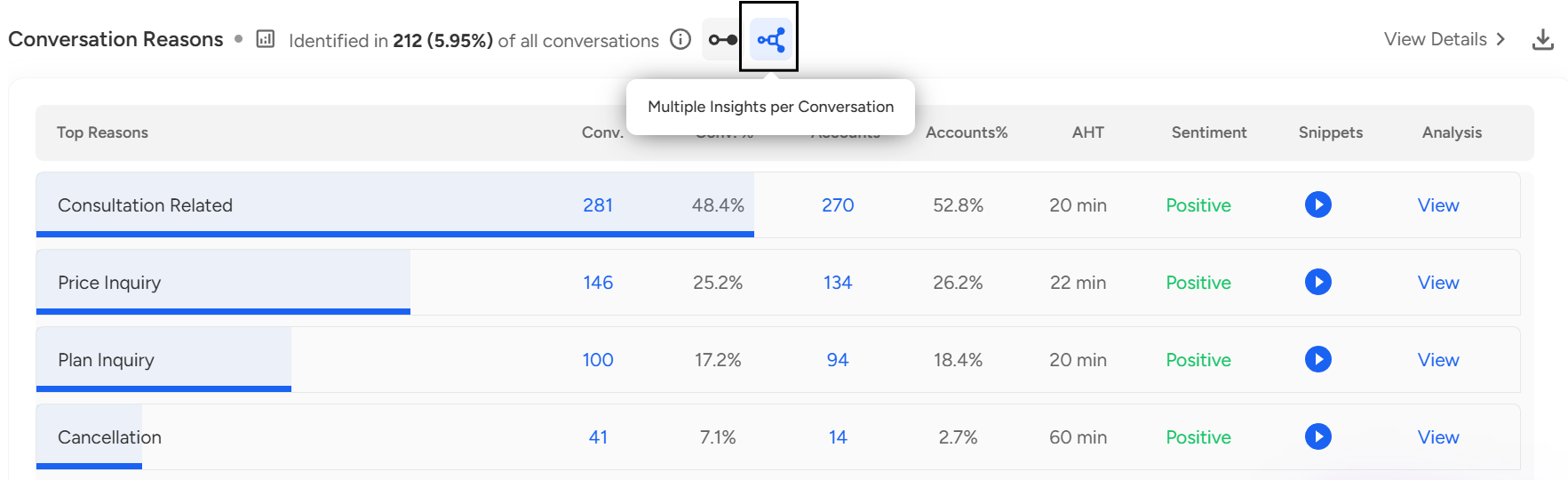
- Explore the six key aspects displayed on the dashboard:
Conversation Reasons
Objections
Questions
Product Features
Competition
Sentiment
- Click the Play button under snippets.
 Once you click Play button this overview will open where you can listen to the specific call instances related to the displayed reason.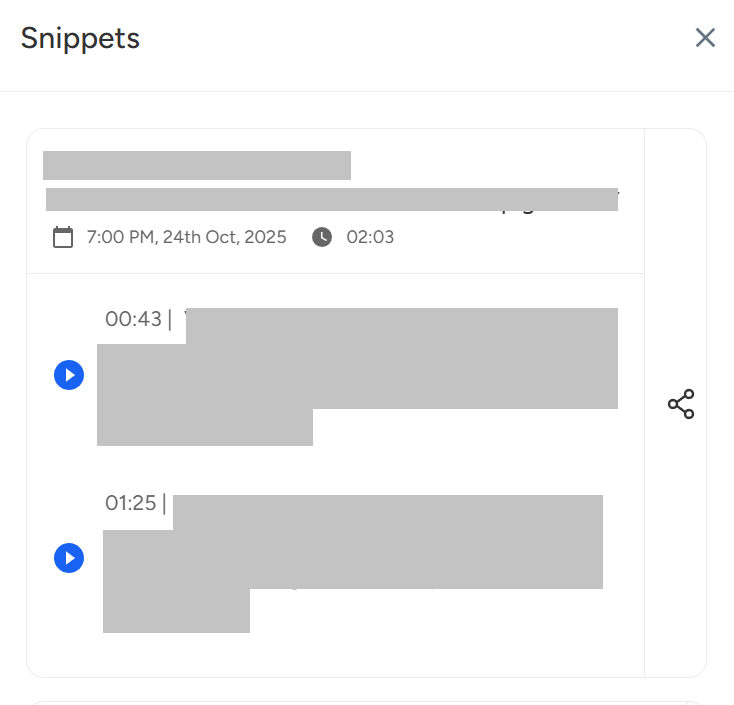
- Click on View under Analysis to explore deeper analyses such as:
 You’ll find multiple analytical views to help you understand performance patterns across teams and agents: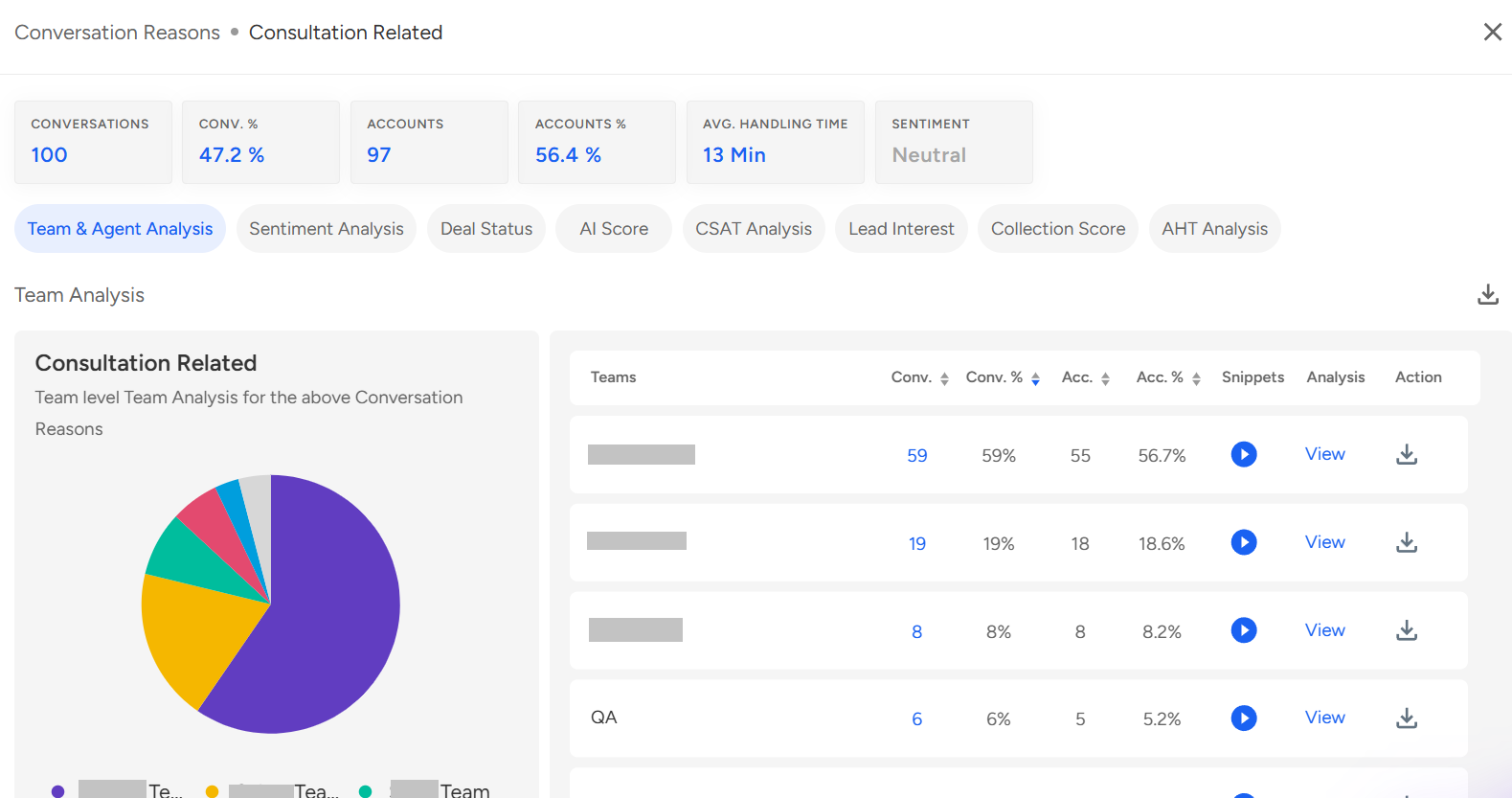
Team & Agent Analysis — Drill down from the overall team view to individual agent-level performance, identifying how conversation reasons or insights are distributed across teams and representatives.
Sentiment Analysis — Review sentiment distribution (Positive, Negative, Neutral) to understand customer tone and feedback across conversations.
Deal Status Analysis — Track outcomes such as Won, Lost, or Pending to evaluate how conversation insights influence deal progression and closures.
AI Score Analysis — Measure AI-driven quality and compliance performance categorized as Good, Average, or Poor, based on predefined audit templates.
CSAT Analysis — Examine customer satisfaction levels (Satisfied, Neutral, Dissatisfied) to assess service quality and identify areas for improvement.
Lead Interest Analysis — Identify and classify leads as Hot, Warm, or Cold based on conversational engagement and customer intent.
Collection Score Analysis — Evaluate collection effectiveness across teams and agents, segmented as Good, Average, or Poor, to gauge repayment likelihood or collection outcomes.
AHT (Average Handling Time) Analysis — Assess average conversation duration to measure operational efficiency and identify opportunities to reduce handling times.
For further exploration, click View Details.
You can switch between different visualization modes such as AI Insight View, Trend View, and Bubble View.
Additionally, you can navigate to Level 2 / Level 3 Analysis for more comparative and detailed data visualization.
- To export results, click the Download button next to View Details to obtain detailed reports.
📩 Still need help? Contact our support team at [email protected]—we’re happy to assist!
Good day!