
The Campaign Actions feature in Convin Sense allows users to efficiently manage campaigns by providing quick access to options such as edit, pause, clone, copy campaign ID, and delete. These actions help in maintaining, updating, and controlling campaign execution with ease.
Accessing Campaign Actions
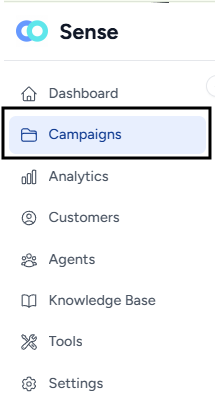
- Navigate to the Campaigns page.
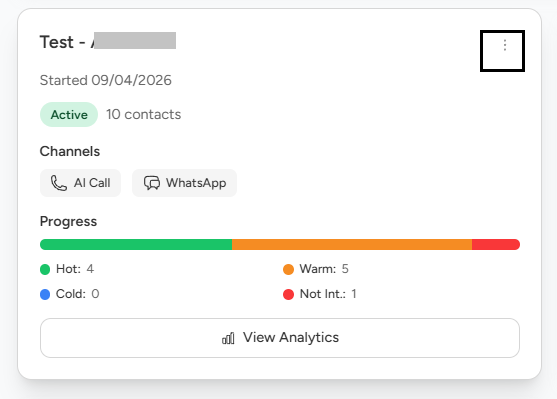
- Locate the campaign you want to manage and Click on the three-dot (⋮) icon on the campaign.
- Select the desired action from the list.
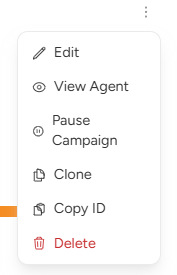
Available Actions
- Edit Campaign
Allows you to modify campaign details and configurations.
Select Edit to update campaign settings as required and click on Update campaign.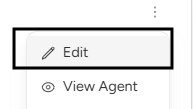
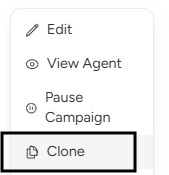
2. Clone Campaign
Creates a duplicate of an existing campaign.
Select Clone to reuse configurations and quickly create a similar campaign.
3. Copy Campaign ID
Copies the unique campaign ID for reference or API usage.
Select Copy Campaign ID to copy it to your clipboard.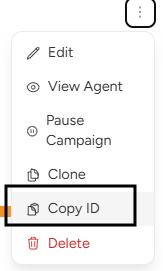
4. Delete Campaign
Permanently removes the campaign from the system.
Select Delete to remove the campaign.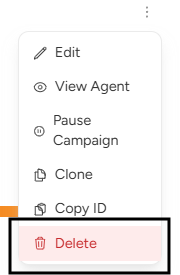 Note: This action cannot be undone.
📩 Still need help? Contact our support team at [email protected] —we’re happy to assist!
Good day!