
To access report-level CSAT analysis, there are currently two types of CSAT Score analysis reports available. These reports offer a comprehensive view of ongoing trends. You can find them under the “All Reports” section.
To access the “CSAT-based Reports” section, please follow the steps below:
Navigate to the Home Page of your Convin Dashboard.

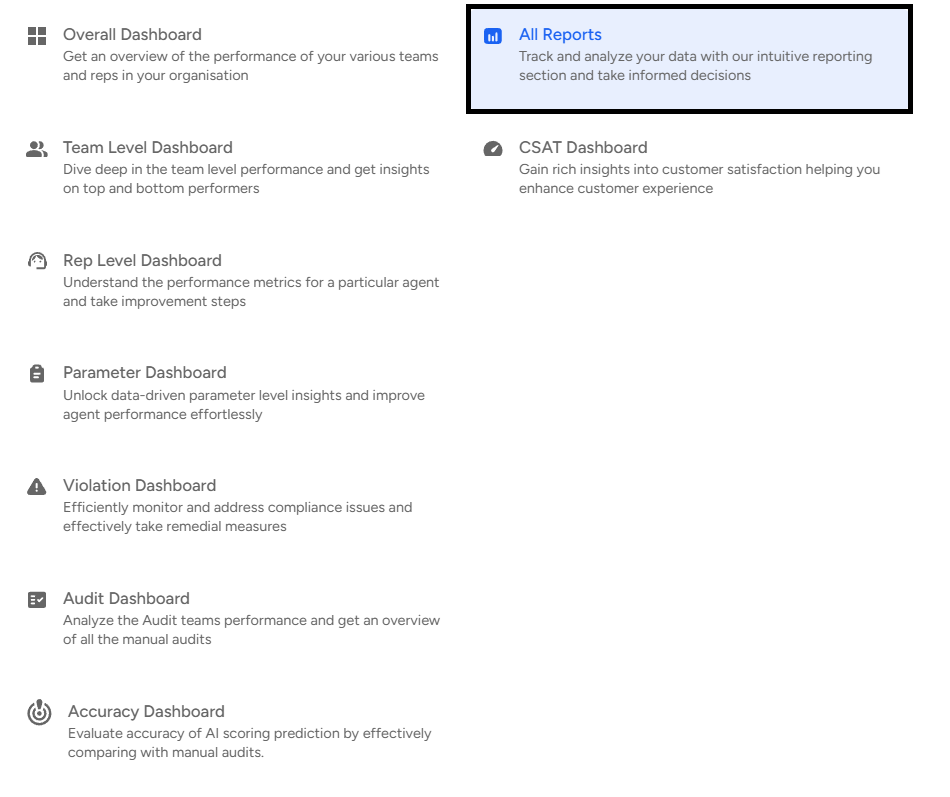
Select the Overall Dashboard.

Click on "All Reports."
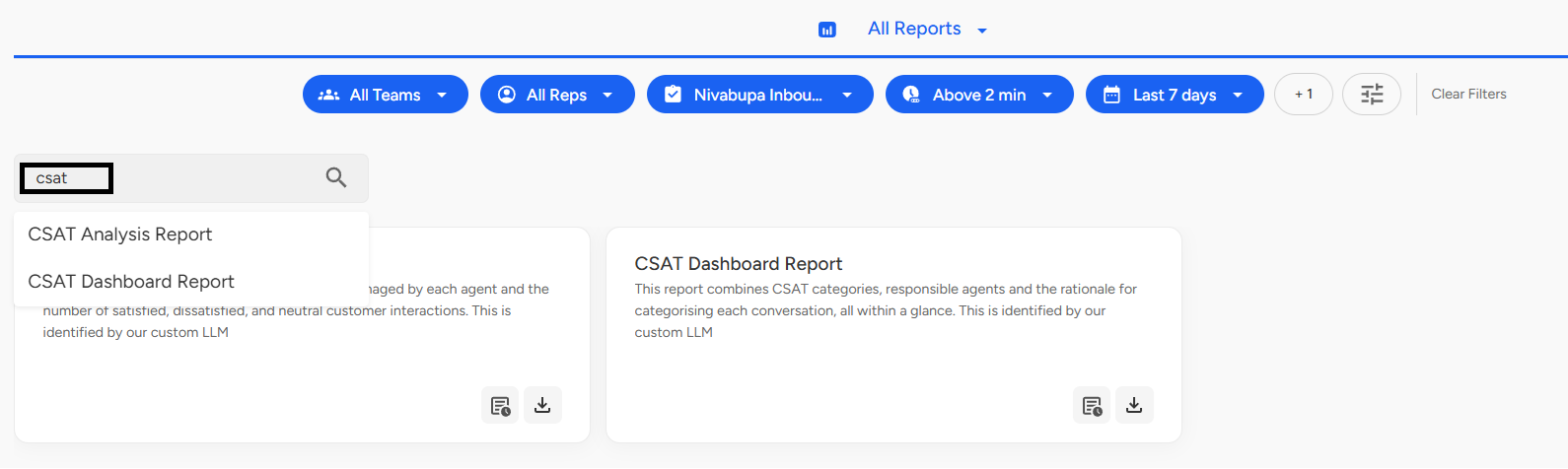
Search for CSAT Analysis Report and CSAT Dashboard Report.
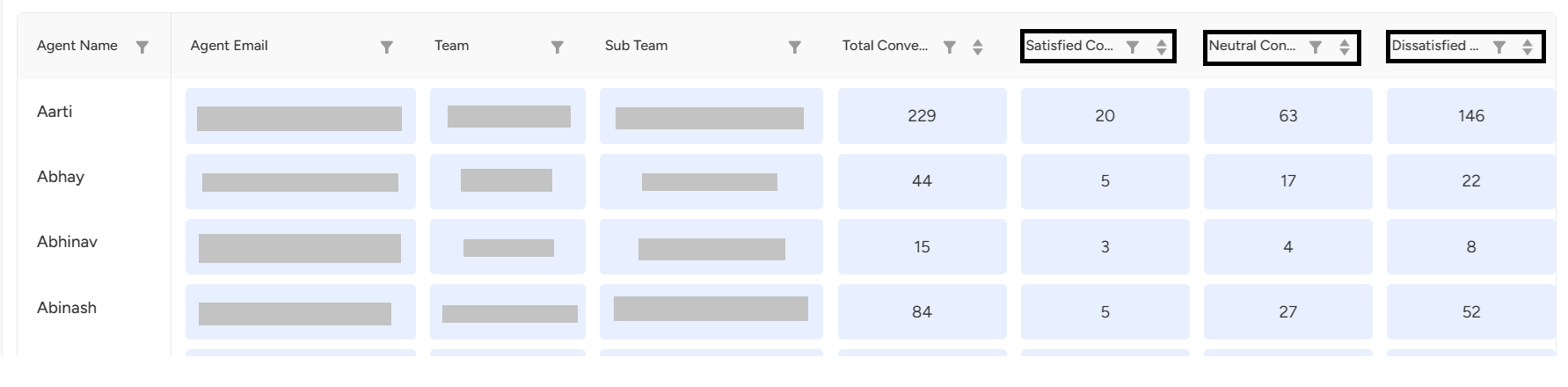
Select CSAT Analysis Report to view the number of conversations handled by each agent, along with the count of satisfied, dissatisfied, and neutral customer interactions.
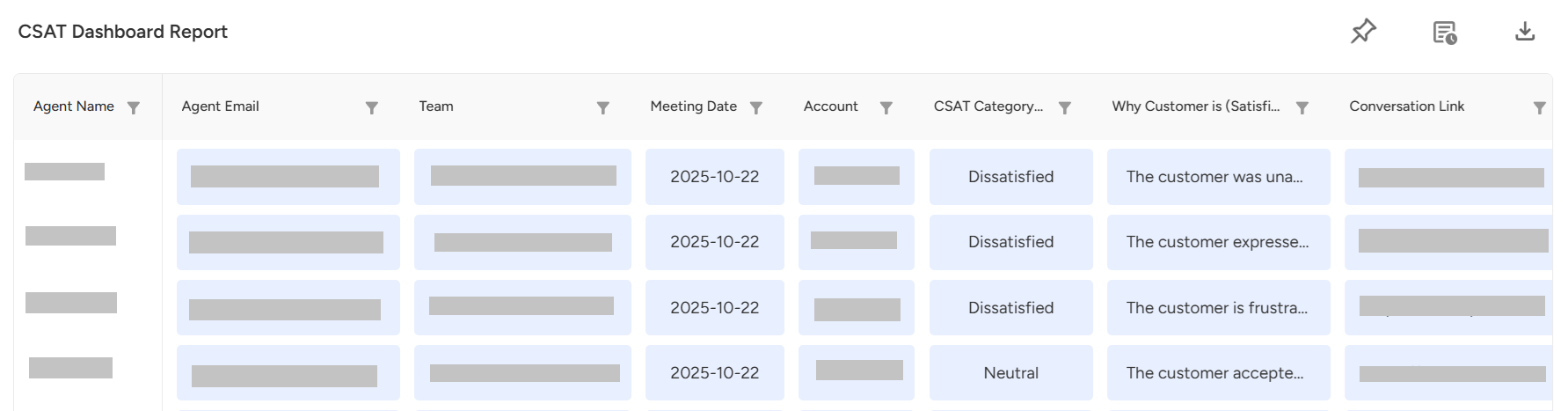
Open the CSAT Dashboard Report to get a comprehensive overview that includes CSAT categories, assigned agents, CSAT scores, and the reasons behind each conversation’s categorization all in one place.
Summary:
Access report-level CSAT analysis through the “All Reports” section in the Convin Dashboard. You can explore two report types — CSAT Analysis Report for agent-wise conversation and satisfaction metrics, and CSAT Dashboard Report for a detailed overview of CSAT categories, scores, and reasons for each rating.
📩 Still need help? Contact our support team at [email protected]—we’re happy to assist!
Good day!