
To effectively manage the CSAT Score analysis and customize its applicability, follow these steps:
Go to the settings module.

Under ConvinGPT Settings click on Score Sense.
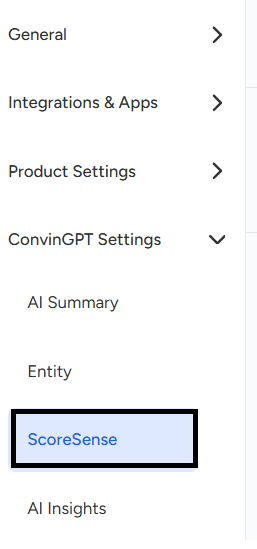
You will be able to see similar page.
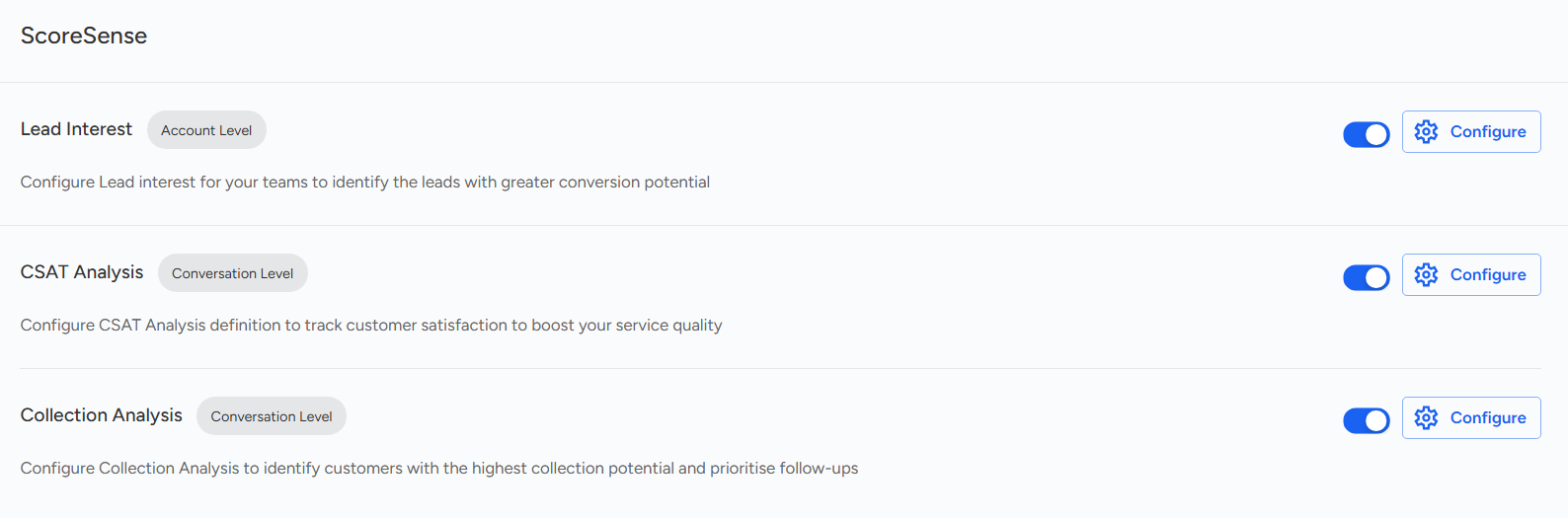
Select Configure option:

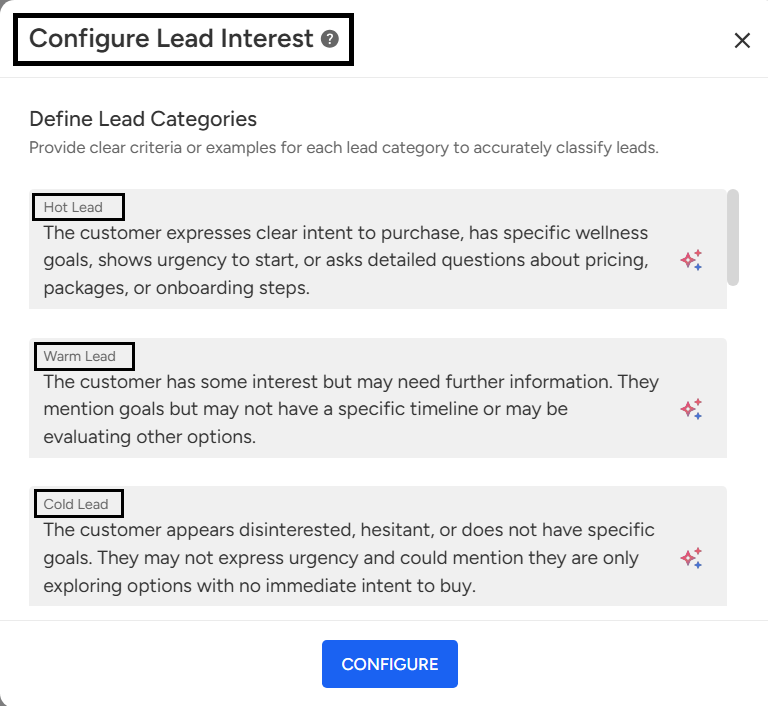
Use the "Configure Lead Interest" screen to define lead categories (e.g., Hot, Warm, Cold) with clear criteria and examples. Well-defined categories help your teams prioritize follow-ups and automate workflows.
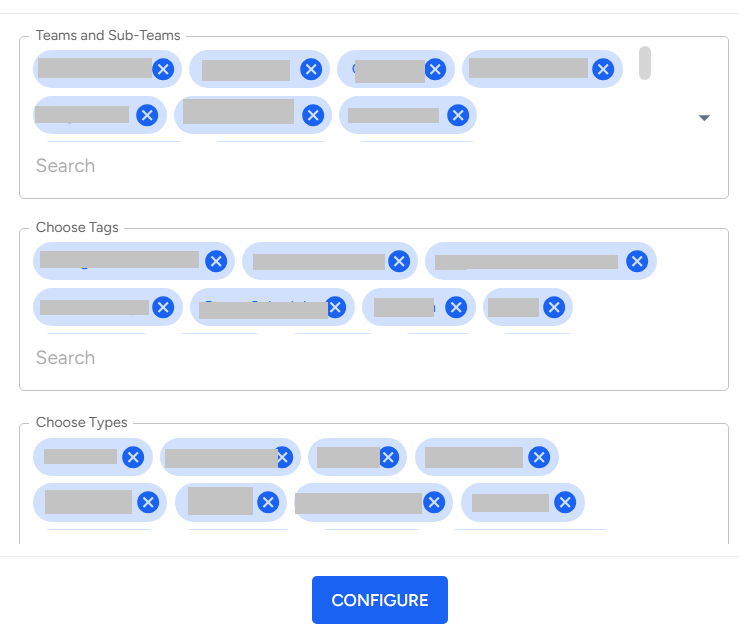
Select Teams/Sub-Teams, Tags, and Types as needed, then click "Configure" to apply filters.
This article explains how to manage CSAT Score analysis by configuring lead interest categories (Hot, Warm, Cold) and applying filters like Teams, Sub-Teams, Tags, and Types. These settings help prioritize follow-ups and streamline workflows.
Need Additional Assistance?
📩 Still need help? Contact our support team at [email protected] —we’re happy to assist!
Good day!