
Voice printing, also known as voice biometrics, is a sophisticated technology that analyzes and captures the unique characteristics of an individual's voice.
To effectively distinguish between an agent and a customer during conversations, it is crucial to set up voice printing for the users. With a successful voice print setup, the AI system will be able to accurately detect and attribute the statements made by the agent and the customer in the conversation transcript.
To set up your voice print, please follow the steps:
Navigate to the Settings module.

Under "General" settings, locate the "Recording Manager" section.
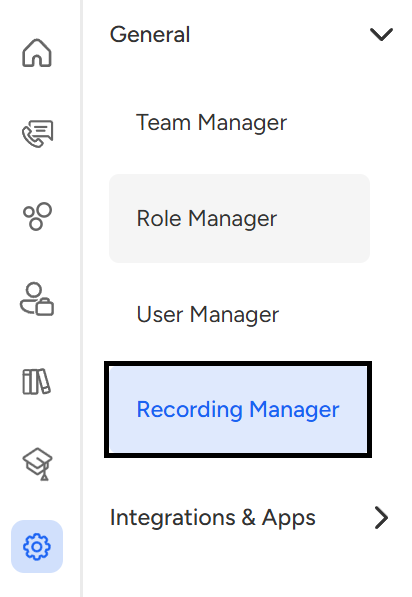
Within the Recording Manager, you will find a card "Setup Voice Print."
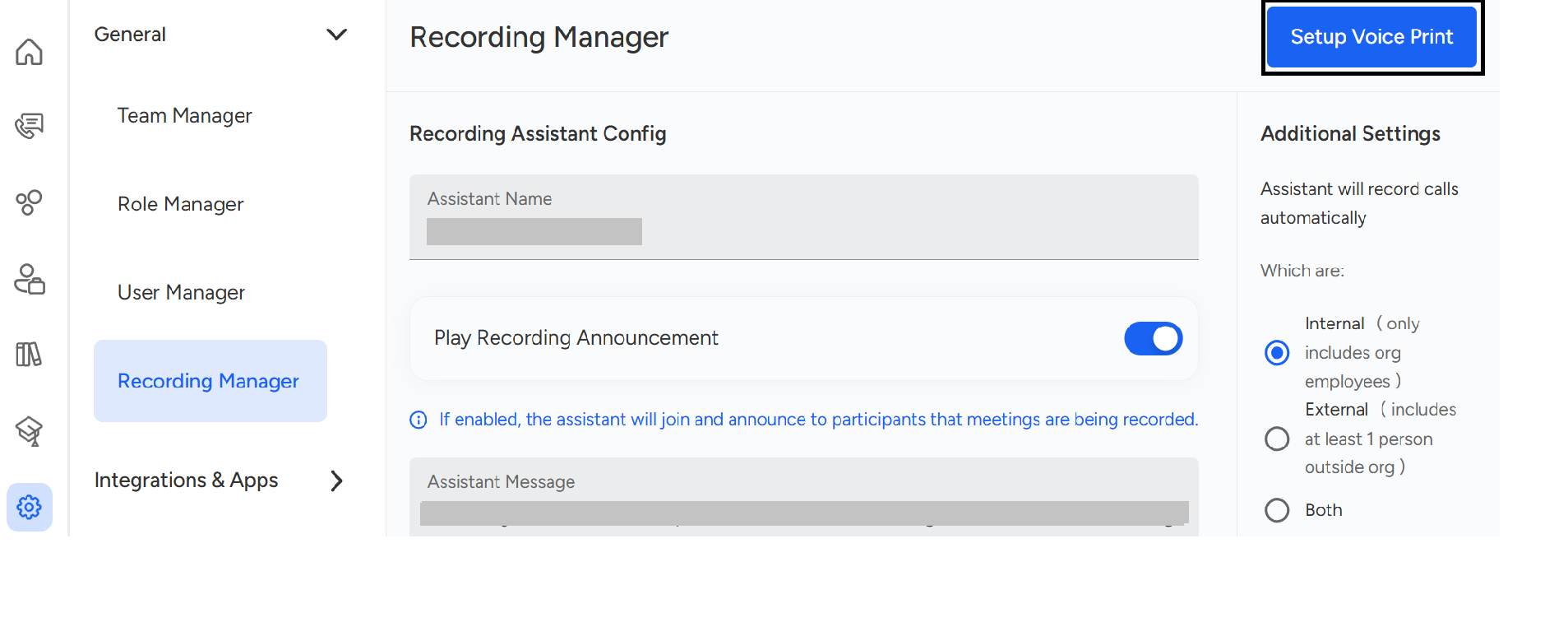
Click on the "Setup Voice Print" card.
Now, scroll a bit and click on the "Mic" above the "Start Recording" button, and read the provided paragraph clearly and accurately.
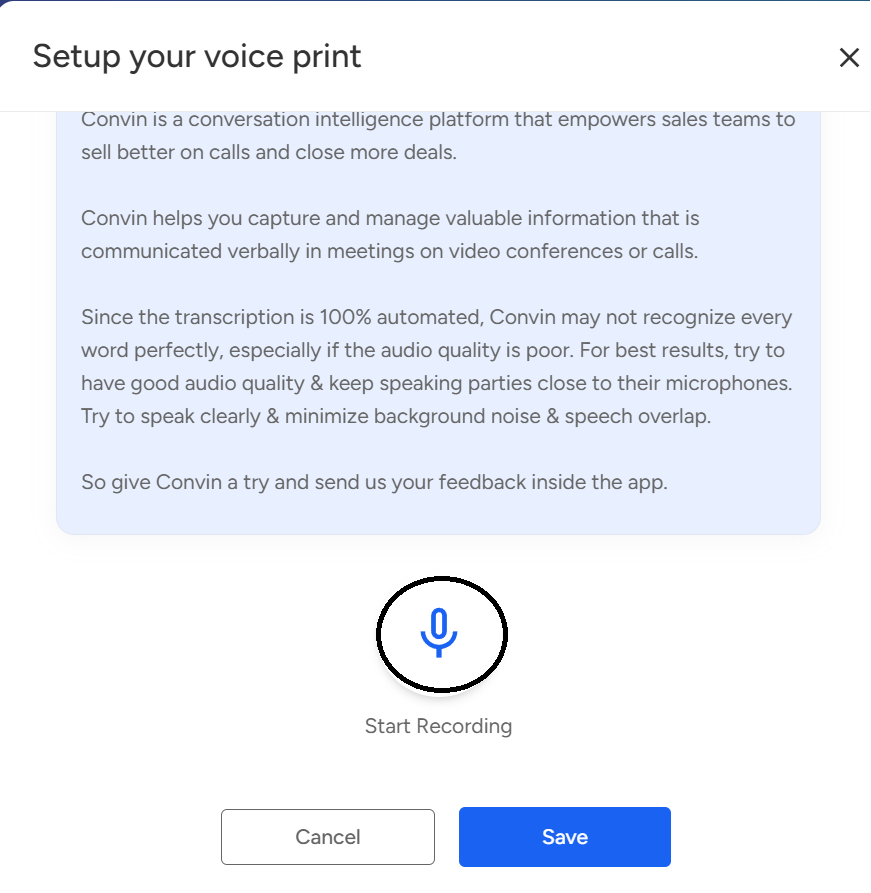
Click on "Save".
This will allow the AI system to associate your voice with your name whenever it is detected in any conversation.
By setting up your voice print, the AI system will be better equipped to accurately transcribe and attribute statements made during conversations, enhancing the overall communication experience.
📩 Still need help? Contact our support team at [email protected] —we’re happy to assist!
Good day!