
With the Manual QMS feature, Convin users can now perform quality audits directly within the platform, eliminating the need to juggle between multiple Excel sheets. This streamlined process significantly saves time and effort, allowing auditors to stay focused on evaluating conversations and improving team performance.
Seamless Auditing Experience:
- Manual QMS provides an audit template similar to traditional spreadsheets, but with better functionality.
- The intuitive interface enables auditors to start auditing instantly without any steep learning curve.
- Helps maintain high conversation quality standards within the platform itself.
Enhanced Coaching Opportunities:
- Auditors can add personalized comments and audio notes during audits.
- These features enhance feedback and unlock deeper coaching opportunities, improving agent performance over time.
To get started with Convin’s Manual QMS feature, follow these simple steps within the platform:
Navigate to the Conversation Module in the Convin platform.

Click on the “New Audit” button to start a new manual audit within the platform.

You will be redirected to a page where you need to input the Call Metadata before starting the audit.
Please note that certain fields are mandatory, and they must be filled out in order to proceed with the audit process.
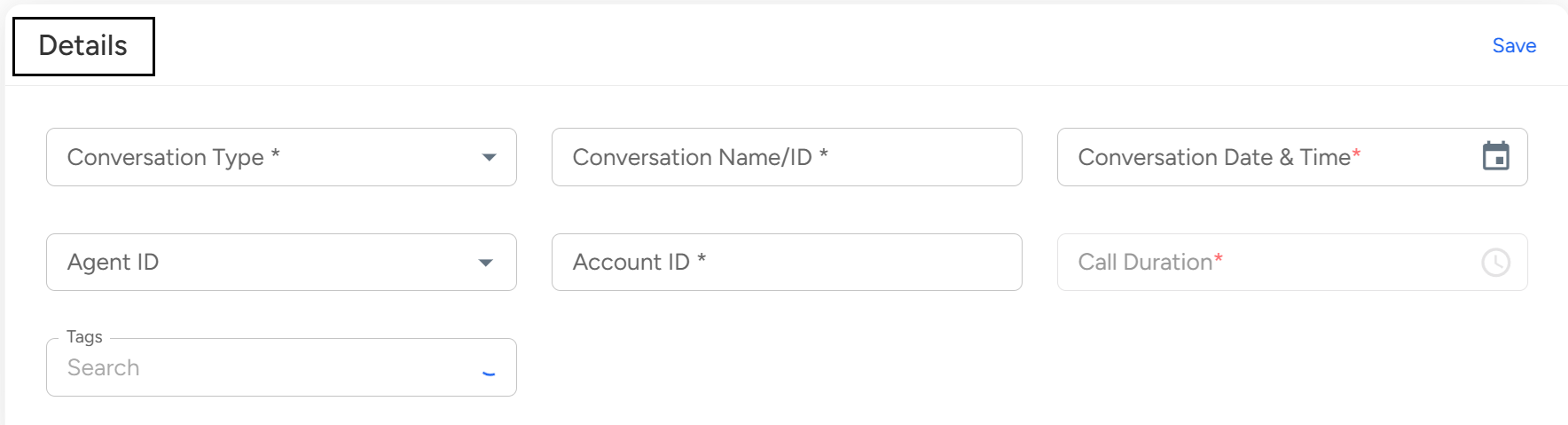
When using Convin's Manual QMS feature, you will need to fill out various fields to complete an audit. Here is a brief description of each field:
- Conversation Type:
This field is used to identify whether the conversation was a call or chat or email.
- Conversation Name:
This field is where you can enter the name of the conversation to make it easier to access and navigate once the audit is completed.
Ideally, the name should be similar to the original conversation.
- Conversation Date:
You can enter the conversation date by clicking on the conversation date field and selecting the required date from the calendar view.
- Conversation ID & Account ID:
These fields are required to enhance the data collection process and better manage the record. Be sure to include these basic details when completing the audit.
- Call Duration Details:
This field is where you can enter the duration of the call.
- Agent Details:
In this field, you can map the conversation with the agent who handled it. This information helps with tracking and analysis.
Custom agent name can be added or existing can be selected from the drop-down menu by auditors.
Once you have filled out all of the required Call metadata fields, review them to ensure accuracy.
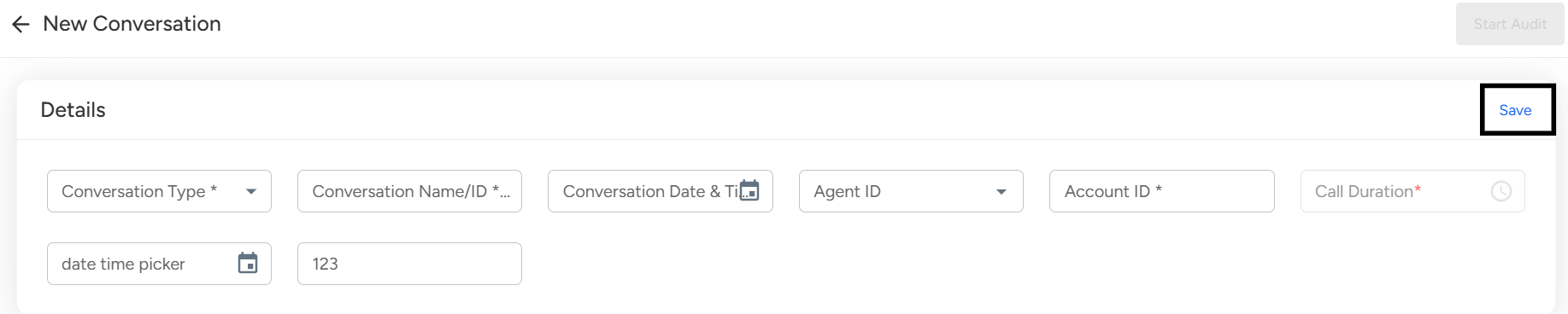
4. Click on the "Save" button to save the meta data and proceed to the next step.
Manual QMS on Convin
The Manual QMS feature allows users to conduct quality audits directly within the Convin platform—no need for external spreadsheets. It simplifies auditing, saves time, and helps maintain conversation quality.
📩 Still need help? Contact our support team at [email protected] —we’re happy to assist!
Good day!