
The Sampling Manager in Convin allows auditors to create and manage custom sampling rules for call audits, enabling a more focused and efficient review process.
Unlimited Possibilities
Auditors can design sampling rules tailored to their specific needs, allowing them to target the exact type of calls they want to review.
Automated Assignment of Conversations
Based on the selected rules and filters, calls are automatically assigned to auditors. This ensures they spend time reviewing conversations that are most relevant and impactful.
Seamless Iteration
Sampling rules can be modified at any time with no delay. This flexibility ensures the sampling process remains aligned with evolving audit goals and represents the overall call volume effectively.
To access the "Sampling Manager" option, follow the steps mentioned below:
- Navigate to the Settings section within your Convin Dashboard, and select Sampling Manager from the available options.
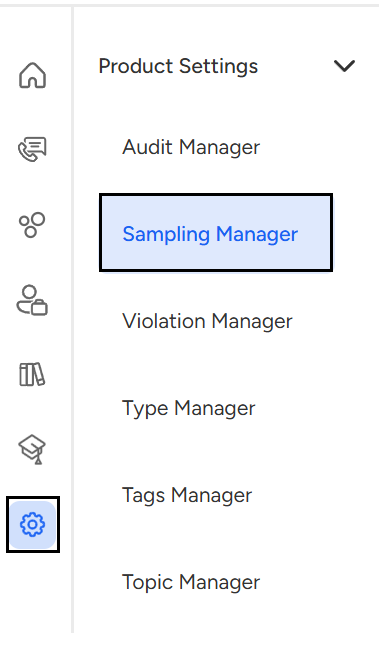
- Navigate to the Settings Module and locate the Sampling Manager option. With the Sampling Manager, you can easily manage all the sampling rules you’ve created.
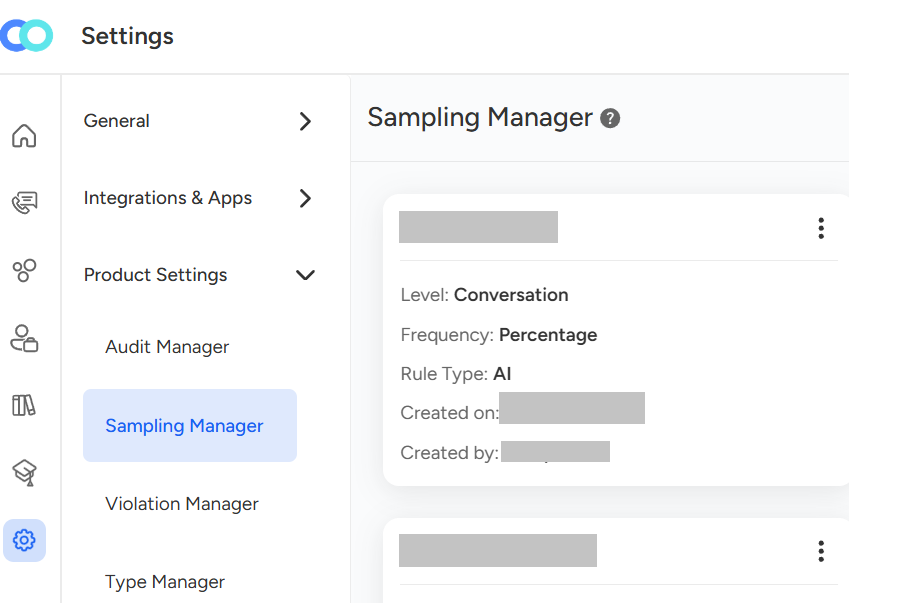
Create new sampling rules with ease through the Sampling Manager.
- Click the three-dot menu and select View, or tap the View button in the top-right corner.
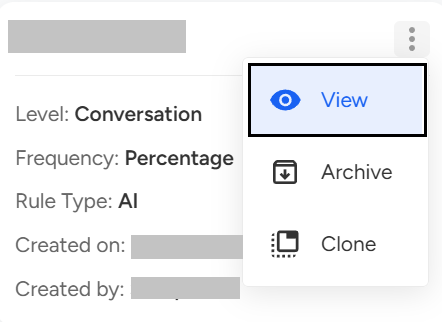
- Tapping the "View" button triggers the appearance of a dialog box on the user's screen, where they must enter the details of their sampling rule.
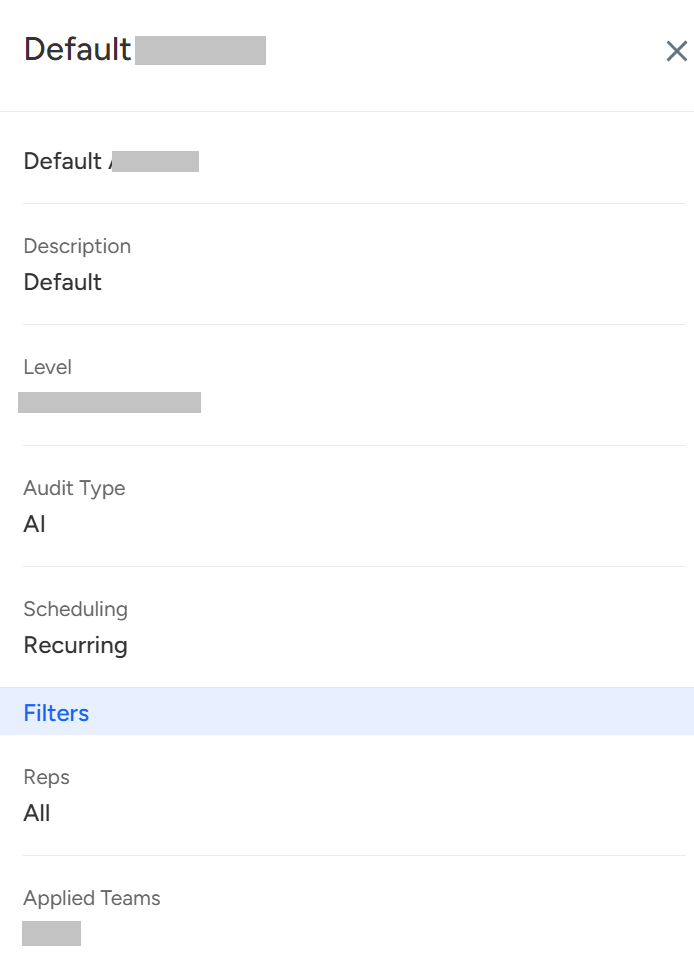
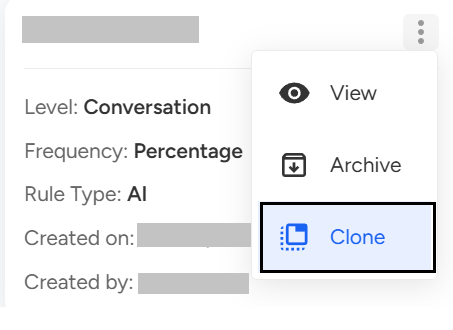
- Navigate to the "Clone" section from the menu to access and edit the sampling rule.
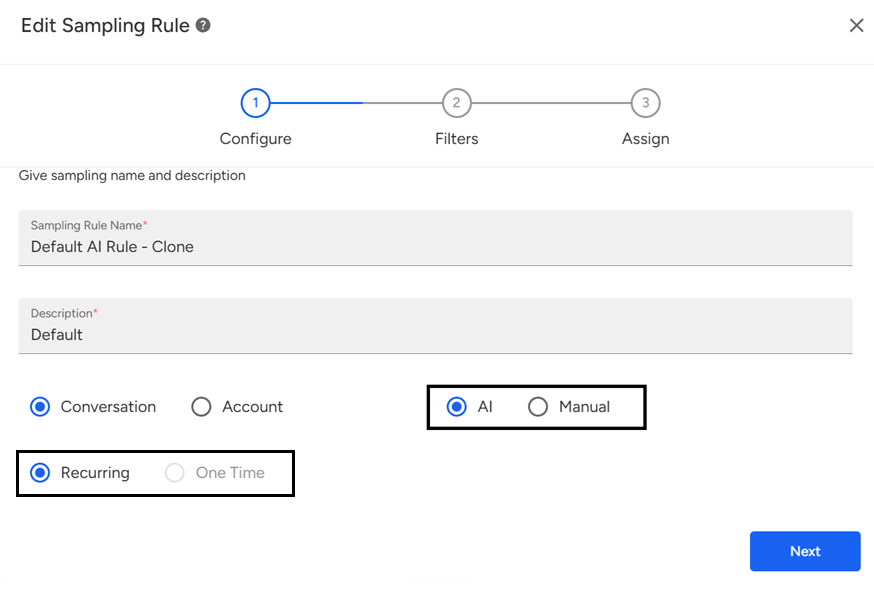
- The user also has the option to choose between manual or AI-based audits, select relevant tags and assign specific teams. Scheduling option is available to configure the rule as a one-time or recurring event.
With the first screen complete, the second screen allows you to select a specific set of calls to apply the sampling rules. You'll have the ability to:
Choose the teams where the rule will be implemented
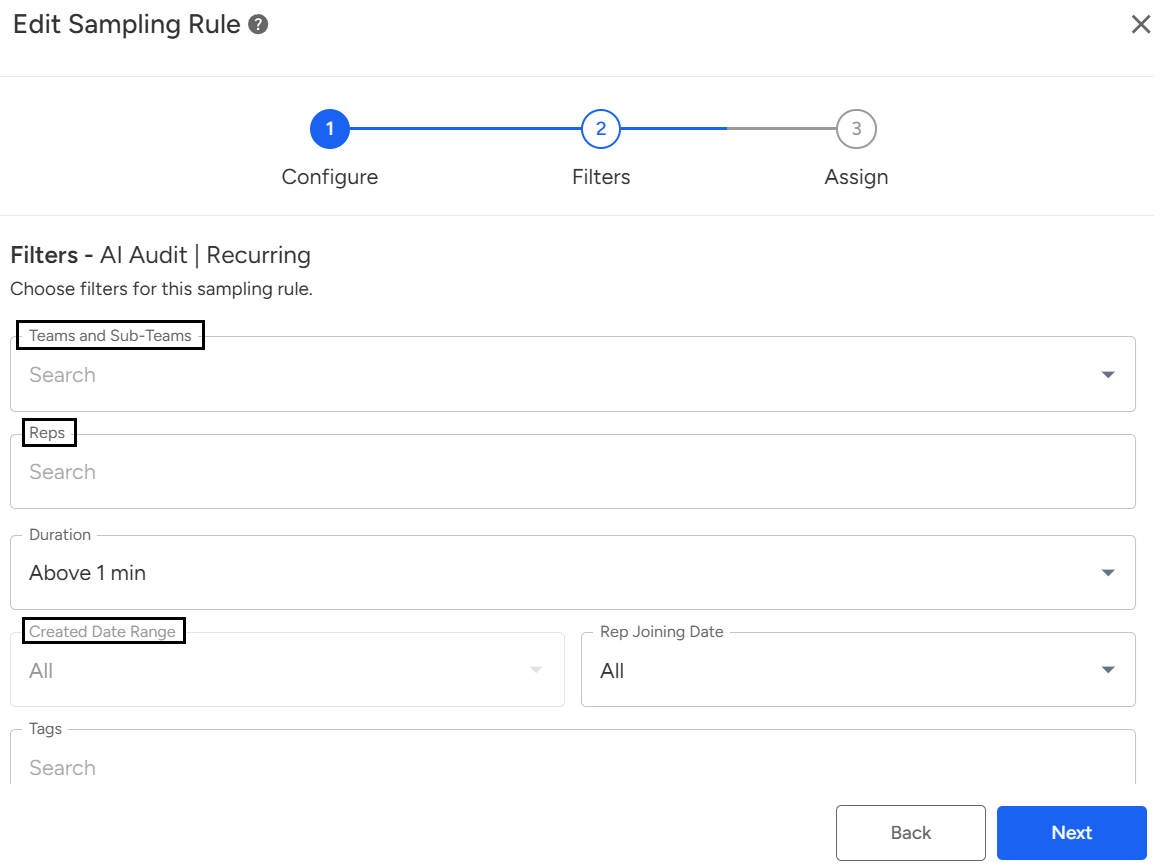
Further narrow down the selection by specifying individual reps within the selected teams
Filter calls based on factors such as duration, date, template, tags, and call type
Utilize Advanced Filters to search for specific phrases or keywords spoken by either the rep or the customer. Further refine your results by considering client name, recording medium, or call status
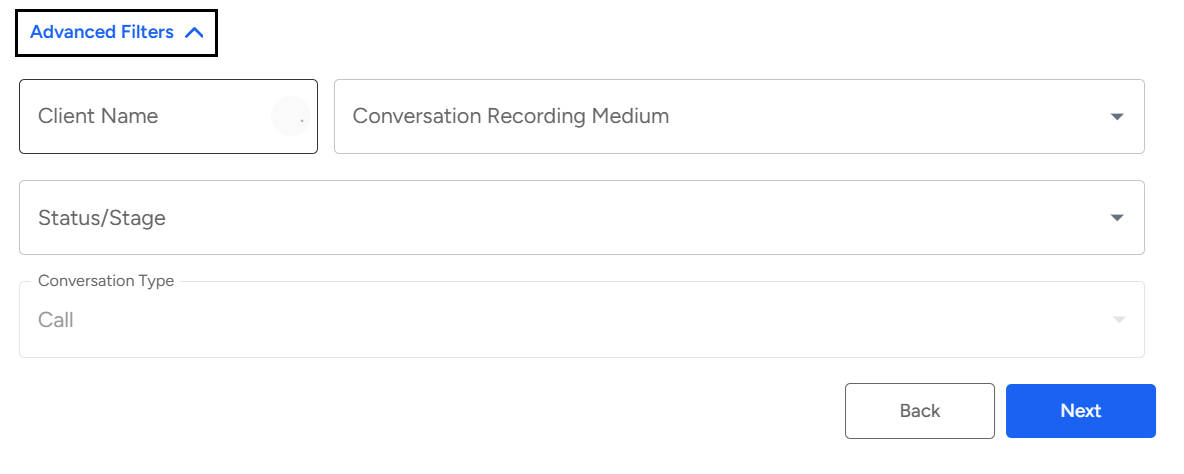
This powerful tool empowers auditors to pinpoint the exact calls they need, ensuring a streamlined and efficient process.
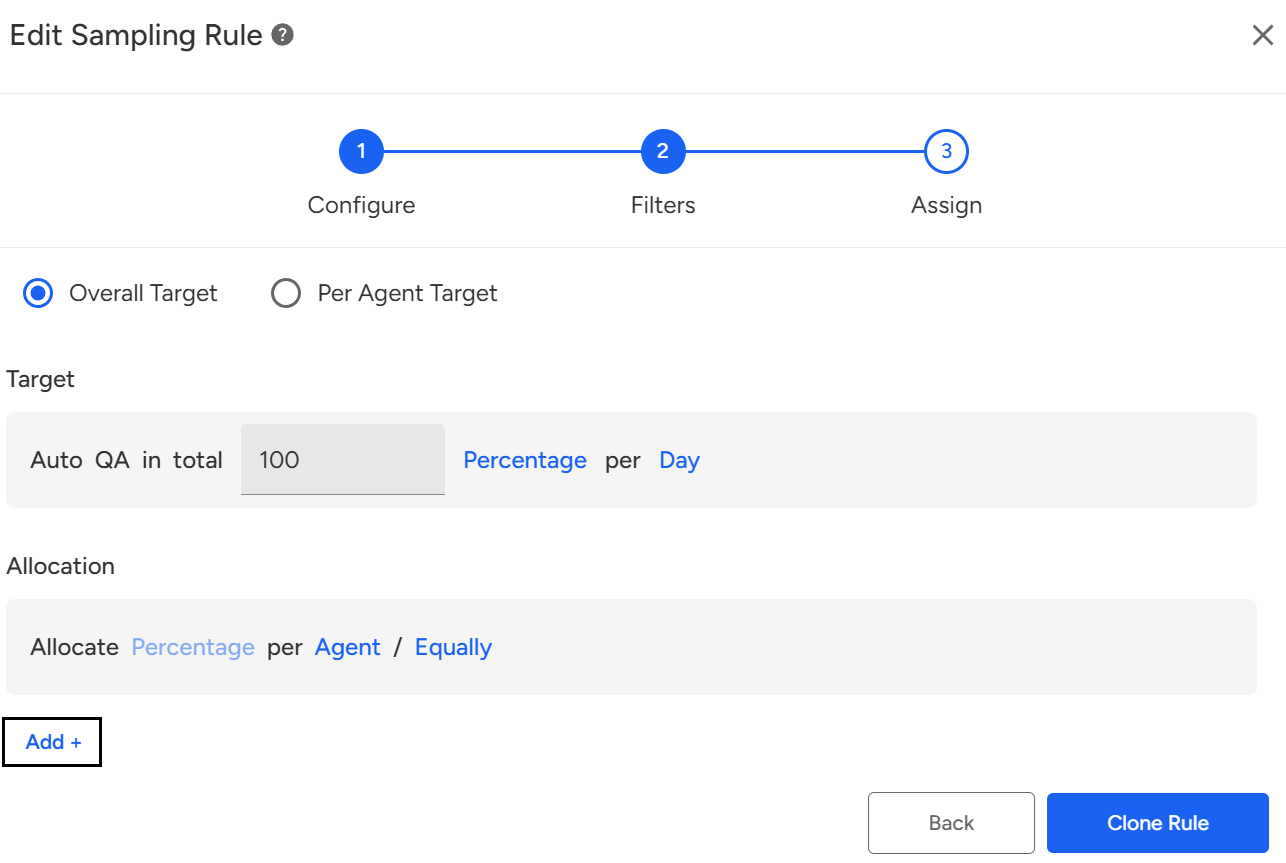
The final screen is crucial for determining the distribution of calls for auditing—whether through manual assignment or AI-based auditing.
To allocate calls for manual auditing, follow these steps:
Input the target – set the number of calls to be audited by QA daily.
Input the allocation – choose to assign calls at the representative level, team level, call tag/type level, or call status level.
Manually select the QA(s) who will perform the auditing.
Allocate the calls either equally or based on a weighted ratio.
Add unlimited allocation rules by tapping the "Add+" button.
The Sampling Manager in Convin allows auditors to create and manage custom rules for call audits. Users can filter calls, choose between manual or AI-based audits, and assign audits by team, rep, call type, or tags, making the audit process more focused, automated, and efficient.
📩 Still need help? Contact our support team at [email protected] —we’re happy to assist!
Good day!