
Last Contacted refers to data that allows admins, managers, or auditors to monitor accounts based on their most recent interaction. This helps identify accounts with minimal or no interactions within the selected date range.
To Access the Last Contacted filter follow the below steps:
- Navigate to the Account icon:

Locate the 'Filters' option at the top right of the dashboard.

Clicking the option will display a list of search filters for the dataset.
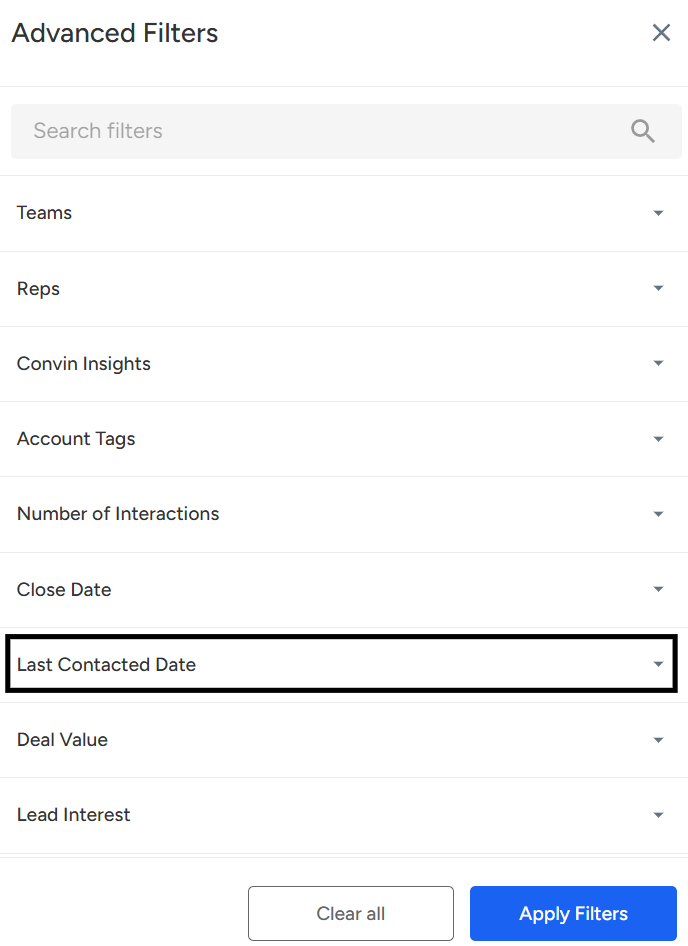
Click on "Last Contacted." You’ll be able to select the required date range for which the dataset is needed.
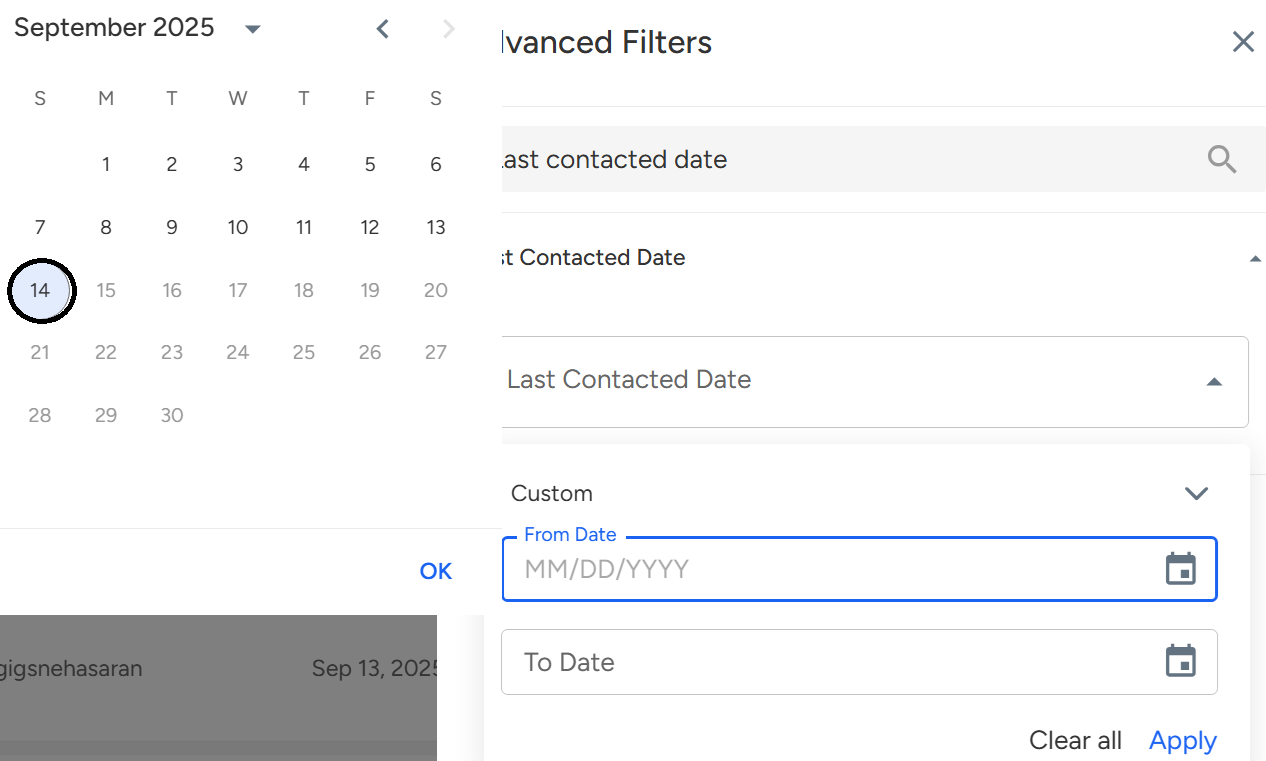
- Click on "Apply Filter".

- The image displays the accounts dataset filtered by the Last Contacted option.
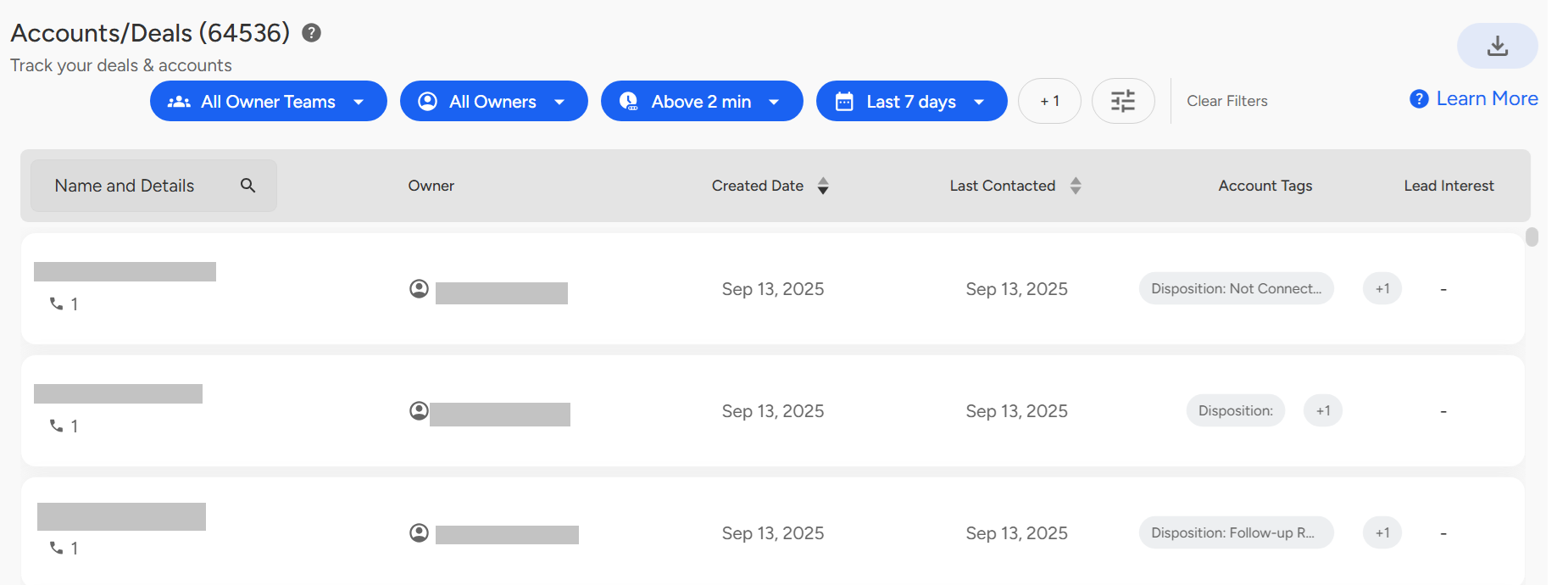
Last Contacted Filter in Convin Dashboard
The Last Contacted filter lets admins, managers, and auditors monitor accounts based on their most recent interactions, helping identify accounts with little or no activity. Access it via the Accounts icon → Filters → Last Contacted, select the desired date range, and click Apply Filter to view the filtered dataset.
Need Additional Assistance?
📩 Still need help? Contact our support team at [email protected] —we’re happy to assist!
Good day!