
The Number of Interactions represents the total count of exchanges within a conversation or the total number of calls and meetings associated with an account.
In the Conversations page, interactions refer to the back-and-forth communication within a specific conversation, helping users identify the depth and level of engagement.
In the Accounts Page, the Interactions section displays the total number of calls and meetings conducted by users for each account. This feature helps in monitoring and tracking the level of engagement across individual accounts.
Managers, admins, and auditors can leverage this data to track activity, ensure consistent communication, and gain valuable insights into overall engagement trends.
Steps to access "Number of Interactions" on Conversation Page :
- Navigate to the Conversations page.

- Click on the "Advanced Filter" button.

- Input a value in the 'Number of Interactions' field (for example, set Minimum = '4').
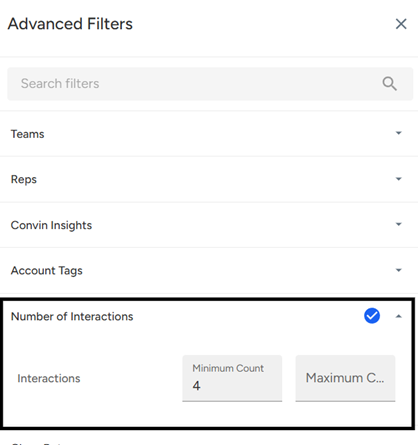
- Click "Apply Filter" to activate your selection.

- The image below shows the filtered data where the conversations have 4 interactions.
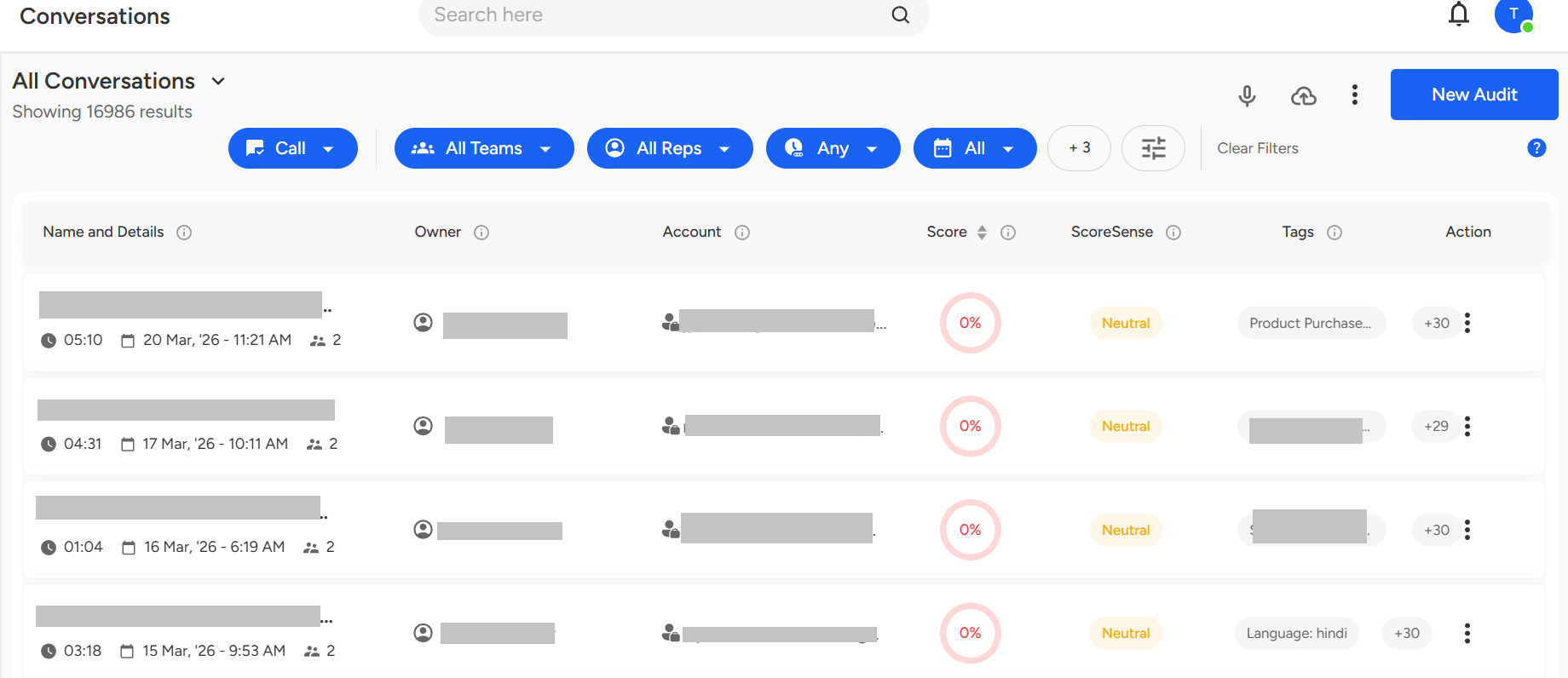
Interactions in Conversations Page
The Interactions section in the Conversations page shows the total number of exchanges within a conversation, helping track the level of engagement. Managers, admins, and auditors can use this to quickly monitor conversation activity and engagement.
Steps to access "Number Of Interactions" on Accounts Page:
Click on the "Accounts Page" icon.

Click on 'Filters' to access the available search options for your dataset.

Input a value in the 'Number of Interactions' field (for example, set Minimum = '4').
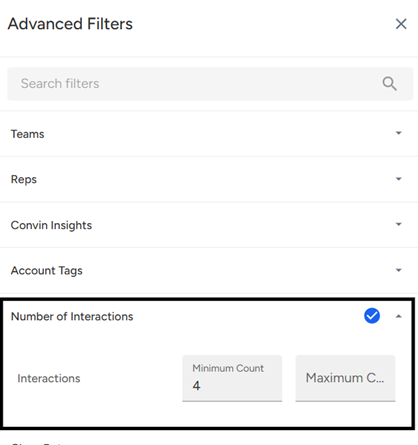
Click "Apply Filter" to activate your selection.

The image shows the filtered data for a single account, which has 4 interactions.
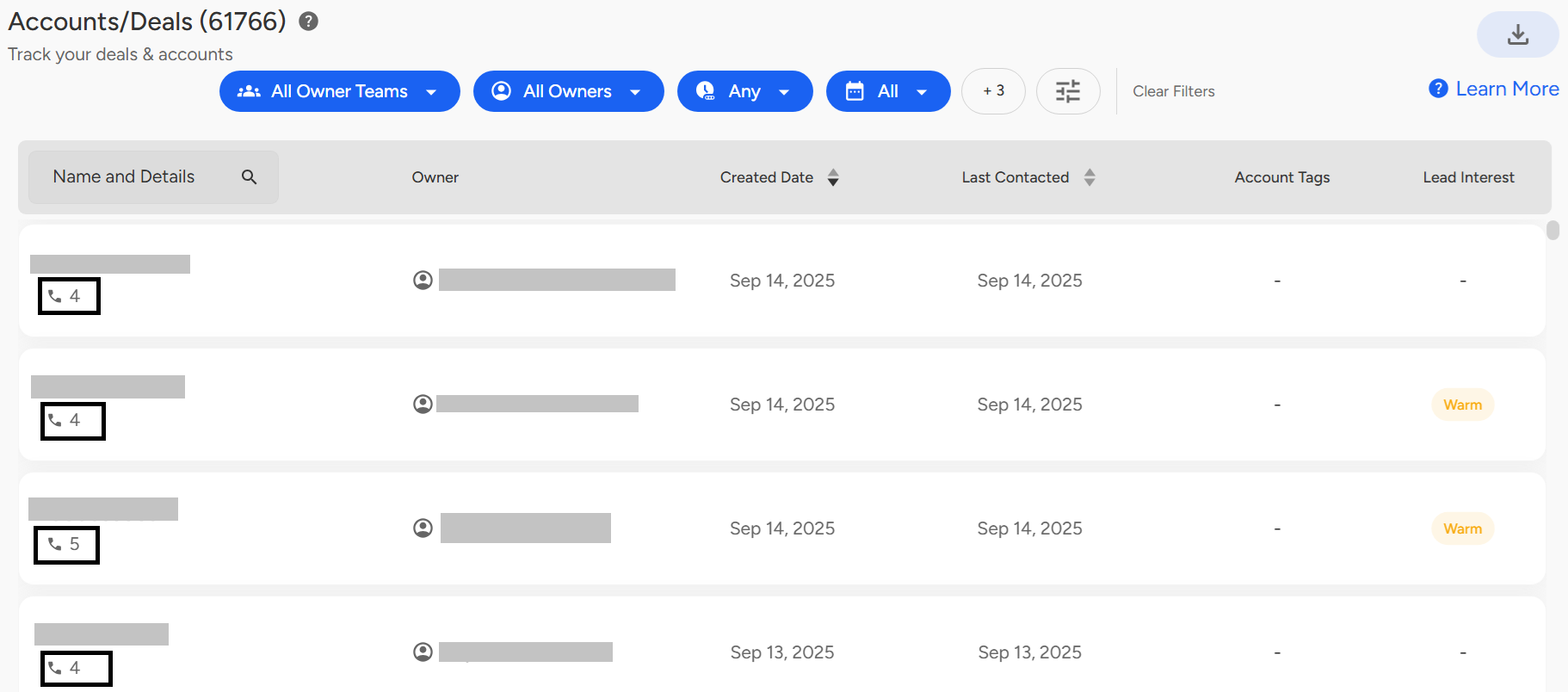
Interactions in Accounts Dashboard
The Interactions section shows the total calls and meetings per account, helping managers, admins, and auditors track engagement and monitor activity.
Need Additional Assistance?
📩 Still need help? Contact our support team at [email protected] —we’re happy to assist!
Good day!