
- Intelligence involves acquiring and applying knowledge and skills across various contexts. In today’s competitive landscape, customer knowledge is regarded as one of the most valuable assets an organization can have.
- Convin’s Customer Intelligence Platform empowers decision-makers to analyze customer conversations, uncover key attributes, and understand their influence on the success of customer engagements.
- It also allows you to search for key phrases or topics and track their occurrence across conversations, helping you understand their impact on outcomes. Additionally, it enables deeper analysis of how agents are performing and managing these specific scenarios.
- There are currently two different aspects of the Customer Intelligence dashboard, which is provided for the users.
- Insights by Convin: It gives you different attributes (Conversation Reasons, Objections, Competition, and more) for conversation analysis and lets you understand their impact against various parameters available in the detailed analysis section.
Steps to access the Convin Insights -
1. Navigate to the "Convin Insights".
- You will be able to view both Customer Intelligence and Custom Tracking sections
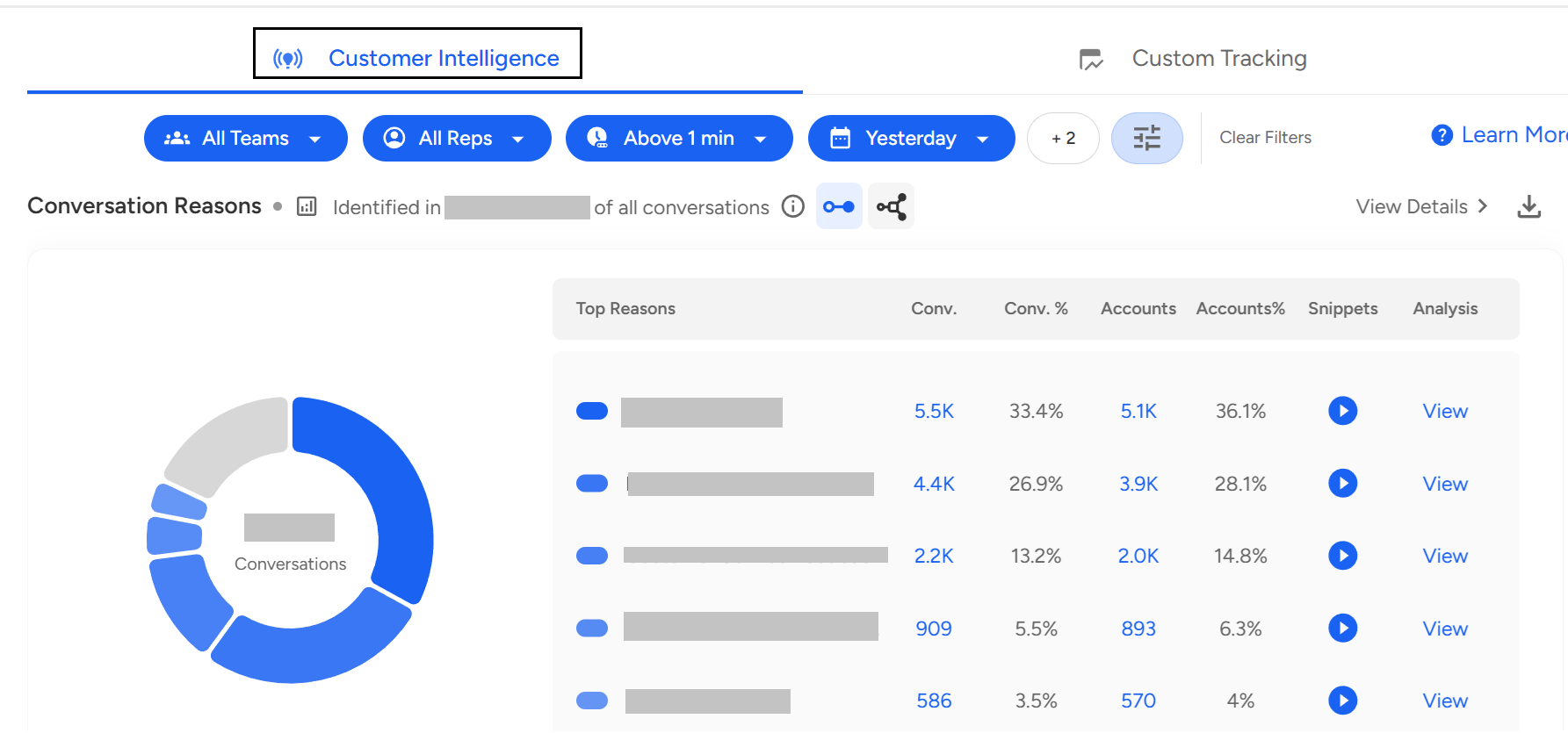
Under this section, we can get an overview of the following:
Conversation reasons
Objections
Questions raised
Product Features
Competition Analysis
Sentiment of customers
Based on the analysis of 100% call volume.
Conversation reasons: Highlights the different reasons for customers calling onto the platform.
Objections: Gives a sense of all the major objections faced by the agents from the client.
Questions raised: Share the important questions that agents encounter on the call. It can be related to anything from product features processes related to general queries.
Product features: Lists all the product's major features that are being discussed by the client.
Competition Analysis: Analyses the different competitors that are being cited by customers.
The sentiment of customers: This lets you understand the different sentiment that was exhibited by the customers.
To view the comprehensive anatomy of each aspect, one can tap the “View Details,” which is present on the right-hand side.

You will be able to see a detailed view of the available data and settings for deeper insights.
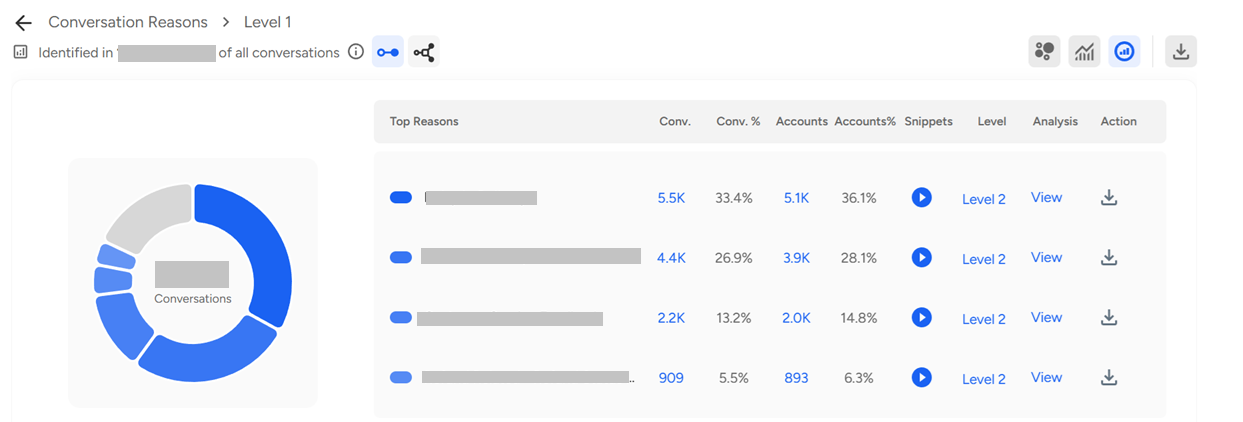
Other Insights:
AI Calls Score: This shows us the bifurcation between the Good, Average, and Need attention calls for particular Reasons/Objections, etc.
Sentiment: Sentiment breaks up all the calls into Positive, Neutral, and Negative sentiment calls indicating the overall sentiment for a particular aspect.
Agent Analysis: Agent analysis is helping us to see the bifurcation of all calls into good agents, average agents and needs attention, giving an insight into how agents are handling these calls usually
Other Questions: For a particular Conversation, we can analyze what other major reasons are being discussed on call to find a correlation between more reasons and drive business insights.
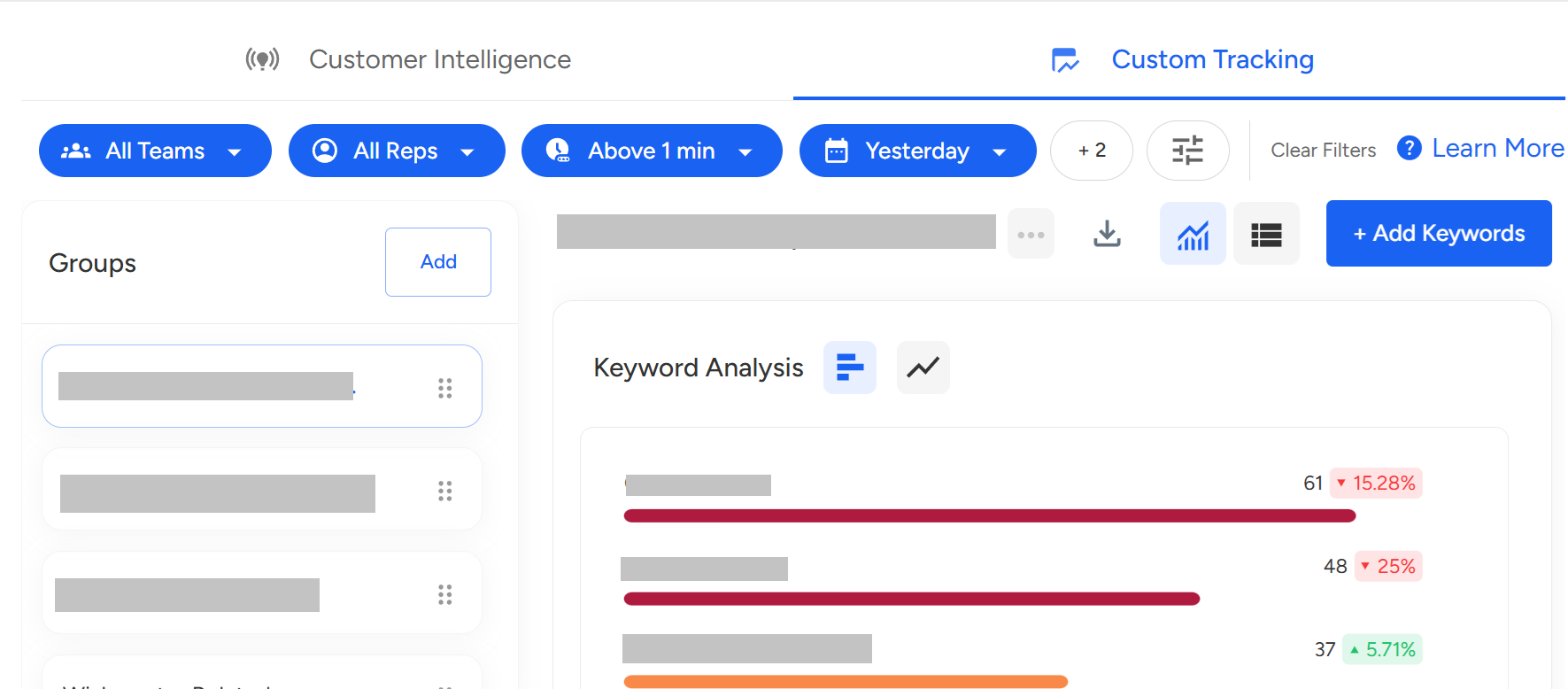
Custom Tracking: With Convin, users can track the effectiveness of specific words and phrases and create reports on their usage statistics with Custom Tracking. This enables the decision-makers to make informed decisions and improve communication strategies for successful call outcomes.

One can access the custom tracking by changing the view from the top bar of the custom intelligence module. Extensive filter mechanisms can be used to pinpoint & get detailed reports.
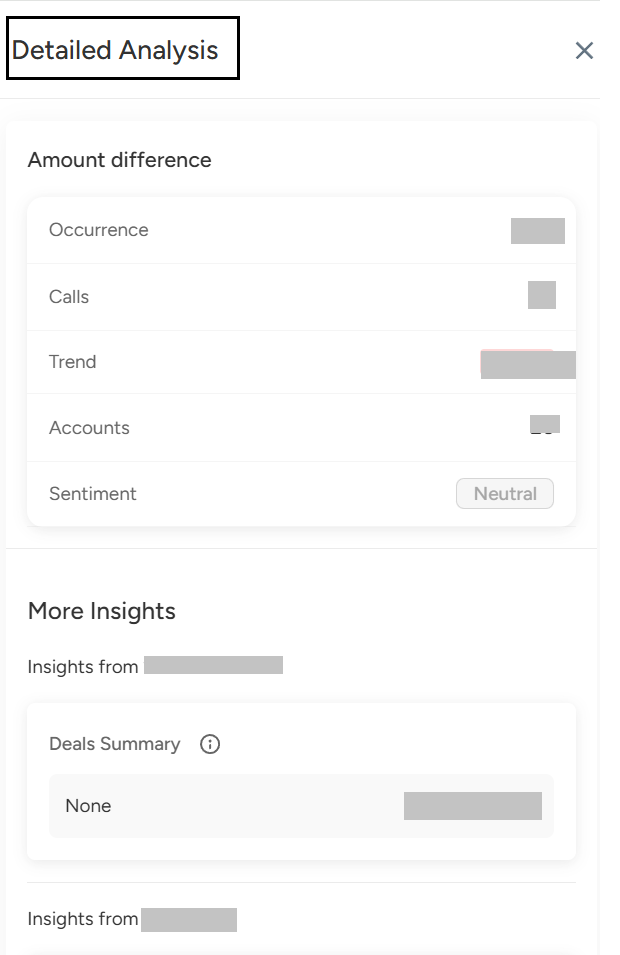
Convin shows the Detailed Level Analysis view for each of the keywords added in the custom tracking, and we will be able to see the same detailed drill down into each of the aspects, like Insights by Convin.
Convin’s Insights by Convin helps analyze 100% of customer conversations to uncover key insights like reasons, objections, sentiment, and competition. It includes:
Customer Intelligence: Provides detailed analysis of conversation patterns and agent performance.
Custom Tracking: Monitors specific keywords or phrases to generate actionable reports.
This enables data-driven decisions and improved customer engagement.
📩 Still need help? Contact our support team at [email protected] —we’re happy to assist!
Good day!