
Integrations are available in the Settings section of the Convin Dashboard, allowing Users/Admins to seamlessly integrate their Calendar, CRM, Conferencing Tools, Communications, and Telephone systems.
To access Integrations on Convin:
- Navigate to the Settings.

- Navigate to Integrations & App. You will find the "Integrations" option listed there.
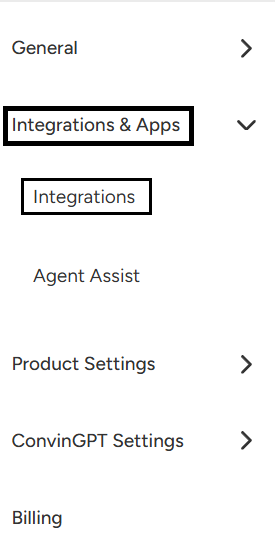
- Users will find a list of Integration options available, allowing them to connect their Calendar, CRM, Conferencing Tools, Communications, and Telephone systems seamlessly within the Convin Dashboard.
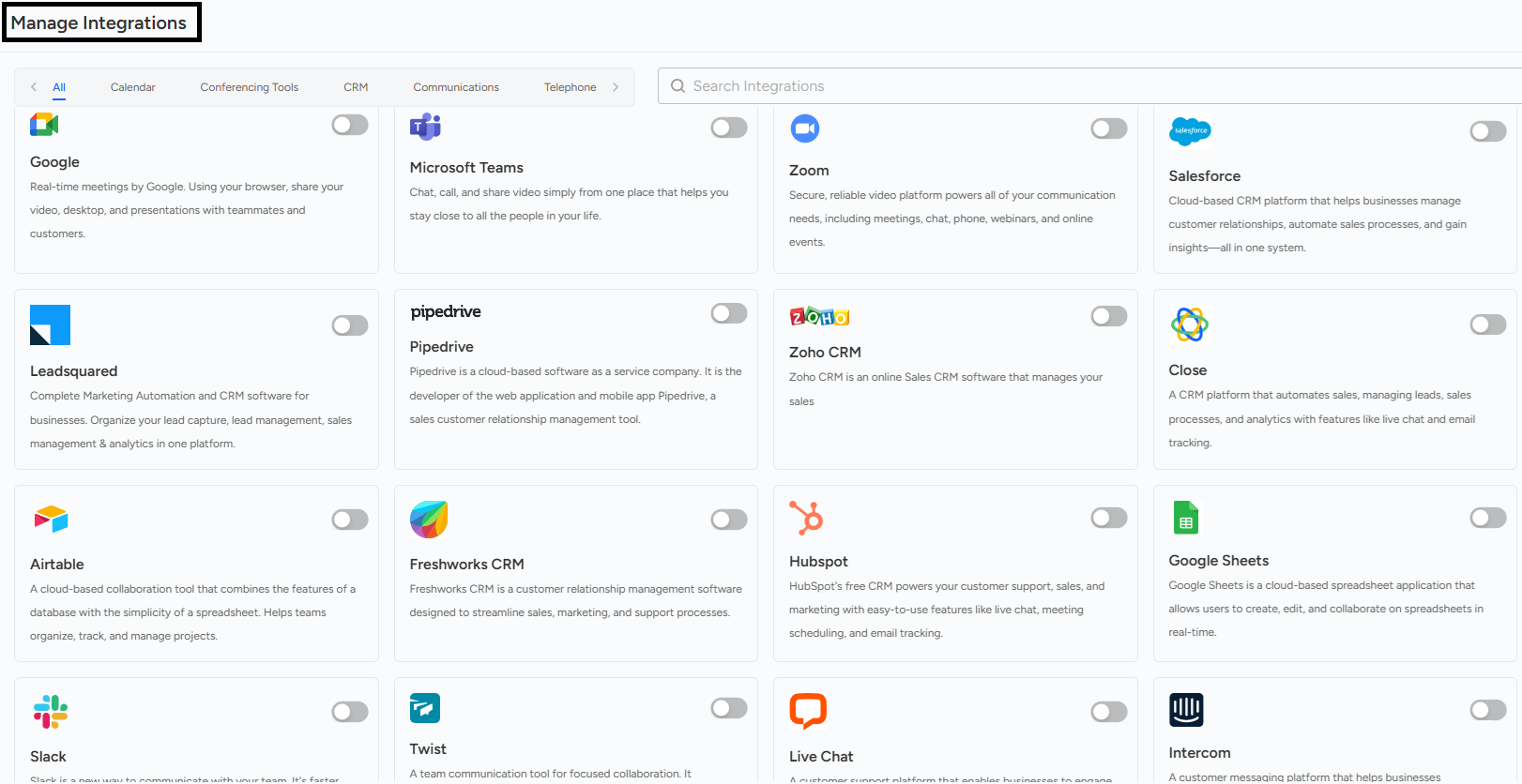
- Based on the requirement, an integration can be set up to connect the necessary tools and systems, such as Calendar, CRM, Conferencing Tools, Communications, or Telephone systems, ensuring smooth data flow and enhanced functionality.
Convin Integrations Summary Integrations in Convin allow users to seamlessly connect their Calendar, CRM, Conferencing Tools, Communications, and Telephone systems through the Dashboard. To access these integrations, navigate to Settings > Integrations & App where you'll find a comprehensive list of available integration options. Users can set up any required integrations based on their needs to ensure smooth data flow and enhanced functionality across all connected systems.
Need Additional Assistance?
📩 Still need help? Contact our support team at [email protected] —we’re happy to assist!
Good day!