
The Call Type Manager is available in the Settings section of the Convin Dashboard. It helps users identify and differentiate unique conversation types, making it easier to categorize interactions. This feature simplifies the process of filtering conversations for deeper analysis and insights.
To understand what Call Types are and how to filter them for recorded meetings, please refer to the help article titled "What is Call Type in Convin?". It provides detailed guidance on how to effectively use this feature for better conversation management.
To access the "Call Type Manager" option, follow the steps mentioned below:
Go to the Settings page of the Convin Dashboard.

Once the user opens the Settings page, they can navigate to Product Settings and click on Type Manager to access the feature.
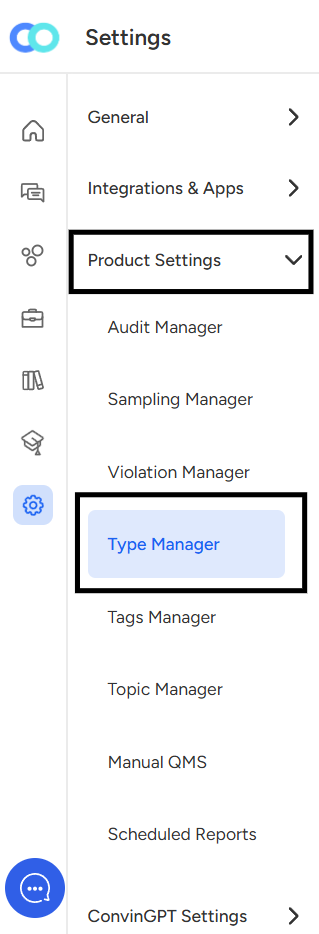
Click on "Type Manager"
The different call types will now appear on the screen.
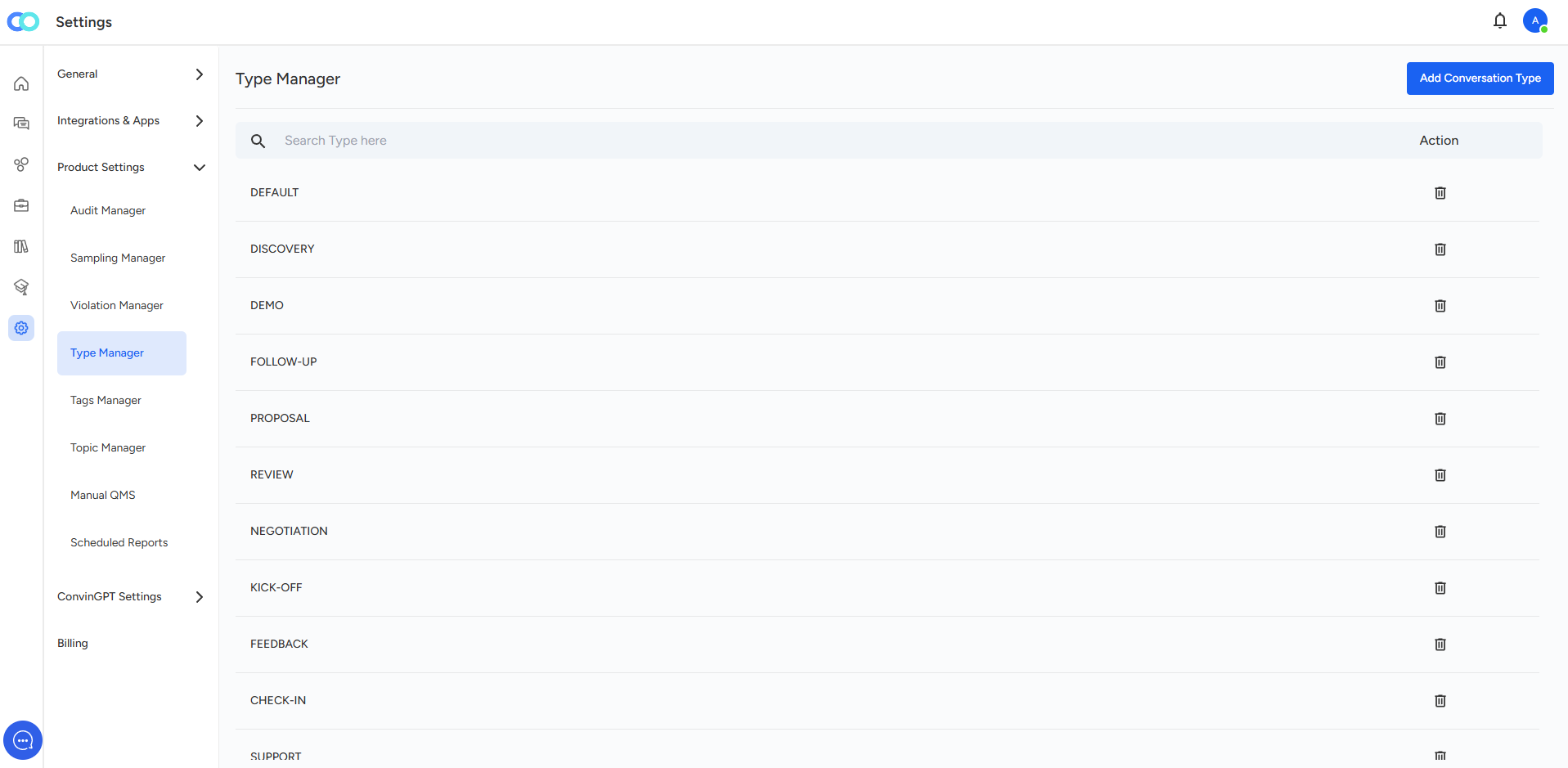
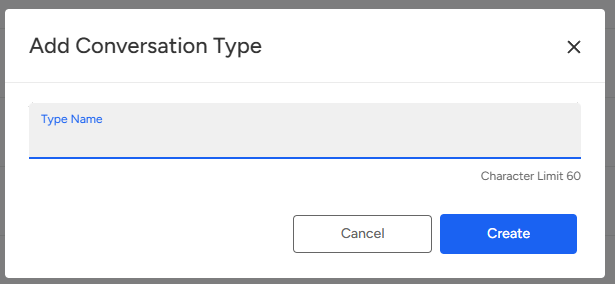
A user can add new Call Types by clicking on "Add Conversation Type" within the Type Manager section.
To remove a Call Type, click on the small bin icon next to it to delete the entry.
Need Additional Assistance?
📩 Still need help? Contact our support team at [email protected] —we’re happy to assist!
Good day!