
The Audit Dashboard provides Managers, Auditors, and Quality Analysts with a comprehensive view of audit performance over time. It helps teams monitor trends, identify areas for improvement, and ensure quality standards are consistently met.
To access the "Audit dashboard" option, follow the steps mentioned below:
- Navigate to the Home section, click on the dropdown menu, and select Audit Dashboard from the available options.

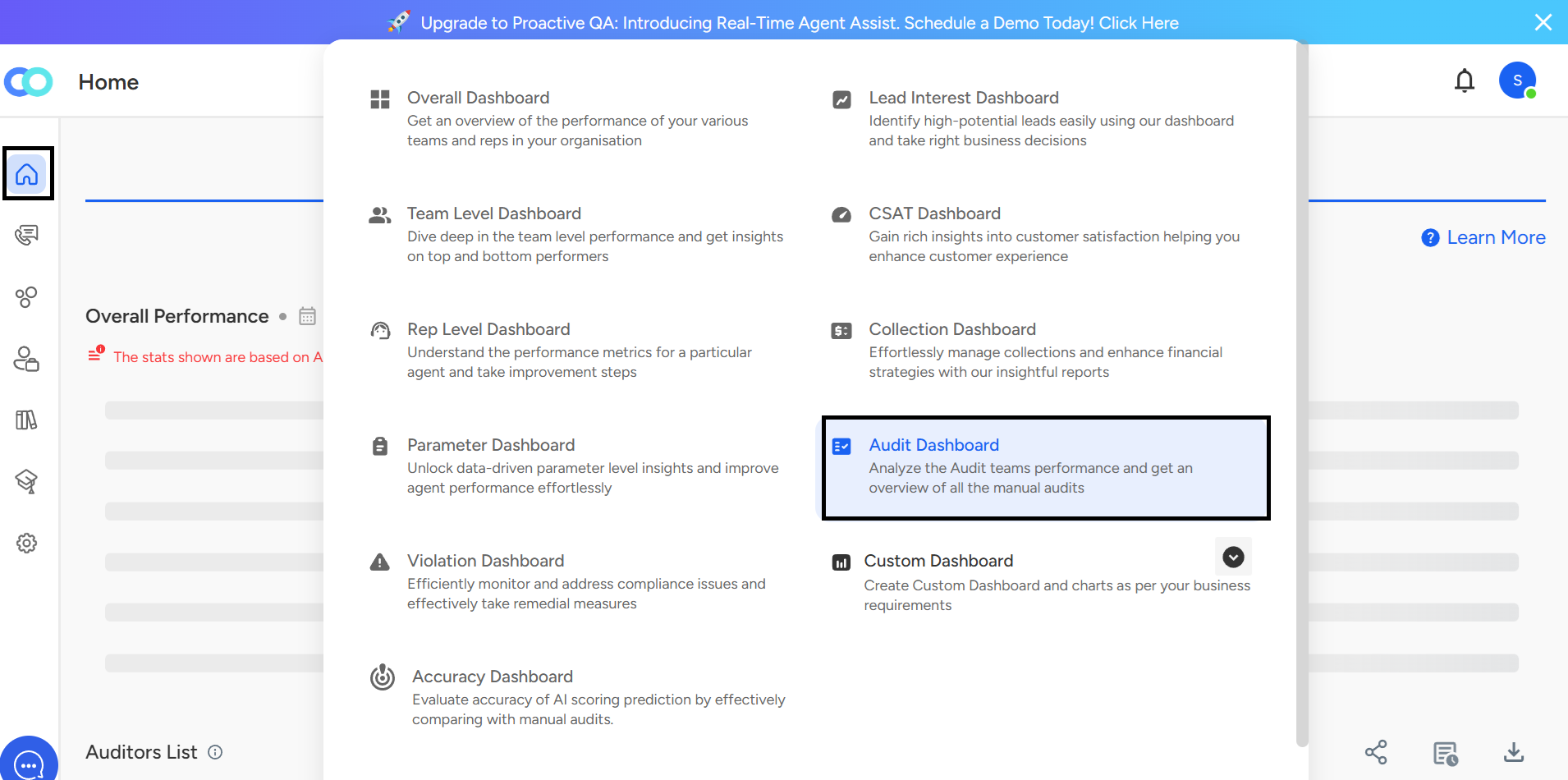
- Clicking on Audit Dashboard will redirect you to the Auditor Analytics Dashboard.
Please refer to the image below for visual guidance.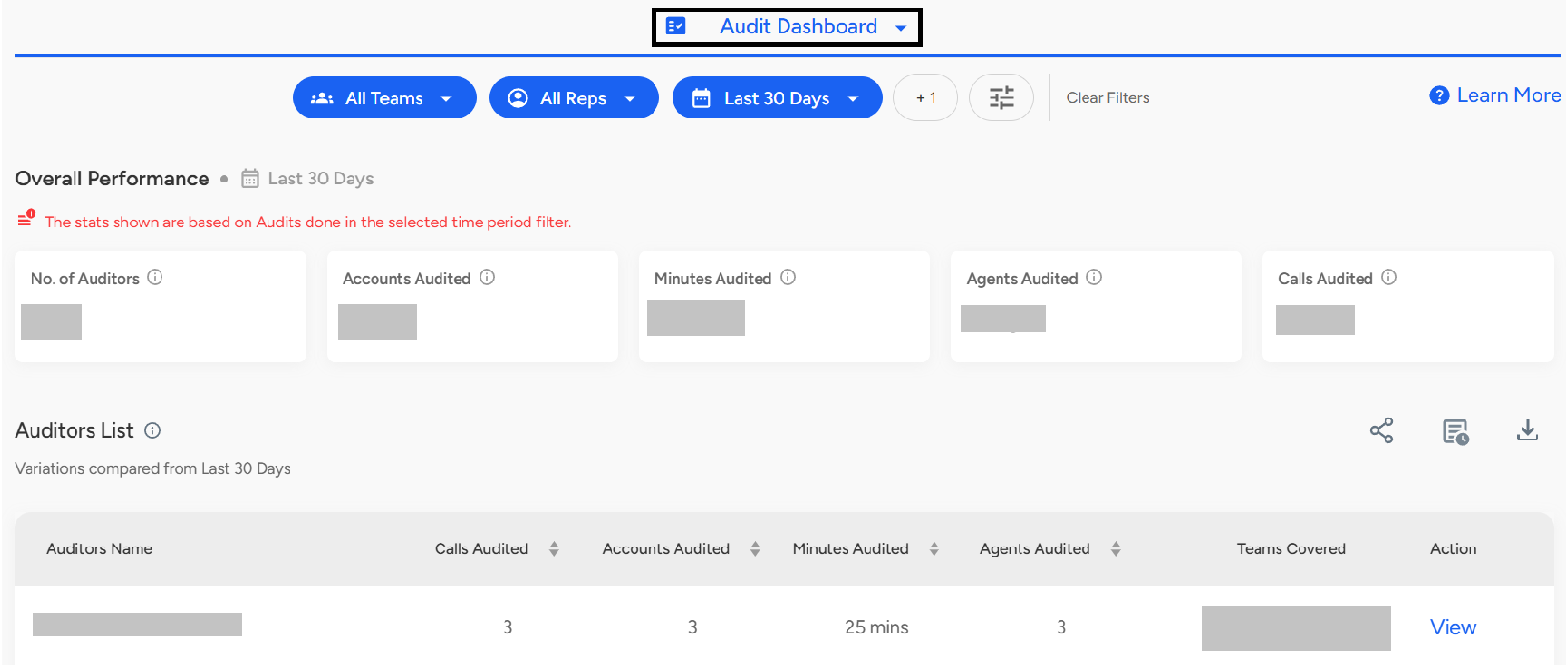
- This section provides managers with a clear overview of an auditor’s performance. It highlights key audit metrics such as the number of accounts audited, total minutes audited, agents covered, and other relevant statistics to help track audit efficiency and coverage.

- The Auditor List section functions as a leaderboard, offering a detailed view of each auditor's individual performance. It includes key metrics such as the number of accounts audited, total minutes audited, and other relevant audit statistics—helping teams recognize contributions and maintain accountability.
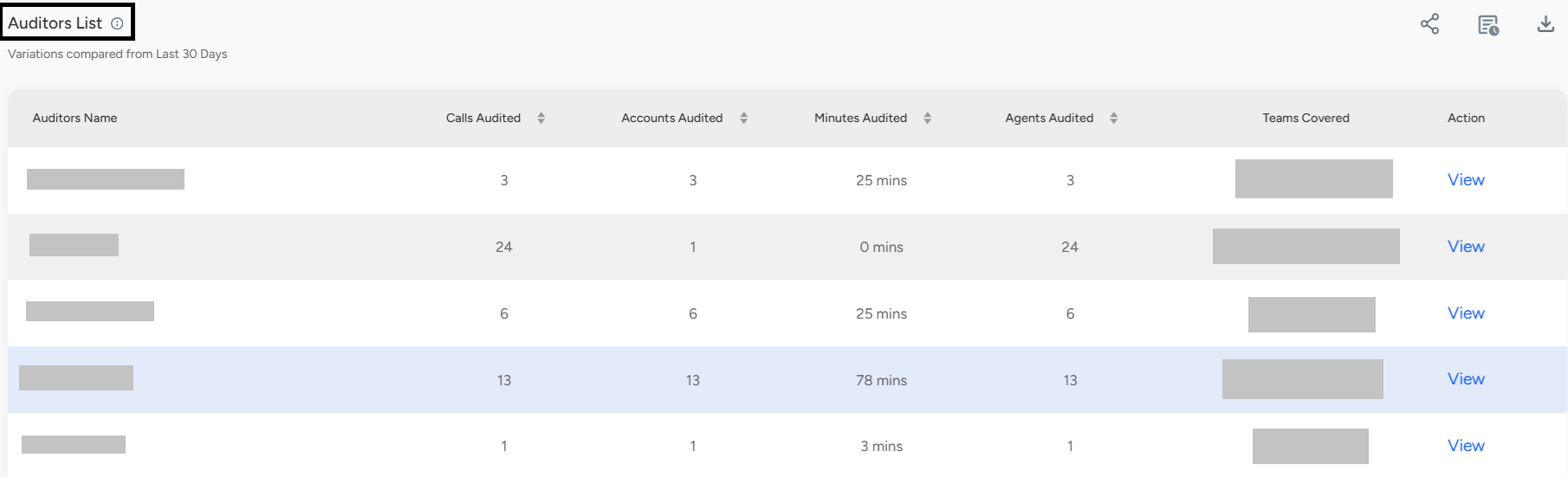
- Audit reports can be easily downloaded using the Download button. To view and share the report with your team, simply click the View button.

The Audit Dashboard in Convin offers a comprehensive view of auditor performance, enabling Managers, Auditors, and Quality Analysts to track key metrics over time. It includes overall performance insights, an auditor leaderboard, and options to download or share audit reports—helping teams monitor quality, recognize contributions, and make informed decisions.
📩 Still need help? Contact our support team at [email protected] —we’re happy to assist!
Good day!