
The Conversation Recording Medium refers to the dialer or telephony system used by agents to connect with customers.
This filter is especially useful for organizations that use multiple cloud telephony systems, as it helps to segregate calls based on the different dialers in use.
To access the "Conversation Recording Medium" filter, follow the steps mentioned below:
- Navigate to the Conversation Dashboard.

- Go to the "Conversations Dashboard" and Click on "Filters".
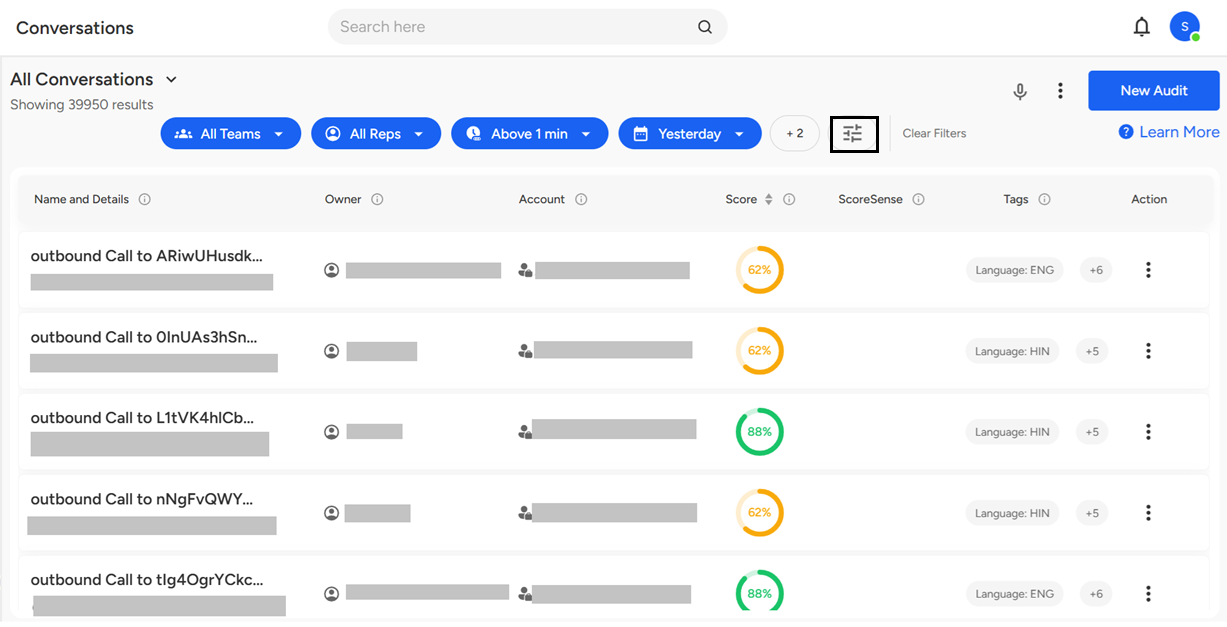
- Click on "Conversation Recording Medium."
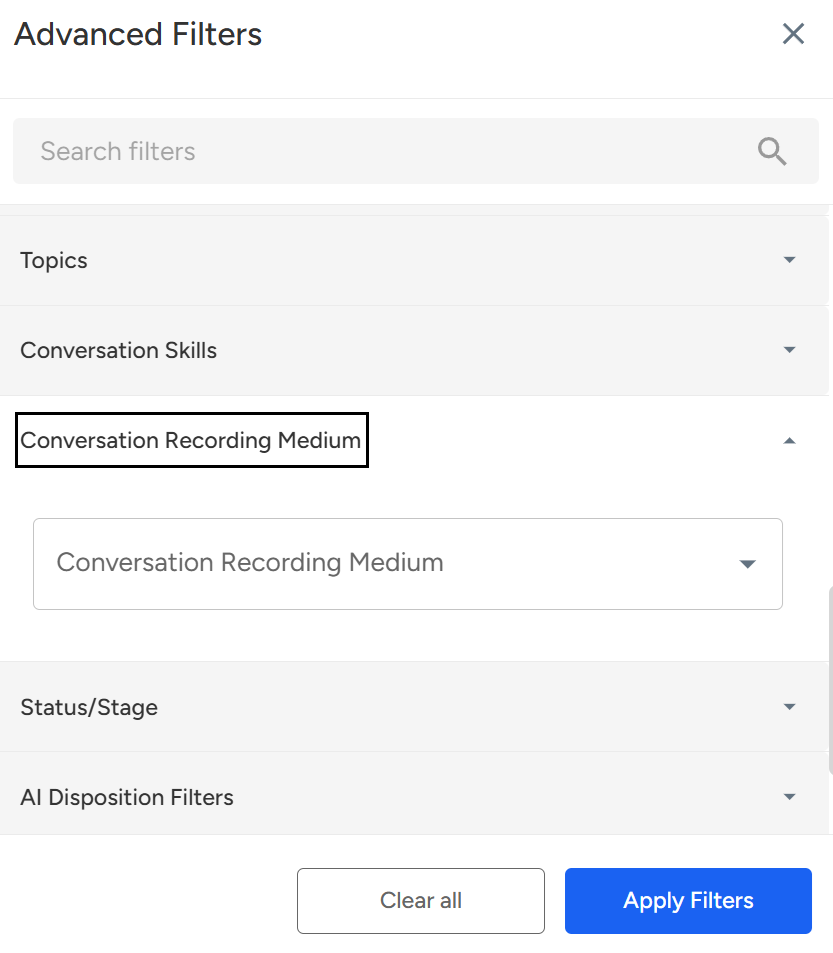
- Select the required Conversation Recording Medium, then click on "Apply Filter"—this will display the data based on the recording medium the user wants to filter.
Conversation Recording Medium Filter
This filter helps you view calls based on the dialer or telephony system used by agents. It’s especially useful for teams using multiple cloud telephony platforms to easily segment and analyze conversations.
📩 Still need help? Contact our support team at [email protected] —we’re happy to assist!
Good day!