
Convin marks multiple Conversational Statistics to track the interactivity of all conversations. These statistics are measured for both agents and clients, helping to quantify their attentiveness and interaction during the call.
These metrics are measured using multiple parameters, including:
Longest Other Party Monologue
Other Party Talk Ratio
Interactivity
Longest Rep Monologue
Rep Talk Ratio
Patience
Users can filter conversation recordings based on their custom requirements directly from the Convin Dashboard.
To access the "Conversation Skills" filter, follow these steps:
- Go to the "Conversation Dashboard".

- Click on the "filters" section.

- You’ll get access to Advanced Filter options. You can use the search bar to find Conversation Skill, or simply scroll down to locate it in the list of filter options.
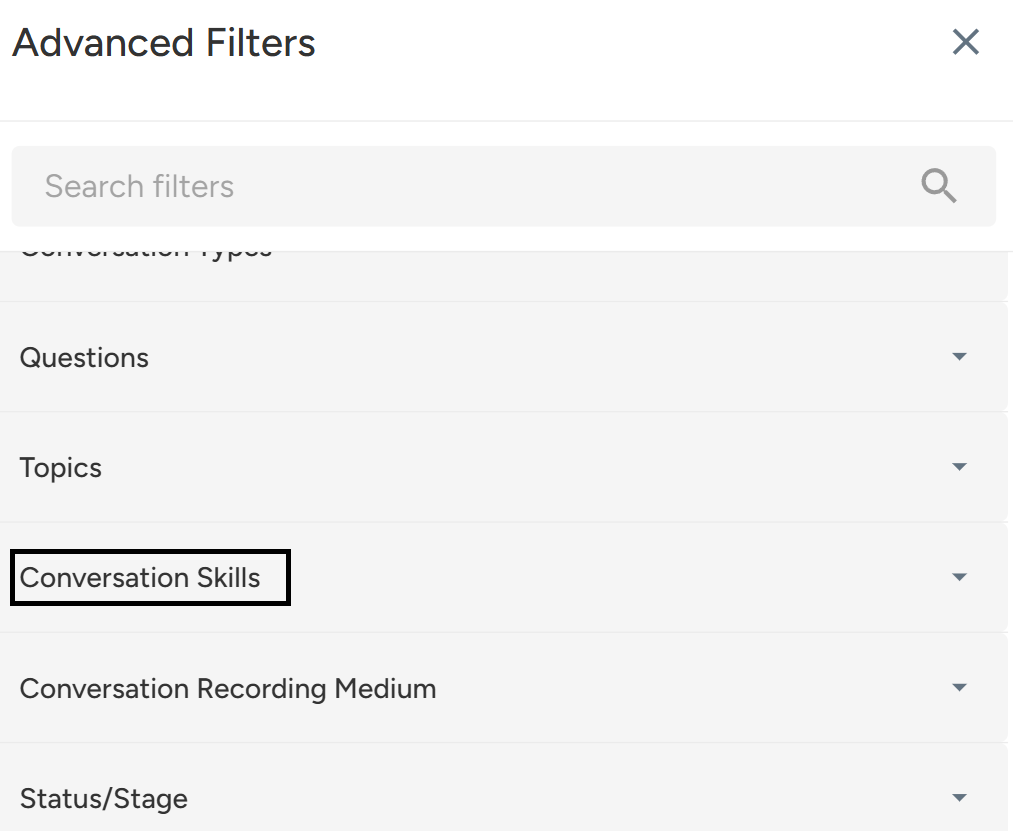
- Click on "Conversation Skills."
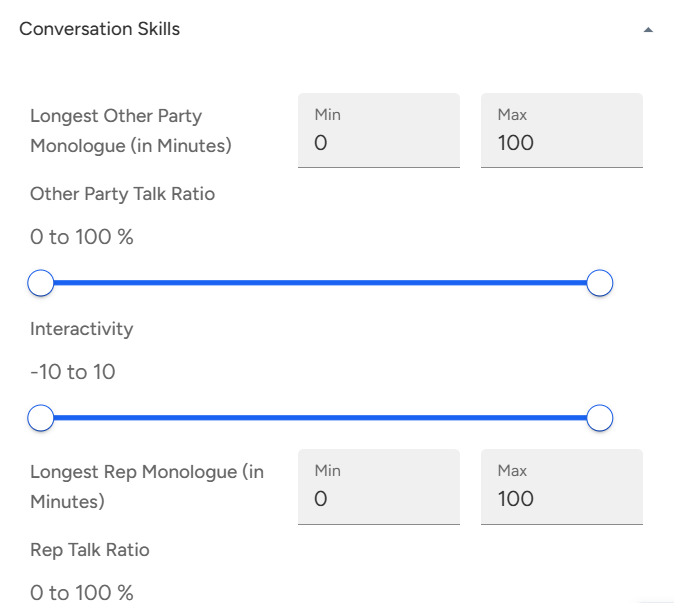
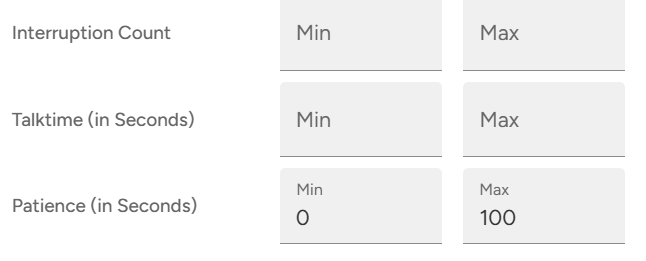
- Mark the required data set and click on "Apply filter."
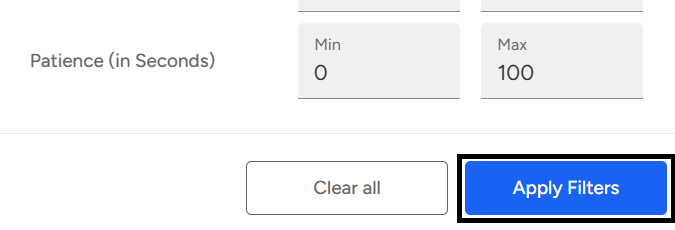
You can find the required data based on the filter that was applied.
Convin tracks various conversation skill metrics such as talk ratios, monologue lengths, interactivity, and patience for both agents and clients to evaluate call engagement. These insights can be filtered directly from the Conversation Dashboard using the “Conversation Skills” filter for targeted analysis.
📩 Still need help? Contact our support team at [email protected] —we’re happy to assist!
Good day!