
The "Topics" option is available in the Filters section of the Conversations Dashboard.
A Topic refers to a subject or theme that can be added in Convin via the Topic Manager.
The Topic Manager helps track specific keywords and phrases used by clients or agents across all conversations, making it easier to monitor key areas of interest.
For example, if users want to track discussions around the 'Payment Option' feature across calls, they can use the Topics filter to access those specific conversations.
To access the "Topics" filter, follow the steps mentioned below:
Go to the "Conversation Dashboard" and Click on "Filters."

Once you click on the option, you will find a list of search filters for a particular dataset.
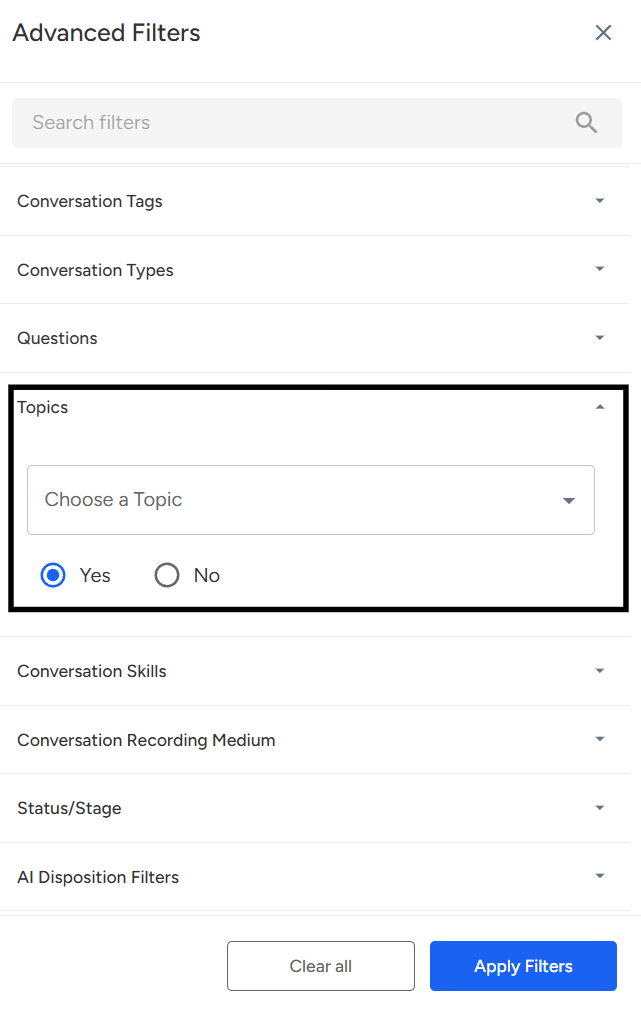
Click on "Topics."
Select the required Topic, then click on "Apply Filter"—this will display the data based on the topics the user wants to filter.
📩 Still need help? Contact our support team at [email protected] —we’re happy to assist!
Good day!