
The "Conversation Tags" option is available in the filters section of the Conversations Dashboard.
This feature enables Managers, Team Leads, Admins, and Quality Analysts to review the disposition of a call after it has been disposed of via Telephony/Dialer by a Salesperson or Support person. Additionally, users can filter and view multiple calls disposed under a specific disposition.
To access the " Conversation Tags" option, follow the steps mentioned below:
- Navigate to the "Conversation" section within your Convin Dashboard.

- Navigate to the Conversations Dashboard, then click on Filters to access the Conversation Tags option.

- Click the option to view a list of search filters for your dataset. Click on "Conversation Tags."
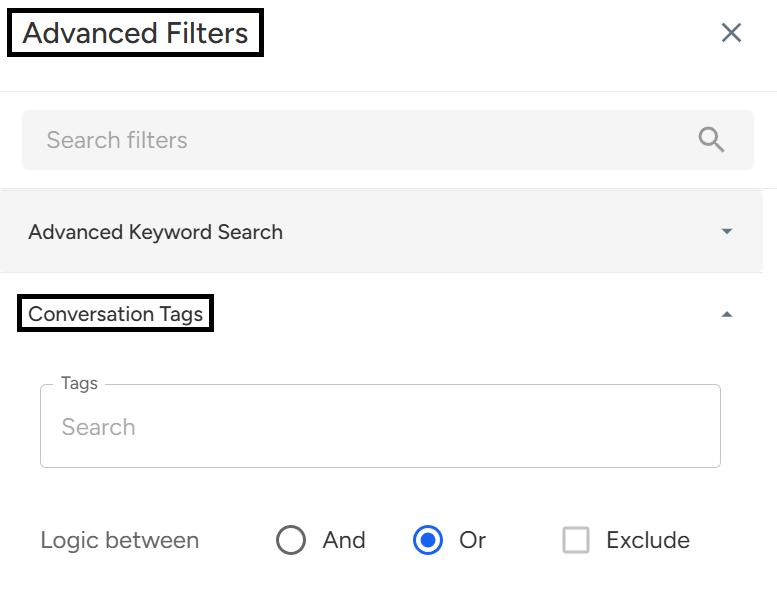
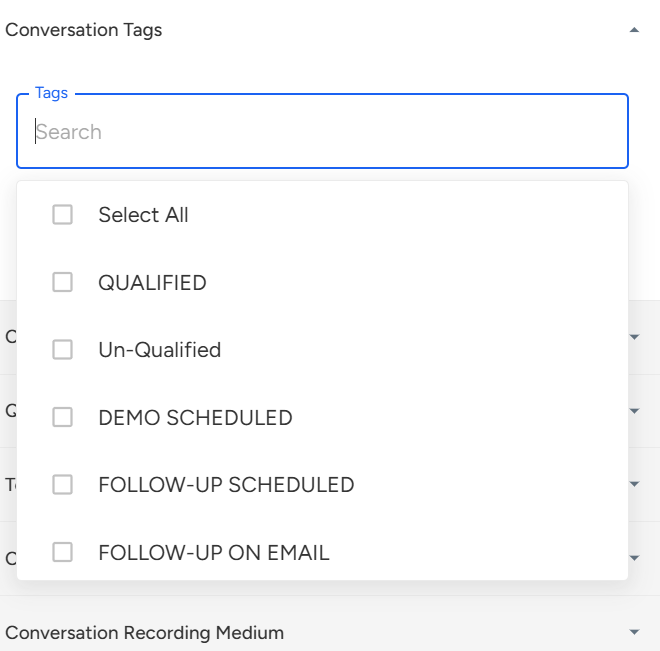
- Click on the desired Conversation Tags to locate a specific call.
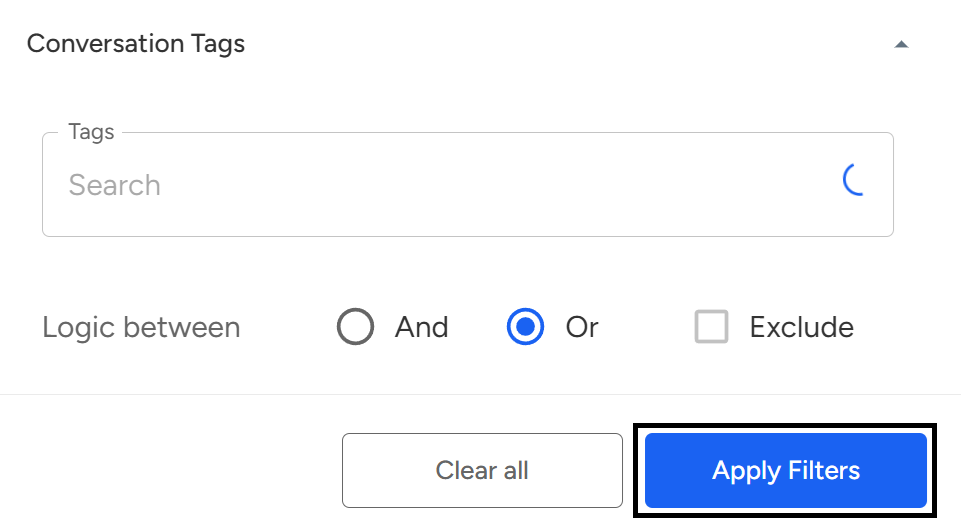
- After selecting your desired Conversation Tags, click Apply Filter to view the matching call data.
Note: These Conversation Tags are given by clients according to their dialer/Telephony
The Conversation Tags feature in Convin allows users to filter and analyze calls based on disposition tags added through their dialer or telephony system. It helps Managers, Team Leads, Admins, and Quality Analysts easily locate and review specific calls based on predefined tags, streamlining post-call analysis and reporting.
📩 Still need help? Contact our support team at [email protected] —we’re happy to assist!
Good day!