
Locating a call recording or transcript in Convin is quick and easy. Follow these steps to search for your call efficiently using the Conversations page.
Steps to Search for Calls in Convin
- Go to the Conversations Page.

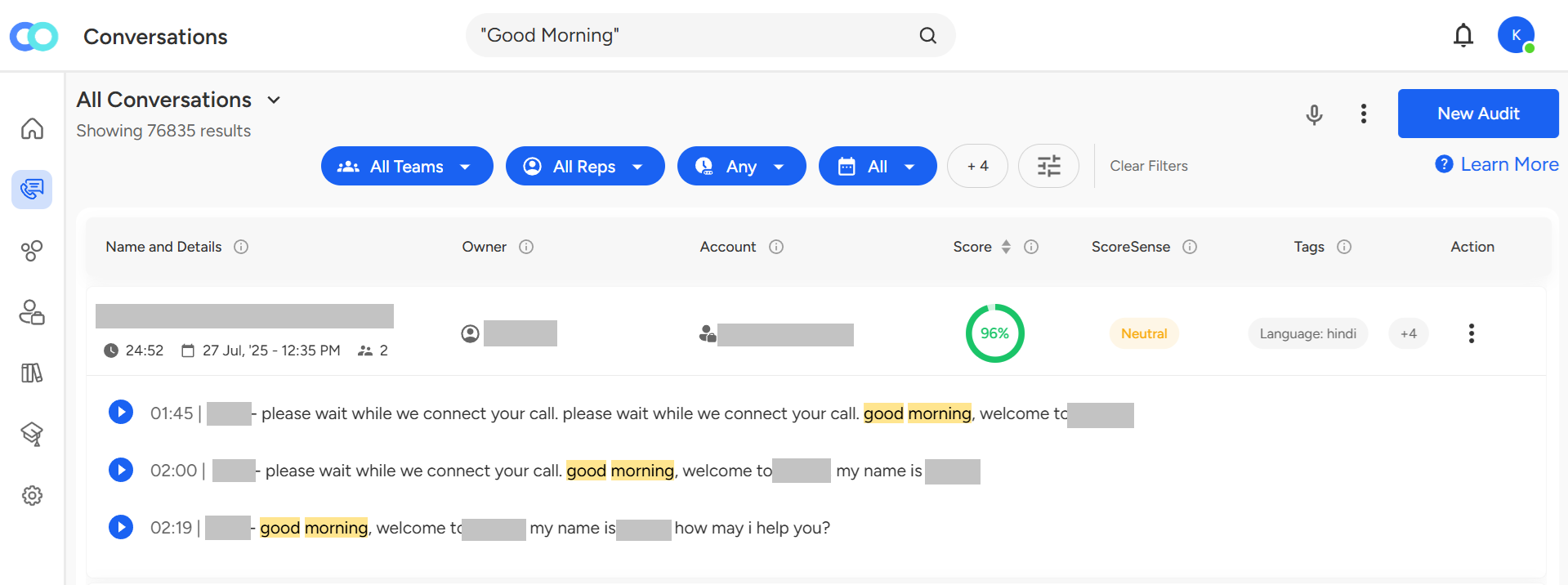
- Locate the search bar at the top center of the page labeled "Search here."

- Enter Your Search Query
You can search for calls using:
✔ Keywords (e.g., "product demo," "customer complaint")
✔ Exact phrases from the conversation
✔ Agent or customer names
✔ Date or call reference ID (if available) - Press Enter, and Convin will display all matching calls.
📩 Still need help? Contact our support team at [email protected]—we’re happy to assist!
Good day!