
Gain comprehensive insights into the predominant areas of significant breaches within agent-customer conversations, and develop a thorough comprehension of an agent's effectiveness while generating alerts in Convin.
To set up an alert, follow these steps:
Navigate to the "Conversations" module within Convin.

Apply a Filter of your choice.
Note: Kindly note that the Create Alert feature is only visible when at least one filter has been applied.Click the vertical three-dot icon (⋮) located to the left of 'New Audit', then select 'Alerts' from the dropdown menu.

Press the "Create Alert" button.
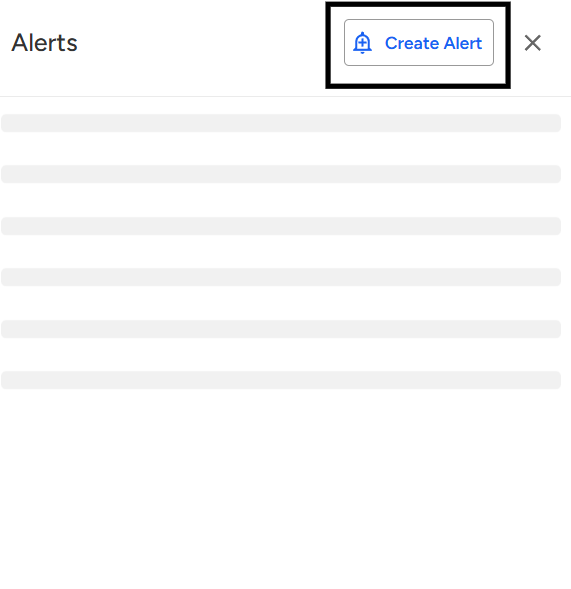
A pop-up window (similar to the example below) will appear on your screen.
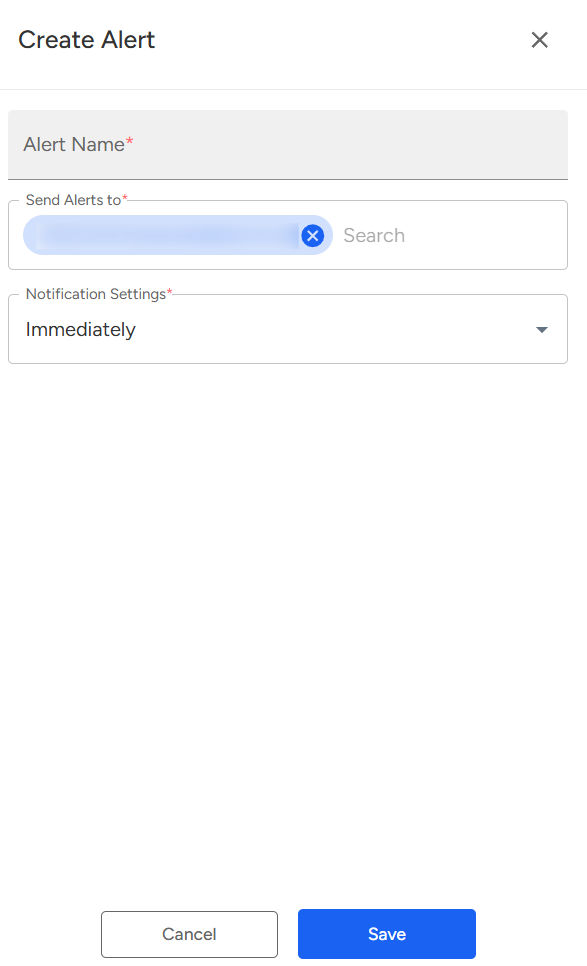
Input the desired "Alert Name".
Choose the individuals who should receive notifications in the event of a violation.
Note: You can only select individuals who are currently active on Convin.
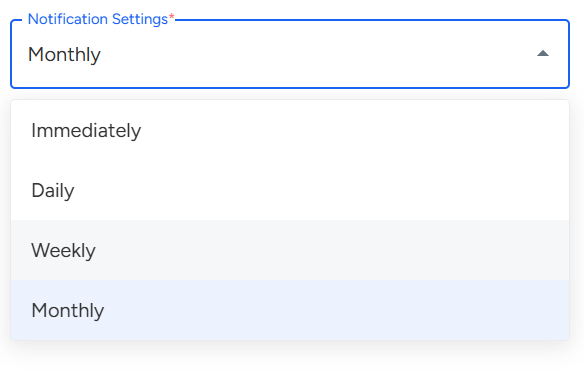
Adjust the Notification settings to specify when you wish to be alerted upon an occurrence.
Complete the process by clicking the "Save" button.
When an alert is successfully created, chosen members will receive notifications whenever a violation occurs in any conversation according to their notification preferences.
📩 Still need help? Contact our support team at [email protected] —we’re happy to assist!
Good day!