
Sharing a conversation empowers managers to facilitate learning opportunities for agents. If a high-performing agent's skills need to be highlighted for the team's benefit, sharing specific conversation snippets allows team members to listen at their own pace, anytime and anywhere.
To share a conversation via Convin, follow these steps:
Go to the "conversations" module in Convin.

Access the specific conversation you wish to share.
Click on the "Share" icon.

A displayed interface will resemble the one below.
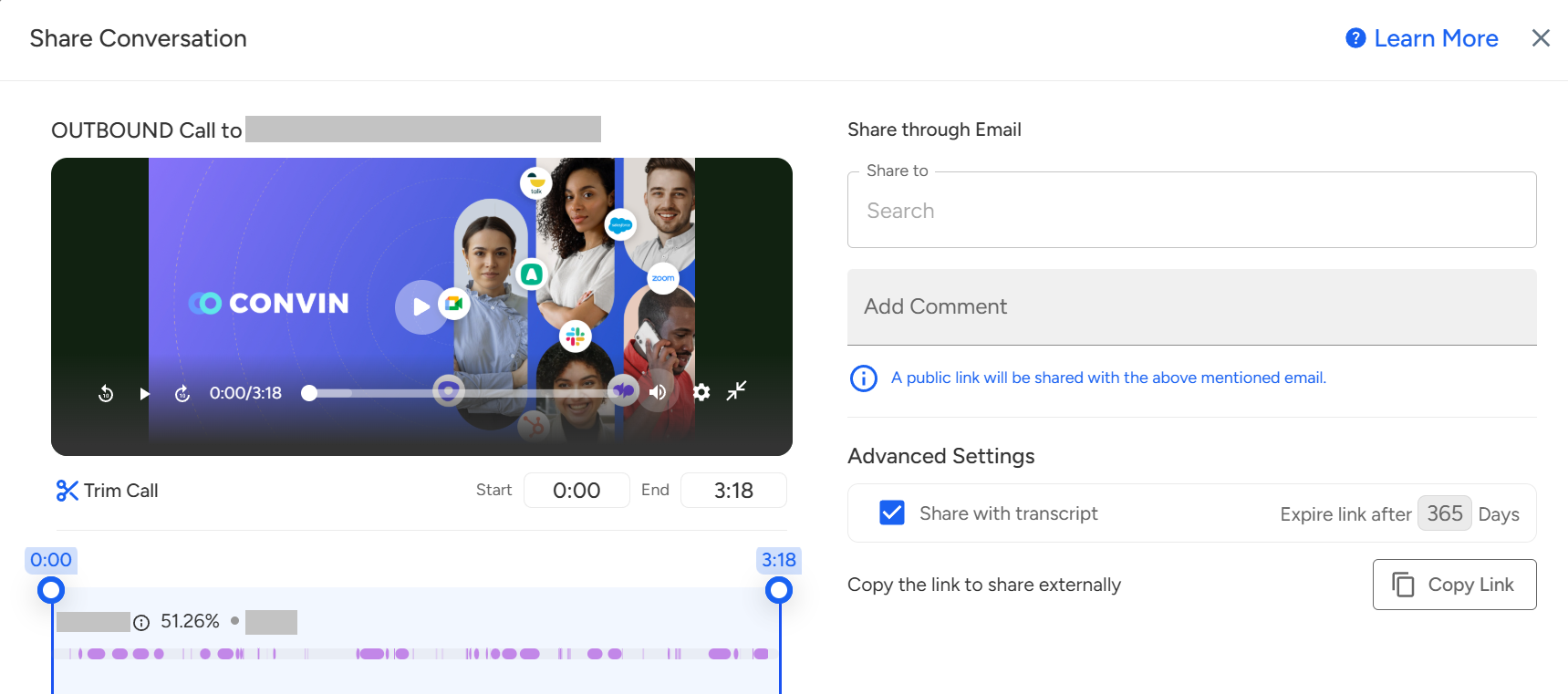
Configure the Share Settings:
To share the conversation with the transcript, tick the corresponding checkbox.
Specify the link's expiration duration.

For sharing a specific snippet, trim the call accordingly.

For sharing the call:
With existing Convin users:
Add the relevant recipients.
Include comments if required.
Click on the "Share" button.

With everyone:
Click on "Copy Link".

Share the copied link with desired recipients.
📩 Still need help? Contact our support team at [email protected]—we’re happy to assist!
Good day!