
Within the Convin dashboard, when an auditor evaluates a call, a notification mail is generated to the corresponding agent, detailing their responses to the specific audit template parameters. The agent's call receives a score based on the assigned weightage of these responses.
In the email, an agent can acknowledge or raise a dispute for the audit.
Acknowledgment validates the receipt of the audit and helps ensure clarity to the auditor.
Disputes are raised when an agent believes they've met the parameters, but the auditor has marked it differently.
To filter calls based on the feedback received during an audit, follow these steps:"
Go to the "Conversations" module.

Click on the "Advance Filter" button.

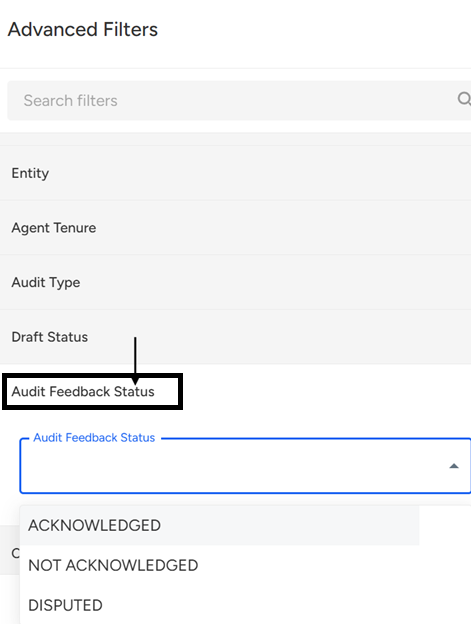
Select a desired "Audit Feedback Status."
Click on the "Apply Filter" button.
📩 Still need help? Contact our support team at [email protected]—we’re happy to assist!
Good day!