
Lead Scoring equips agents with actionable insights, guiding them on the necessary next steps to facilitate successful conversion.
Accessing Lead Score Analysis of a particular conversation is pretty easy! Just follow these steps:
Go to the conversations page.
Click on the "Advanced Filters" button.
Choose the "ScoreSense" category.
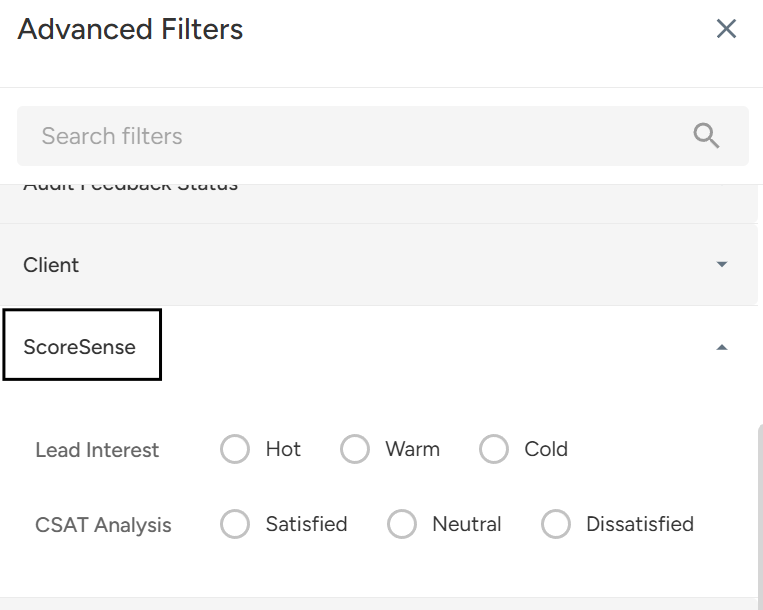
Select your preferred category: Hot, Warm, or Cold Leads.
Open a desired conversation from the filtered conversations that suit your business needs.
Toggle the "Show Analysis" option in the Stats Tab next to the Lead Score category.
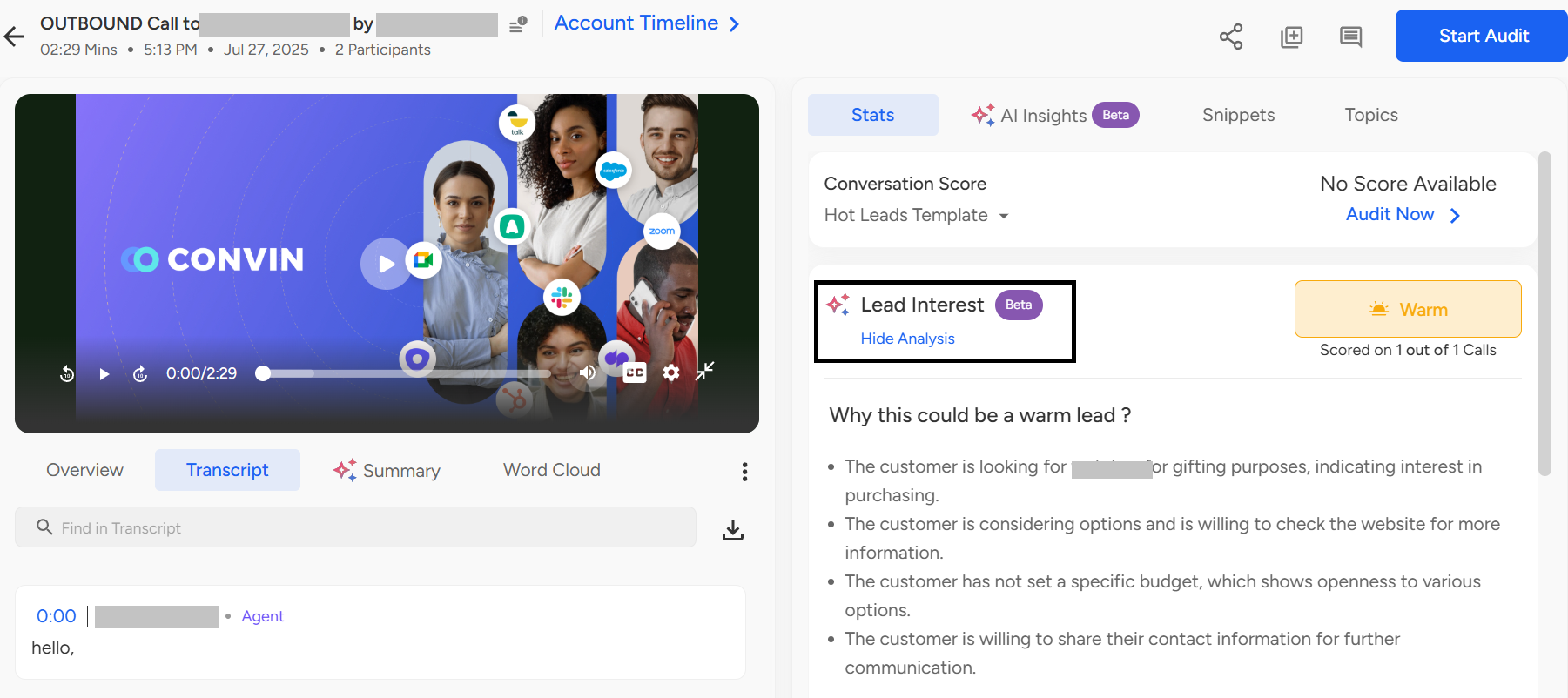
Account Level Analysis
To visualize the Lead Score analysis for a specific account, adhere to these steps:
Head to the accounts page.

Click on the "Filter" button.

Choose the "Lead Score" category.
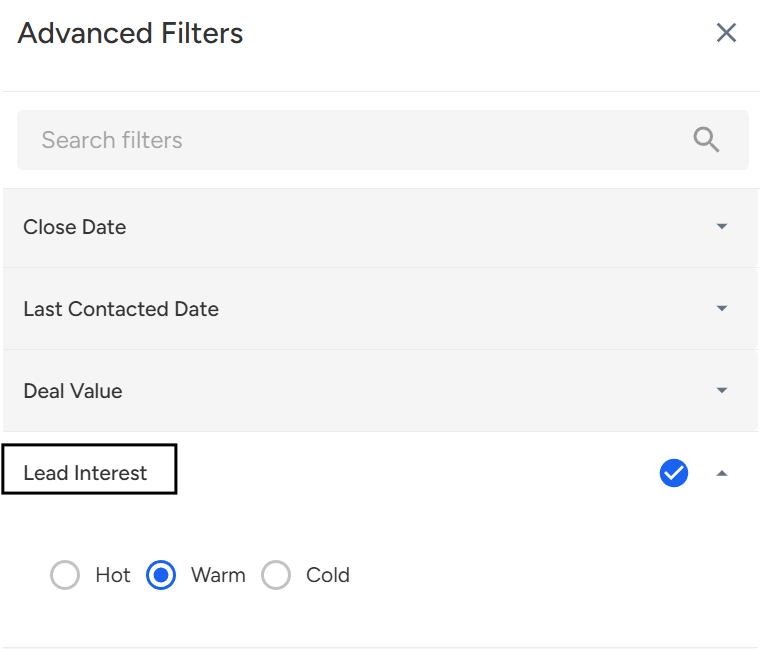
Select your preferred category: Hot, Warm, or Cold Leads.
Apply the Lead score filters according to the instructions, and open a relevant account that fits your needs.
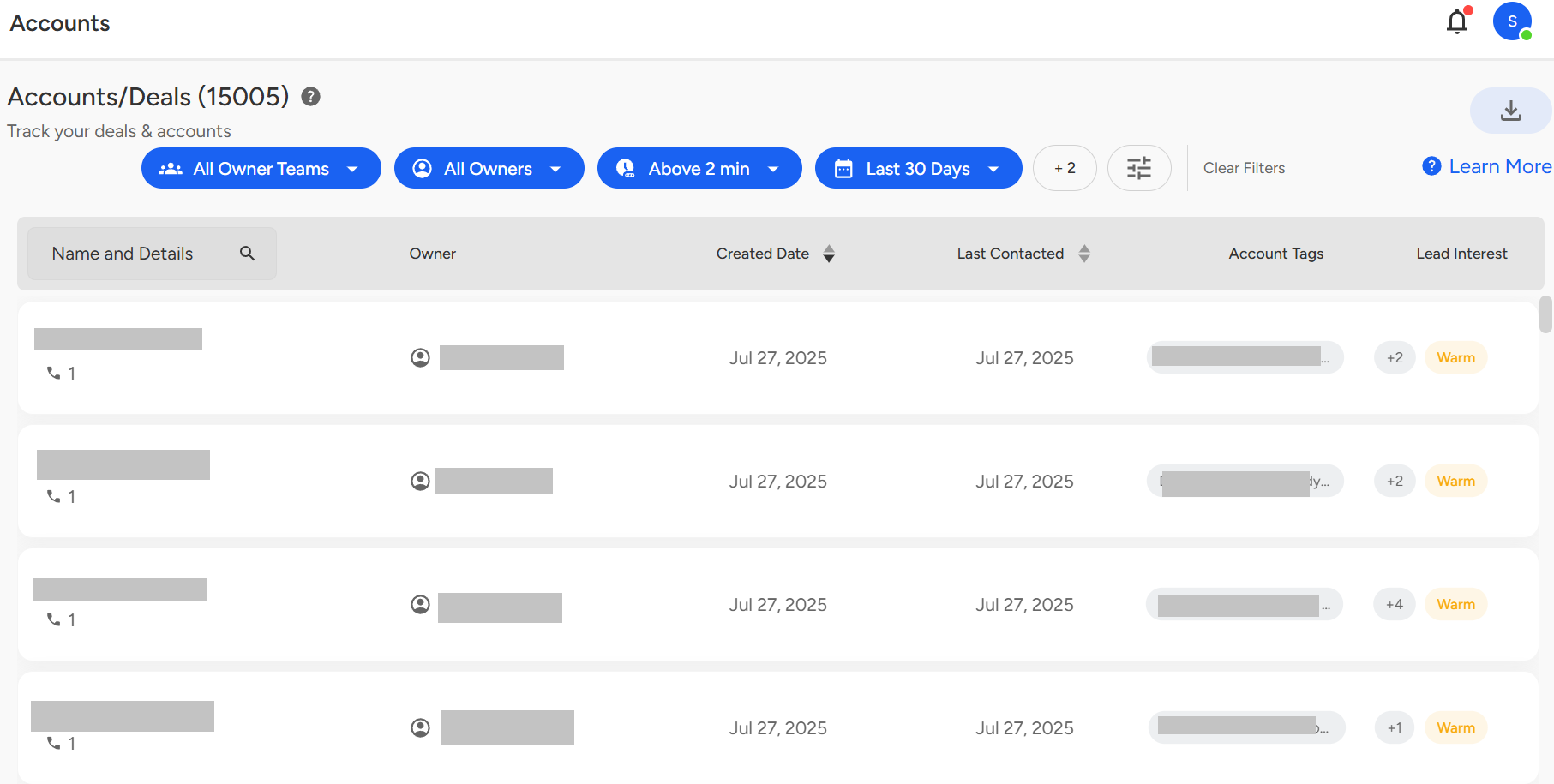
[Please Note: The lead score category for a particular account can be viewed on the account card in the account list page indicating whether the account is classified as a Hot Lead, Warm Lead, or Cold Lead.]
📩 Still need help? Contact our support team at [email protected] we’re happy to assist!
Good day!