
The Call Details page offers a comprehensive look at the conversation, showcasing agent performance and presenting overall call statistics. One can access a call details page by following the below steps:
Go to the "Conversations" module in the Convin platform.

Select the conversation card to access the insights you're interested in viewing.
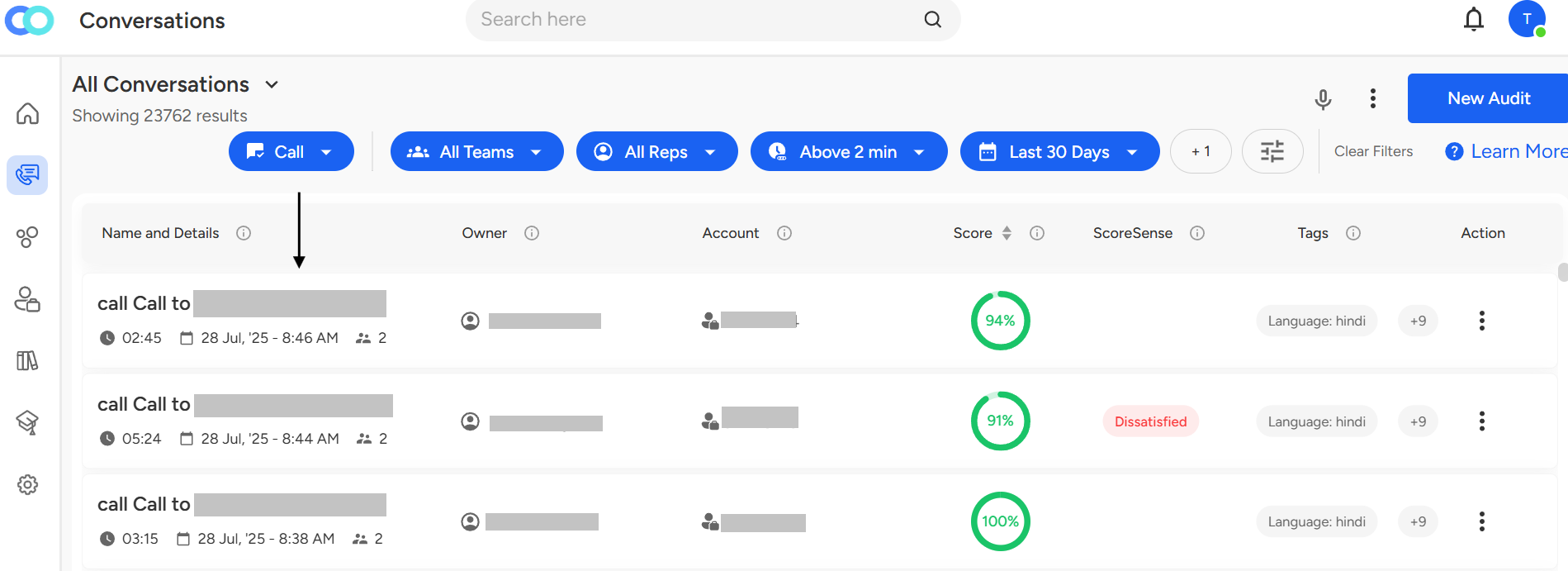
Once you click on a desired conversation card, you will have the below view
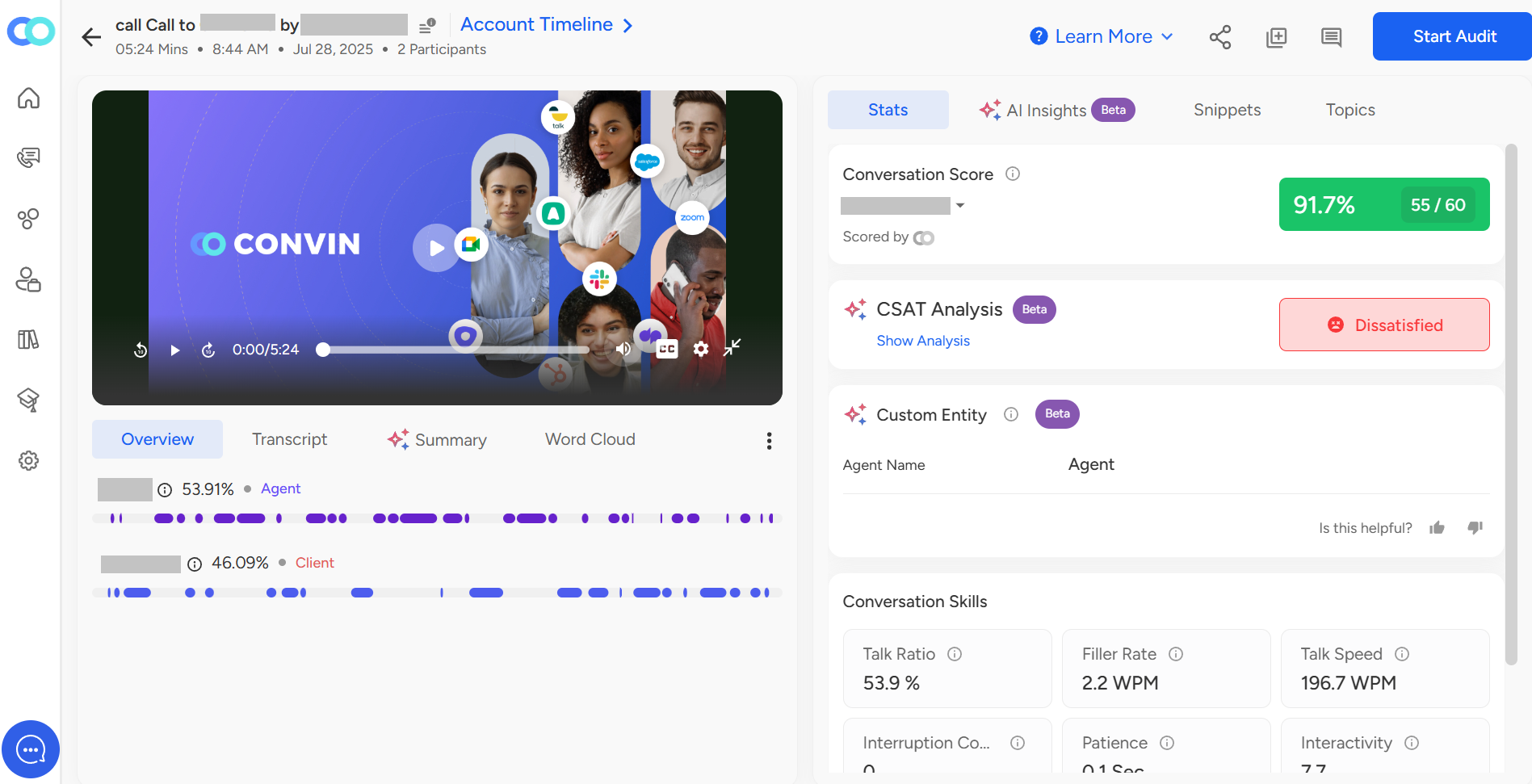
Within the interface, on the left-hand side, you can view and listen to a call by clicking the play button. Here, you can perform various actions:
Expand or collapse the call view
Play or pause the call at any time
Adjust the volume range
Enable or disable subtitles during playback
Download the call view
Change the playback speed
Adjust the resolution of the playback
Within the Overview tab, you'll find essential information including:
Customer ID and Agent's name
Customer and internal tag
Topics covered during the meeting
Conversation skills of both the agent and the customer

Talk ratio for each participant in the call
Questions that were asked
Actions that were taken
One can assess the transcript in the "Transcript" tab. With respect to the transcript, you can perform the following functionalities:
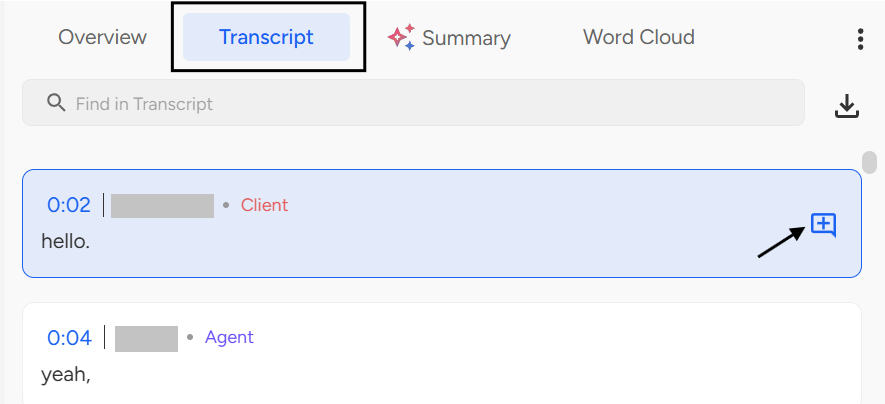
- Add comments at a particular time.
Search in the transcript.
Download the transcript.
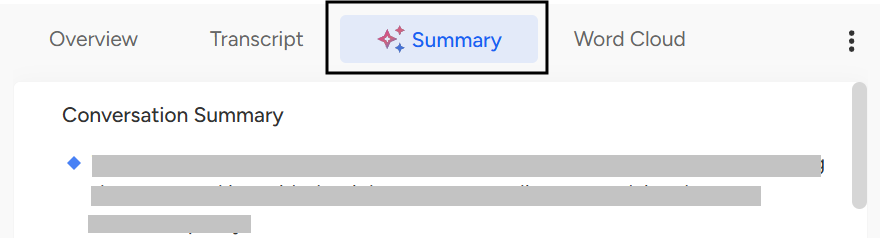
To have a look at the brief of the conversation, switch to the "Summary" tab.
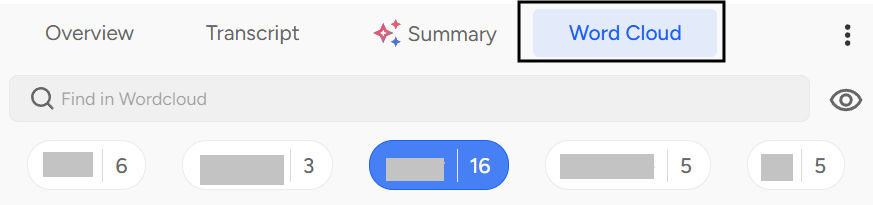
In the "Word Cloud" tab, one can view the keywords along with their occurrences.
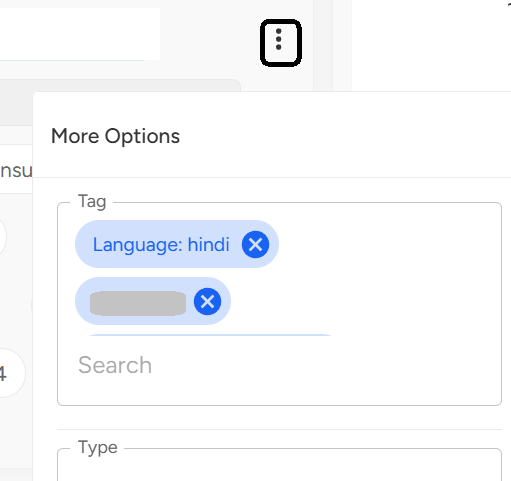
In the "More Options" button, you can add type and tags to the respective call.
On the right-hand side, you will be able to see the Call Scoreboard. Initially, the scores are evaluated by Convin.

In case, you want to audit the call manually, refer to the below article:
https://app.intercom.com/manual_auditing
In the "Stats" tab, one can find the following details:
Within the Scoreboard, you'll discover the following details:
The template used to analyze the call
The agent's score percentage
The count of fulfilled parameters out of the total
Identification of whether the score was provided by Convin or a specific auditor
Customer Sentiment Analysis: Sentiment breaks up all the calls into Positive, Neutral, and Negative sentiment calls indicating the overall sentiment for a particular aspect.
Insights like:
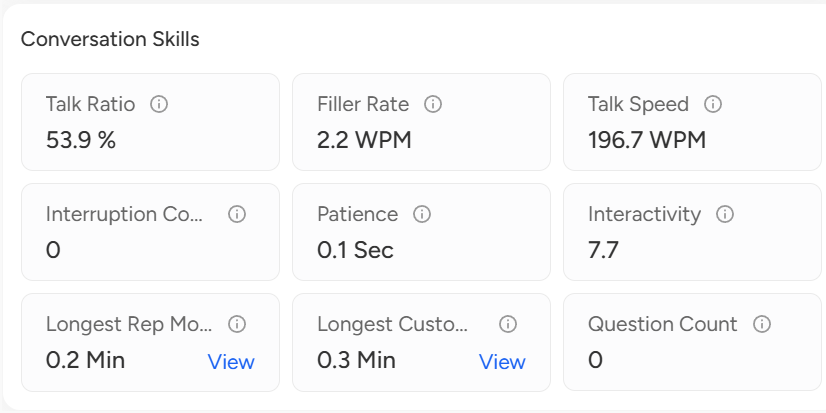
Talk Ratio: Time spoken by the agent out of the total duration of the call.
Filter Rate: Rate (per minute) of Filler words spoken by an agent.
Talk speed: Rate (per minute) of words spoken by an agent.
Interruption count: Number of times the agent interrupted the client during a call.
Patience: Average time waited by an agent before responding to a customer.
Interactivity: Measures the interactivity of the call on a scale of 0-10.
Longest rep monologue: Duration of the longest uninterrupted time spoken by an agent.
Longest customer monologue: Duration of the longest uninterrupted time spoken by the client.
Questions Count: Number of questions asked by an agent during a call.
📩 Still need help? Contact our support team at [email protected]—we’re happy to assist!
Good day!